Using render target textures
Render target textures are used for rendering dynamic content from layers into textures. You can use render target textures like any other texture. See Textures.
For example, if your Kanzi application has more than one scene, you can use render target textures to show the content of other scenes in the current scene.
Rendering content to a texture
To render content to a texture:
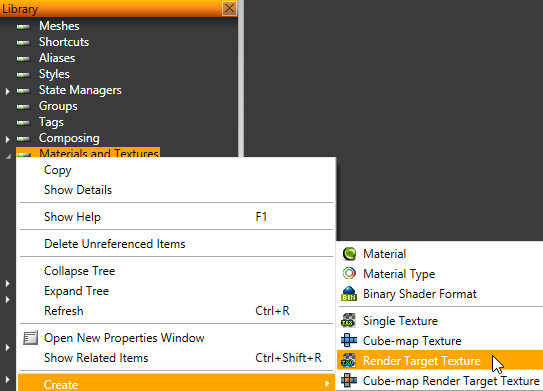
- In the Library right-click Materials and Textures and select Create > Render Target Texture.
- In the Project select or create a layer the content of which you want to render to texture.
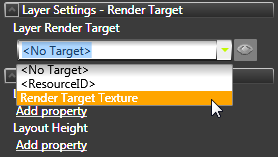
- In the Properties click Add Properties, add Layer Render Target property, and set the property to the Render Target Texture to which you want to render the content of the selected layer.
Kanzi Studio renders the content of the layer to the render target texture.
See also
Using single textures
Using cubemap textures
Open topic with navigation