Running services remotely
You can run services remotely outside the Kanzi Connect Server process. For example, you can create a custom service and run it as a console application. See Tutorial: Create a custom Kanzi Connect service.
Kanzi Connect comes with remoteservicerunner which serves as an example and is suitable only for development and testing.
Running a service library as a remote service
Kanzi Connect comes with a remoteservicerunner executable that you can use to run shared library services.
Kanzi Connect comes with scripts run_connect_server_debug.bat and run_connect_server_release.bat that you can use to start the Kanzi Connect Server.
To run a test service library that comes with Kanzi Connect:
Start the debug version of the Kanzi Connect Server
run_connect_server_debug.bat
If you do not use the script to start the Kanzi Connect Server, do not start the Kanzi Connect Server from a directory that contains the
service_test.dllfile. If you do, the Kanzi Connect Server loads that file and you cannot use the remote service runner.Start the service using the
remoteservicerunnerfrom the directory which contains the debug version of the service library.For example,
<KanziConnectInstallation>/SDK/lib/win64/GL_vs2019_Debug_DLL.This way you tell the
remoteservicerunnerexecutable to load theservice_testlibrary and connect to the Kanzi Connect Server running locally to provide the service.remoteservicerunner.exe --service service_test --ip 127.0.0.1 --port 2002
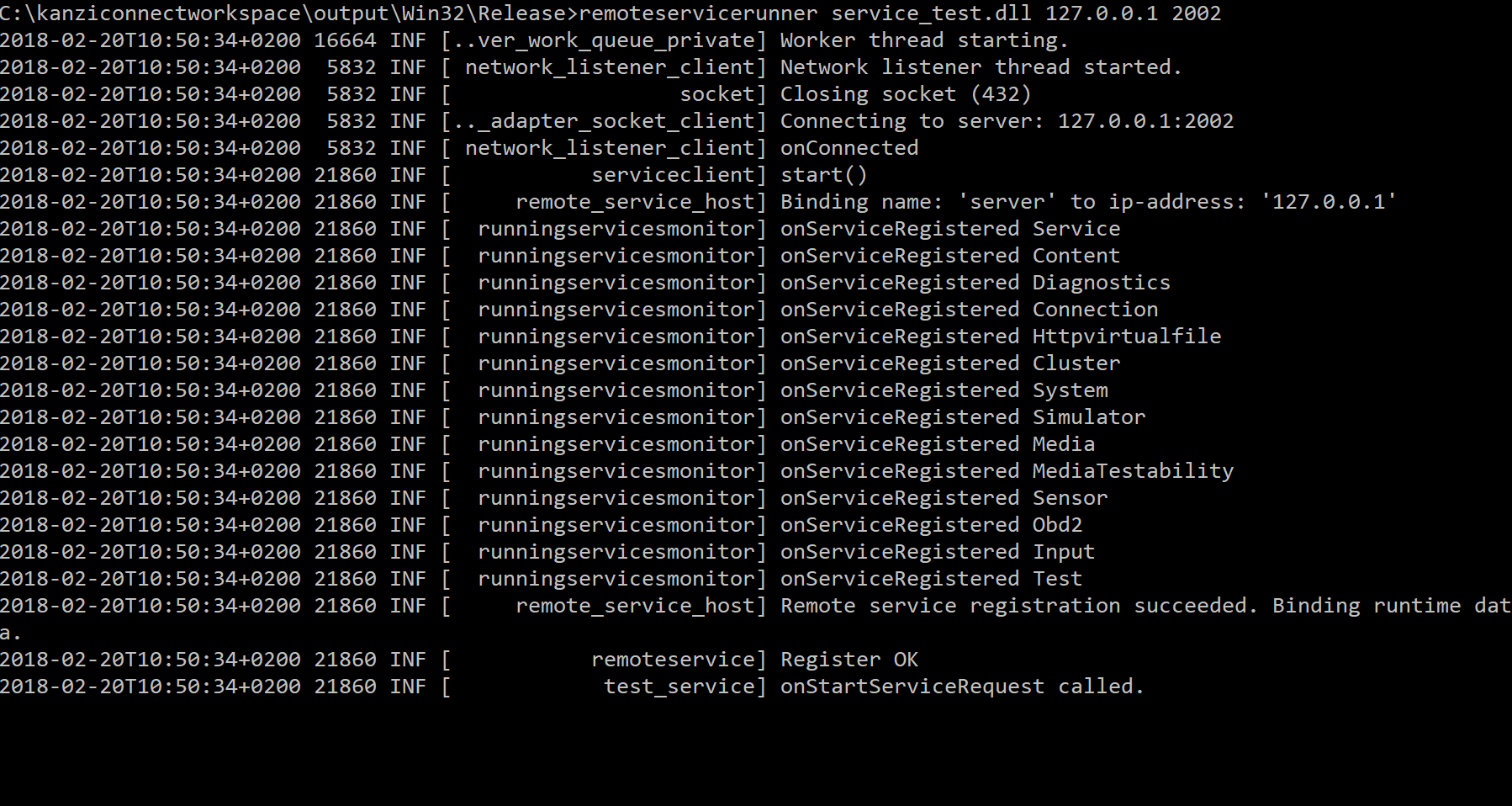
Customizing the remoteservicerunner
Kanzi Connect installation includes the source code for the remoteservicerunner. This way you can extend the functionality of the remoteservicerunner. The remoteservicerunner is implemented in the <KanziConnectInstallation>/SDK/sources/server/executable/remote/remoteservice.cpp file.