Using emitter nodes
Emitter nodes release particles. For an emitter node to release particles, it must be a direct child of a Particle System node. To create different particle effects, you can use multiple emitter nodes in a single Particle System node and use the Render Transformation or Layout Transformation properties to position them. When emitter nodes release particles, use one or more affector nodes to define how those particles move. See Using affector nodes.
Types of emitter nodes
Kanzi Particles includes these types of emitter nodes:
Particle Box Emitter emits particles from within a volume the shape of a box or from its surface.
Particle Mesh Emitter emits particles from the surface of a mesh.
Particle Sphere Emitter emits particles from within a volume the shape of a sphere or from its surface.
Use the properties in each emitter node to define how you want to release particles. Each type of emitter node has a set of properties that is specific to that type, but all have a set of properties that are common to all emitter nodes. With these common properties you can:
Control how many particles an emitter releases and how long they stay alive. See Controlling the amount and lifetime of particles.
Set the size of particles. See Setting the dimensions of particles.
Controlling the amount and lifetime of particles
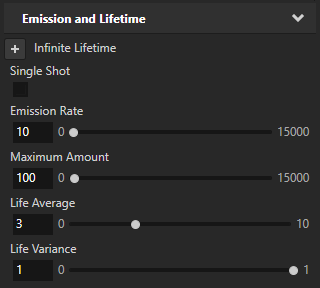
In emitter nodes you can control how many particles that an emitter node releases and the amount of seconds the particles stay alive. When an emitter reaches the maximum amount of particles it can generate, it does not release new particles until the lifetime of particles ends.
To control the amount and lifetime of particles:
Create a particle system with an emitter.
In the Node Tree, select the emitter for which you want to control the amount and lifetime of particles. In the Properties, set:
Emission Rate to 10.
This way, you set the number of particles that this emitter node releases each second.
Maximum Amount to 100.
This way, you set the highest number of particles that this emitter node can have at any moment.
Life Average to 3.
This way, you set the average amount of time in seconds that each particle stays alive.
Life Variance to 1.
This way, you set the amount of difference in the lifetime of particles that this emitter node releases. When you set the value to 0 the lifetime of all particles equals to the average lifetime. When you set the value to 1, the lifetime of particles can be twice as long as the average lifetime.
Setting the dimensions of particles
In emitter nodes, you can set the height and width of particles that an emitter node releases.
To set the dimensions of particles:
Create a particle system with an emitter.
In the Node Tree, select the emitter for which you want to set the size of particles. In the Properties, set:
Scale Average property to 0.9.
This way you set the average height and width of a particle that this emitter releases.
Scale Variance property to 0.8.
This way, you set the amount of difference in height and width of particles that this emitter node releases. When you set the value to 0 the size of all particles equals to the average size. When you set the value to 1, the size of particles can be twice as large as the average size.
Setting the random rotation of particles
In emitter nodes you can adjust the initial random rotation of particles.
To set the initial random rotation of particles:
Create a particle system with an emitter.
In the Node Tree, select the emitter for which you want to set the initial random rotation of particles, and in the Properties set:
Rotation Minimum to -30.
This way you set minimum value for initial random rotation of particles.
Rotation Maximum to 70.
This way you set maximum value for initial random rotation of particles.
When you use the same values for Rotation Minimum and Rotation Maximum, Kanzi Particles disables random rotation and emits all particles with the same initial rotation.
Using the Particle Box Emitter
Particle Box Emitter emits particles from within a volume the shape of a box or from its surface.
In addition to the general particle emitter properties, use this property to adjust how a Particle Box Emitter emits particles:
Surface Emission property sets a Particle Box Emitter to emit particles only from the surface of the box.
Using the Particle Mesh Emitter
Particle Mesh Emitter emits particles from the surface of a mesh.
In addition to the general particle emitter properties, use these properties to adjust how a Particle Mesh Emitter emits particles:
Mesh property sets the mesh from which you want to emit particles.
Using the Particle Sphere Emitter
Particle Sphere Emitter emits particles from within a volume the shape of a sphere or from its surface.
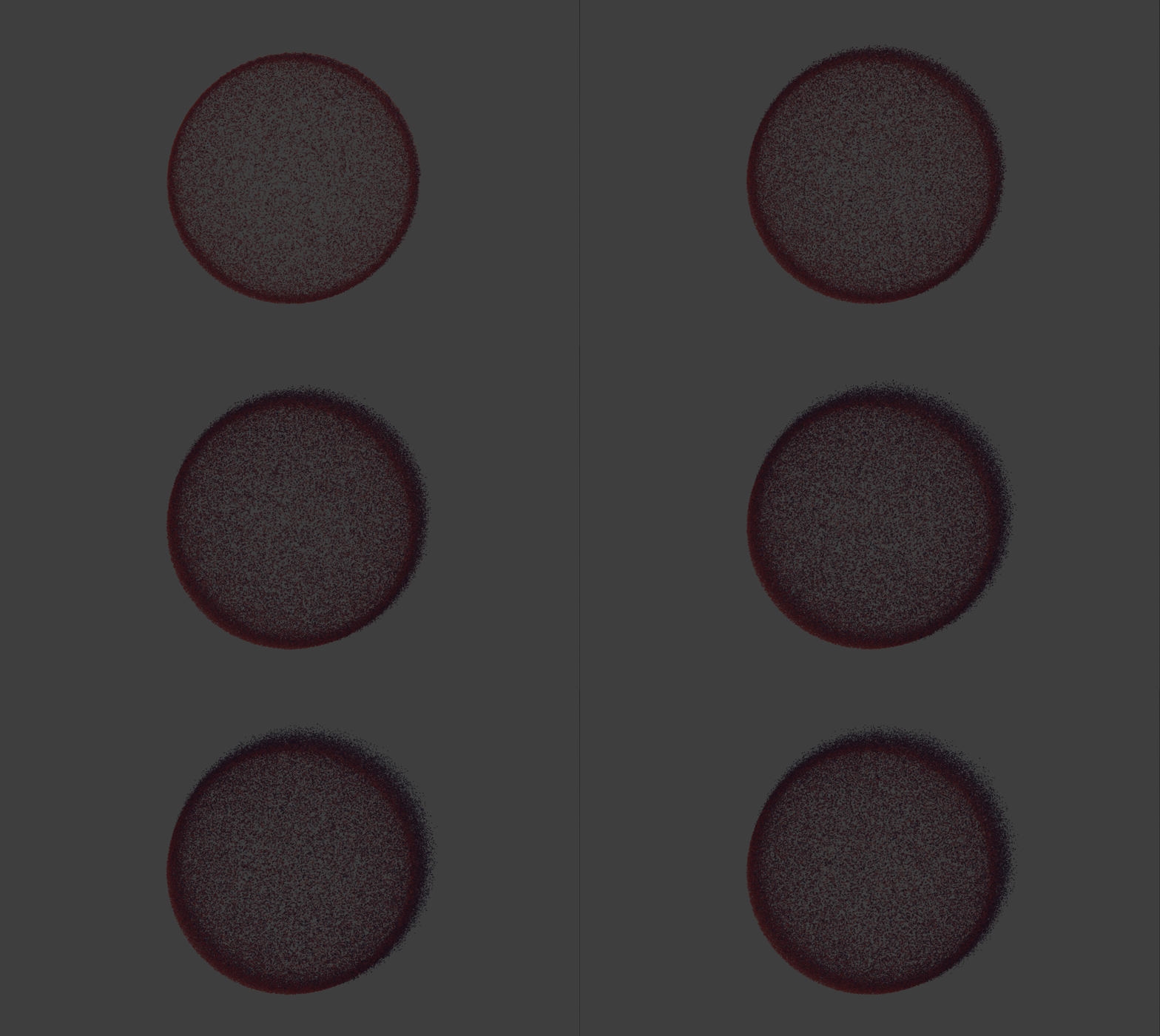
In addition to the general particle emitter properties, use these properties to adjust how a Particle Sphere Emitter emits particles:
Sphere Radius sets the radius of the particle source sphere.
Distribution Bias sets from where within the sphere, a Particle Sphere Emitter distributes the creation of particles:
To distribute particles evenly so that any point within the sphere is just as likely to get a particle, set to 0.
To distribute more particles toward the center of the sphere, set to -1.
To distribute more particles toward the surface of the sphere, set to 1.
When the Surface Emission property is enabled, that Particle Sphere Emitter emits particles only from the surface of the sphere, regardless of the value of the Distribution Bias property.
Surface Emission sets a Particle Sphere Emitter to emit particles only from the surface of the sphere.