Kanzi Project Templates
With the Kanzi 4 beta release, we are providing one demo template as a basic sample project to kickstart your evaluation of the new features. This sample project will be replaced, and more templates will be added in the official Kanzi 4 release.

Requirements
Kanzi 4 beta or newer
Kanzi Particles
Kanzi Hub
Installing Kanzi Project Templates
To install a template:
Install Kanzi Hub and create a Kanzi Account, if you have not done so already:
Download Kanzi Hub from https://download.rightware.com/releases/public/kanzi_hub/KanziHubSetup.exe.
Install Kanzi Hub and sign in with your Kanzi Account, or follow the instructions to create a Kanzi Account.
Kanzi Hub allows you to manage your Kanzi projects and installations, download Kanzi software, and access online resources. To access content through Kanzi Hub, you need a Kanzi Account.
In Kanzi Hub, in the Templates, select your Kanzi Studio version for which you want to use a template and in that template click Download.
Kanzi Hub downloads the template zip file to the
Downloadsdirectory on your computer.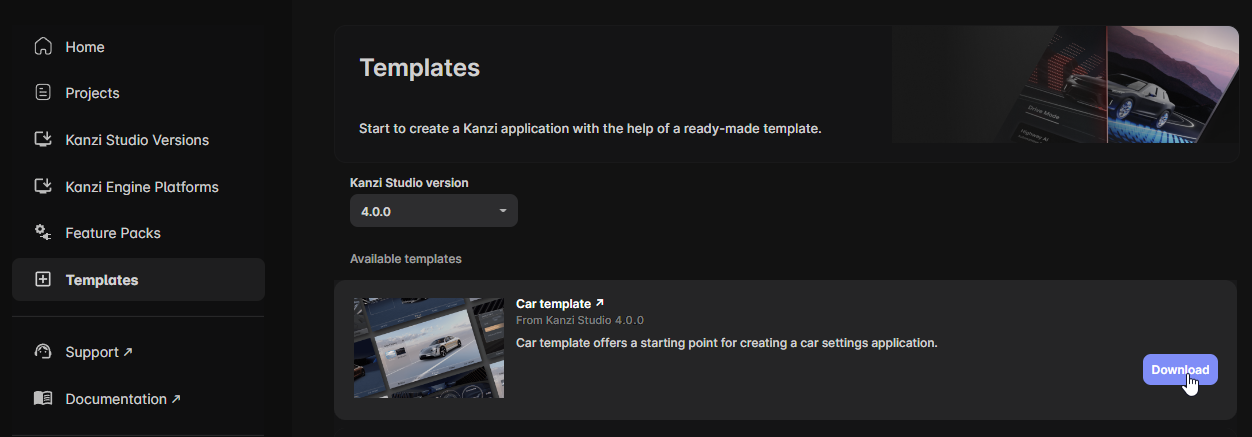
Extract the content of the template zip file to the
<KanziWorkspace>/Projectsdirectory.This template makes use of Kanzi Particles in Kanzi 4.0. To install Kanzi Particles:
In Kanzi Hub, in the Feature Packs, select the same Kanzi Studio version and click Download.
Kanzi Hub downloads and installs Kanzi Particles to the
<KanziWorkspace>/Engine/pluginsdirectory.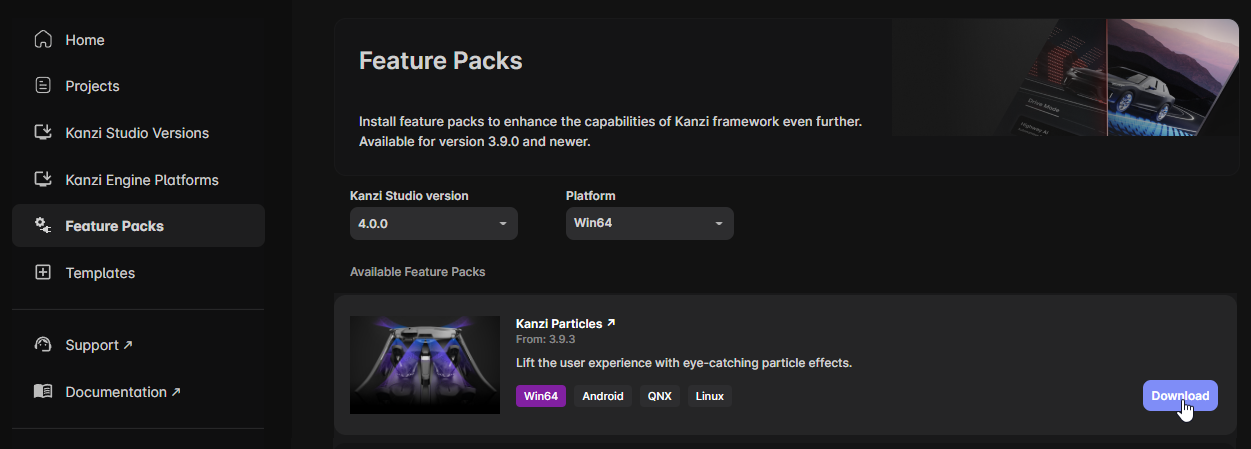
Feedback and support
Your feedback is very important to us. To send your questions, findings, and comments, use the Kanzi Support Portal at support.rightware.com. When submitting a request regarding Kanzi Project Templates, set the Product field to Kanzi Project Templates.