Kanzi Project Templates
With the launch of Kanzi 4.0.0, we are providing one demo template as a basic sample project to kickstart your evaluation of the new features. This sample project will be replaced, and more templates will be added in later releases.

Requirements
Kanzi 4.0.0
Kanzi Particles 0.9.0-beta3
Installing Kanzi Project Templates
To install a template:
Install Kanzi Hub and create a Kanzi Account:
Download Kanzi Hub from https://download.rightware.com/releases/public/kanzi_hub/KanziHubSetup.exe.
Install Kanzi Hub and sign in with your Kanzi Account, or follow the instructions to create a Kanzi Account.
Kanzi Hub allows you to manage your Kanzi projects and installations, download Kanzi software, and access online resources. To access content through Kanzi Hub, you need a Kanzi Account.
In Kanzi Hub, in the Templates, select your Kanzi Studio version for which you want to use a template and in that template click Download.
Kanzi Hub downloads the template zip file to the
Downloadsdirectory on your computer.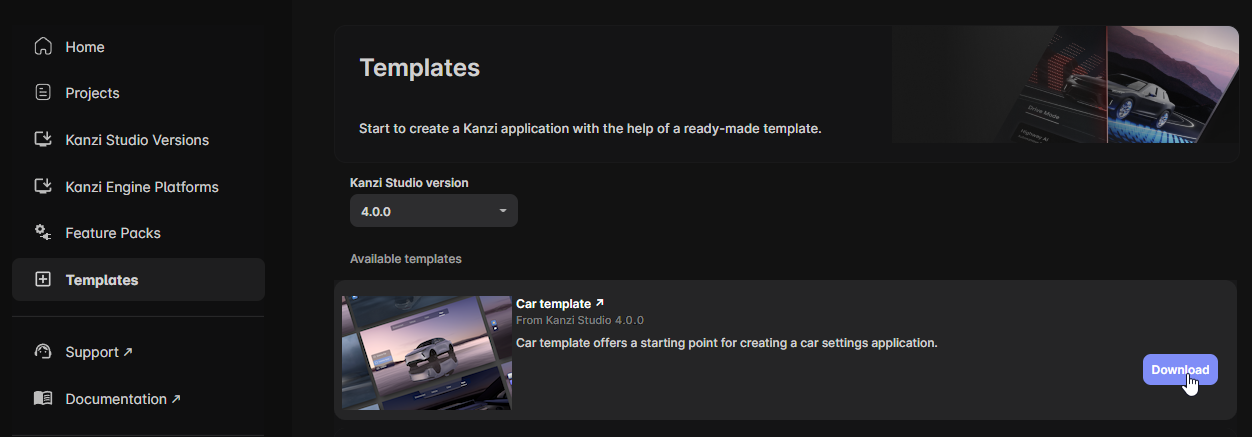
Extract the content of the template zip file to the
<KanziWorkspace>/Projectsdirectory.This template makes use of Kanzi Particles in Kanzi 4.0. To install Kanzi Particles:
In Kanzi Hub, in the Feature Packs, select the same Kanzi Studio version and click Download.
Kanzi Hub downloads and installs Kanzi Particles to the
<KanziWorkspace>/Engine/pluginsdirectory.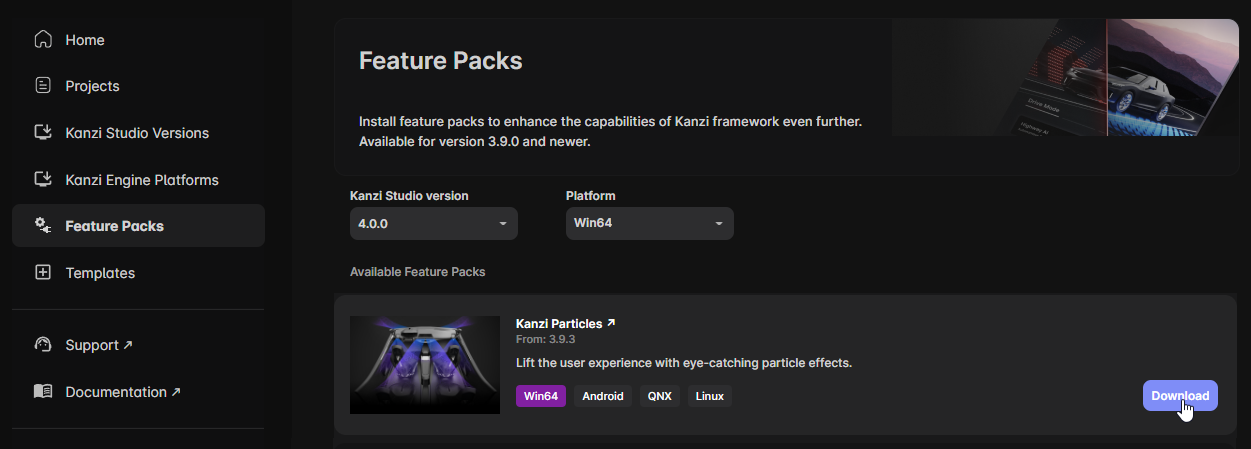
Feedback and support
Your feedback is very important to us. To send your questions, findings, and comments, use the Kanzi Support Portal at support.rightware.com. When submitting a request regarding Kanzi Project Templates, set the Product field to Kanzi Project Templates.