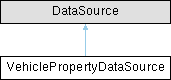
The VehiclePropertyDataSource extends the Kanzi DataSource to expose the Android CarPropertyManager properties. More...
Public Member Functions | |
| void | close () |
| Close the object, and release resources. | |
| DataObject | getData () |
| Retrieves the root object of the underlying data tree. | |
Static Public Member Functions | |
| static< T extends VehiclePropertyDataSource > ObjectRef< T > | create (Domain domain, String name) |
| Creates a VehiclePropertyDataSource. | |
Static Public Attributes | |
| static final int | ALL_AREAS = -1 |
Area id value for addConfiguration(String, int, int, VehiclePropertyDataType) that binds a data object to every zone the property exposes on the running vehicle. | |
| static final Metaclass | metaclass = new Metaclass("Kanzi.VehiclePropertyDataSource") |
| The Metaclass for the class. | |
Protected Member Functions | |
| VehiclePropertyDataSource (Domain domain, long handle, Metaclass metaclass) | |
| Constructs the VehiclePropertyDataSource. | |
| void | addConfiguration (String name, int propertyId, int areaId, VehiclePropertyDataType type) |
| Adds a configuration item. | |
| void | initialize () |
| Initialize the VehiclePropertyDataSource. | |
| void | loadConfiguration () |
| Loads the configuration that defines which properties this data source exposes. | |
Detailed Description
The VehiclePropertyDataSource extends the Kanzi DataSource to expose the Android CarPropertyManager properties.
In a Kanzi application you can bind to the data source, update and access properties, and get information about the changes that happen over time.
The data source exposes no properties by default. Configure it by extending the class and overriding the loadConfiguration() method to add the properties you need.
Constructor & Destructor Documentation
◆ VehiclePropertyDataSource()
|
protected |
Constructs the VehiclePropertyDataSource.
- Parameters
-
domain UI Domain to contain this object. handle The native handle for the VehiclePropertyDataSource. metaclass The metaclass for this object.
Member Function Documentation
◆ addConfiguration()
|
protected |
Adds a configuration item.
You must call this method during the data source initialization inside the loadConfiguration() method.
- Parameters
-
name The name of the property. This is the period delimited path to the DataObject within the DataSource. propertyId The property id used by the Android CarPropertyManager. areaId The area id used by the Android CarPropertyManager. type The data type for the property.
◆ create()
|
static |
Creates a VehiclePropertyDataSource.
- Parameters
-
domain UI Domain to contain this object. name The name of the VehiclePropertyDataSource
◆ getData()
| DataObject getData | ( | ) |
Retrieves the root object of the underlying data tree.
- Returns
- Data object that is the root of the data tree.
◆ initialize()
|
protected |
Initialize the VehiclePropertyDataSource.
Configures and constructs the DataObject tree.
◆ loadConfiguration()
|
protected |
Loads the configuration that defines which properties this data source exposes.
The base data source defines no properties. Override this method and call addConfiguration(String, int, int, VehiclePropertyDataType) for each property you want to expose, choosing property and area IDs that match the Android version your application targets.
Member Data Documentation
◆ ALL_AREAS
|
static |
Area id value for addConfiguration(String, int, int, VehiclePropertyDataType) that binds a data object to every zone the property exposes on the running vehicle.
Use this for cabin-wide controls (for example the main air conditioning on/off) so that one data object drives all of the property's zones. Writes are fanned out to every exposed zone; on a vehicle that groups the property into a single combined zone this resolves to that one zone. For per-side controls (for example a split driver/passenger temperature) pass the specific single-seat area instead.