Contents Menu Expand
Kanzi Maps 0.5.3 documentation
Kanzi Maps
  • Kanzi Maps 0.5.3
  • Setting up Kanzi Maps
  • Map backend
    • Supported backends
    • Implementing a Kanzi Maps backend
    • Map backend configuration reference
  • Tutorials
    • Getting started with Kanzi Maps
    • Filter map content
    • Navigation
    • Custom navigation marker
    • Navigation camera
    • POIs and labels
    • Route progress and navigation instructions
    • 3D terrain and satellite images
    • Control map content by zoom level
    • Limit draw distance
  • Working with …
    • Area Renderer node
    • Conversions between units
    • Coordinate Renderer node
    • Data Sources
    • Debug Tile Renderer node
    • Elevation data
    • Geocoding Data Source
    • Maps Assets
    • Map Control
    • Map View node
    • Navigation Data Source
    • Offline maps
    • Palette
    • Prefab Feature Renderer node
    • Prefab Object Renderer node
    • Prefab Tile Renderer node
    • Renderer Editor
    • Renderer nodes
    • Route Data Source
    • Route Renderer node
    • Stroke Extrusion Renderer node
    • Stroke Mesh Renderer node
    • Stroke Renderer node
    • Structure Renderer node
    • Terrain 3D Renderer node
    • Tile Data Source
    • Wizard
    • XML Data Source
    • Zoom Level Editor
  • Examples
  • Release notes
  • Migration guides
  • Known issues
  • License information
    • Kanzi Maps backend
    • Kanzi Maps Kanzi Engine plugin
    • HERE OLP Edge backend
    • Kanzi Maps documentation

Reference

  • Glossary

Tutorials

../_images/getting-started.png

Getting started with Kanzi Maps

../_images/filter-map-content.png

Filter map content

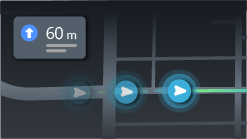
../_images/navigation.png

Navigation

../_images/navigation-marker.png

Custom navigation marker

../_images/navigation-camera.png

Navigation camera

../_images/pois.png

POIs and labels

../_images/route-progress.png

Route progress and navigation instructions

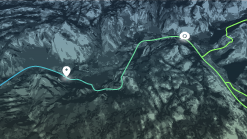
../_images/3d-terrain-and-satellite-images.png

3D terrain and satellite images

../_images/control-content-by-zoom-level.png

Control map content by zoom level

../_images/limit-draw-distance.png

Limit draw distance

See also

To learn how to use specific features in Kanzi Maps, see Working with ….
Next
Tutorial: Getting started with Kanzi Maps
Previous
Map backend configuration reference
Copyright © 2023, Rightware Oy
Contents
  • Tutorials
    • See also