Using USD variants
USD variants allow you to define variations of a model, asset, or part of a scene in a single USD file, and then choose between those variations dynamically.
Kanzi USD Importer allows you to import variants. For already imported nodes, you can switch between variants in Kanzi Studio.
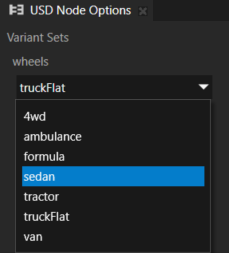
Variants are available only for USD files that contain that feature.
Selecting variant during import
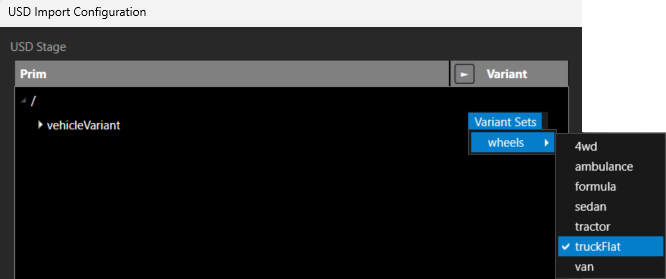
To select a variant during import, in the USD Import Configuration window, in a node that contains variants, click Variant Sets, select a variant set and option.
Tip
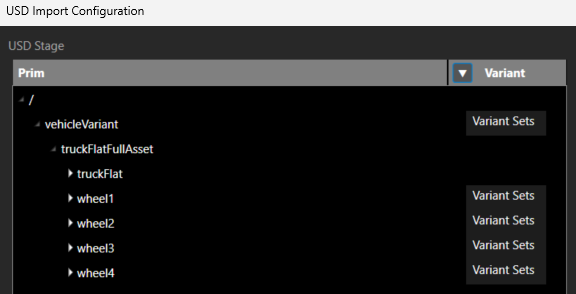
To view nodes with Variant Sets, click the arrow in Variant header.
Switching between variants
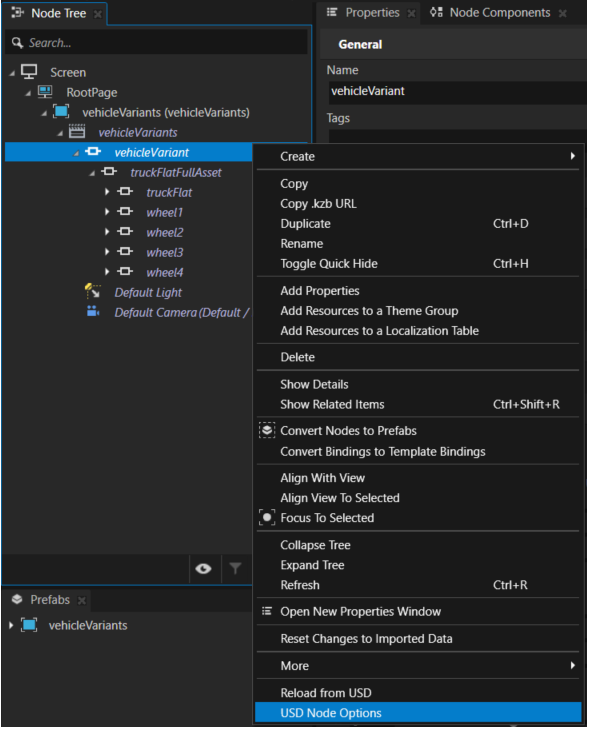
To switch between variants in an imported scene:
In the Node Tree, right-click a node that has variants and select USD Node Options.
In the USD Node Options, select a variant set.