Kzm file format
Kzm is the Kanzi Studio project file format that replaces the kzproj file format. Instead of a single kzproj project file, Kanzi Studio stores your project in multiple kzm files. Each kzm file contains data for one project item. For example, each material type, material, animation, render pass, and so on has its own kzm file.
The goal of the kzm file format is to improve change review, teamwork, and collaboration on Kanzi Studio projects by:
Providing granular, human-readable files so you can clearly see and review exactly what changed
Reducing merge conflicts and making any remaining ones easier to resolve
Simplifying the sharing of project items between different projects
Enabling scriptable modifications through diff-friendly files
Kanzi Studio can still open kzproj projects, but when you save such a project, Kanzi Studio automatically converts it to kzm and removes the kzproj file. This conversion is not reversible. Once you save a project in kzm format, you can no longer revert that project to the kzproj format.
Kanzi Studio shows a notification to inform you about the conversion before completing the save operation.
Reusing project items
Kzm files simplify reuse of Kanzi Studio project items. To use a project item in another project, copy the kzm file of that project item into the correct directory of another project. When a project item has child items or refers to other items, copy all child and referred items too.
For example:
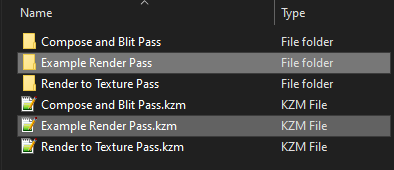
To copy a Render Pass Prefab:
In File Explorer, in the project directory open the Render Pass Prefabs directory of the first project.
Copy Example Render Pass directory and Example Render Pass.kzm render pass prefab file.
Paste the directory and kzm file to the Render Pass Prefabs directory of the second project.
To copy a Material:
In File Explorer, copy
FirstProject/Materials/ExampleMaterial.kzmto theSecondProject/Materials/directory.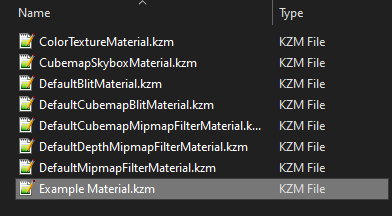
Copy the material type
FirstProject/Material Types/ExampleMaterialType.kzmto theSecondProject/Material Types/directory.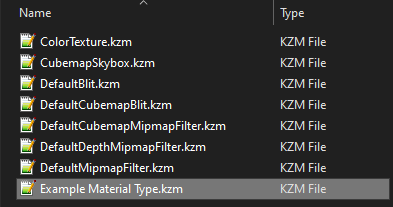
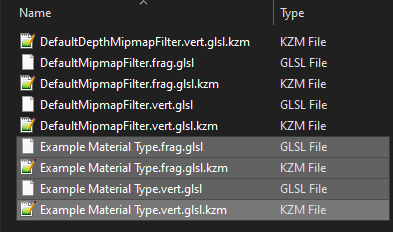
Copy the shaders and the corresponding kzm files from the
FirstProject/Shaders/directory to theSecondProject/Shaders/directory.