Kanzi 3.9 alpha 1 release notes
New features
Main loop scheduler
The
MainLoopSchedulersubsystem is responsible for the application main loop control flow, with support for extension through Stages and Tasks.Prerelease of Kanzi Java API
Introduced the first version of Kanzi Java API that provides access to the Kanzi native classes from Java. It uses patterns and conventions that are familiar to Java developers. This version exposes a subset of these subsystems:
Metadata
Property
Message metadata
Message
Object
Node tree
Resource management
Some functionality, workflow, and the API is going to change in the future releases of Kanzi. Your feedback is very important to us and it helps us improve Kanzi. To send your questions, findings, and comments use the Kanzi Support Portal at support.rightware.com.
Data Driven Exclusive Activity Host
Introduced the Data Driven Exclusive Activity Host node. Use a Data Driven Exclusive Activity Host node to create Activity nodes using a data source. For example, you can define the content of menus in a data source and use a Data Driven Exclusive Activity Host node to create the menus in your application.
Introduced new render passes
Use the Gather Lights Render Pass and Gather Nearest Lights Render Pass to collect Light nodes for lighting 3D nodes in a scene.


Use the Node List Render Pass to filter and hold a list of nodes that you want to render using other render passes.

See Rendering.
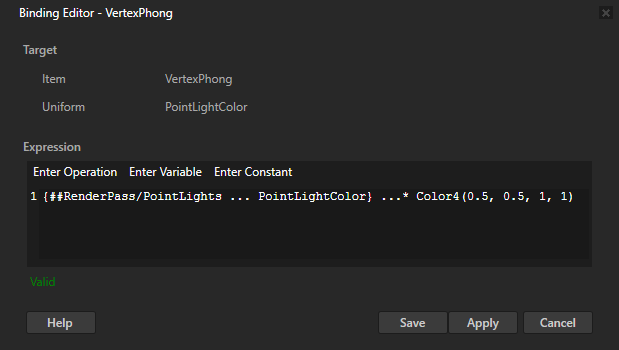
Uniform bindings
Uniform bindings in material types enable you to modify the values of shader uniforms without making changes to the shader code.
See Uniform bindings.

Feature improvements
Redesigned the workflow and relationship between Activity Host nodes and their Activity nodes:
An Activity node is now a prefab and not a node under an Activity Host node that loads a prefab. As a result, you set in the Activity node itself the State Manager that defines the transition animations and registration of Activity nodes is no longer necessary.
An Activity Host node is now responsible for loading the resources used by its Activity nodes, instead of an Activity node itself.
An Activity node is alive only when it is active and during the animations to and from the active state.
An Activity Host node is aware of all its Activity nodes during its entire lifetime.
All properties that are required to make the decision about the activation of an Activity are now in the Activity Host node of that Activity node.
In the On Property Change trigger (
OnPropertyChangedTrigger) added a boolean propertyIgnoreIdenticalValue. When enabled, that trigger Kanzi invokes that trigger only when the value of the property whose value the trigger observes changes. Disabled by default.Messages sent by all types Animation Player components now contain the name of the Animation Player that sent that message.
When you use the
file://protocol to load a resource, you can now load that resource asynchronously using theacquireResourcesAsyncmethod.Improved the
ForwardingActionclass:Introduced
getArgumentthat enables you to retrieve the value of an argument of given property type from the forwarded message of the associated trigger.Introduced
applyResourceBindingsthat applies all resource bindings to their respective target items.
In the migration guide, see Changes to the ForwardingAction class.
Improved the accuracy of the frame-rate limiter. If your device uses vsync, it is still recommended to disable the frame-rate limiter.
Added the Mirror and Mirror once texture addressing modes and changed the default value of the Addressing Mode property to Repeat. See Rendering content to composition targets.
Added the LinearTosRGB and sRGBToLinear binding functions that enable you to convert between linear and sRGB color spaces.
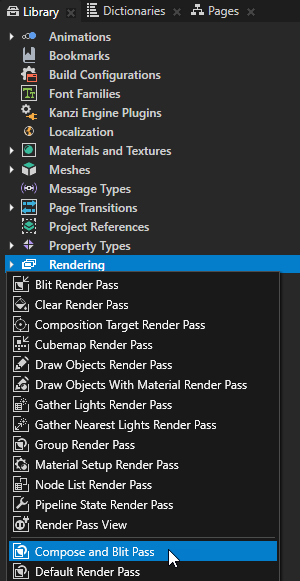
Introduced the Compose and Blit Pass render pass template. Use this template to blit a Composition Target Render Pass using a specific material. See Rendering content to composition targets.
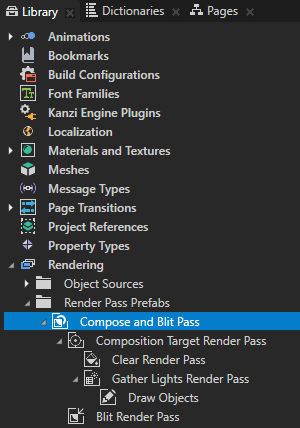
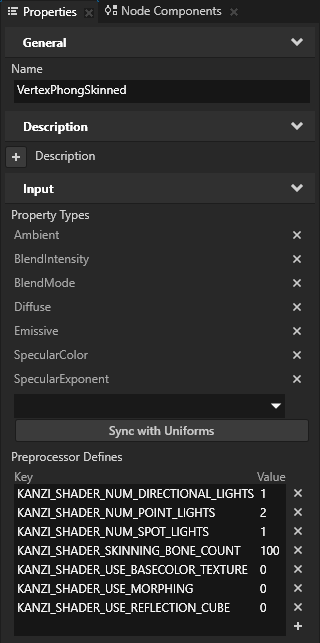
The Kanzi material types FragmentPhongSkinned, FragmentPhongTexturedSkinned, VertexPhongSkinned, and VertexPhongTexturedSkinned now by default support skinning of meshes with up to 100 bones. See Setting the number of bones for a skinned mesh.
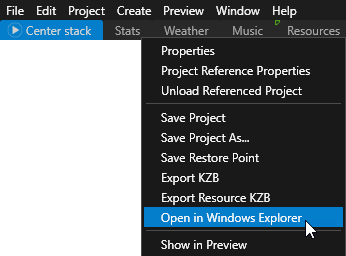
In Kanzi Studio you can now open a project in Windows Explorer from the context menu of a project tab. To learn more about working with multiple projects in Kanzi Studio, see Combining Kanzi Studio projects into a Kanzi application and Tutorial: Combine Kanzi Studio projects into a single Kanzi application.
Changes
Removed
KzcHashMapKzcHashSetKzcDynamicArrayKzcMemoryManagerkzs_timefunctionsKzuBoundingVolumeLegacy Render Pass (deprecated)
Fixed uniforms
Updated these third-party libraries:
ICU from 52.1 to 62.1
libjpeg from 9c to 9d
libpng from 1.6.35 to 1.6.37
FreeType from 2.9.1 to 2.10.1 The new version of Freetype library has considerable changes that change the position in some fonts. For details, see https://sourceforge.net/projects/freetype/files/freetype2/2.10.0/.
Documentation
Added a tutorial that helps you learn how to set which UI elements in your application receive focus and how to move the focus between those elements using keyboard keys. See Tutorial: Move focus in an application.
Added a procedure that shows how to use a tile atlas. By using a tile atlas you can improve the performance of your application. See Using a tile atlas.

Added a section that describes the different options for wrapping and truncating text in Text Block nodes. See Wrapping and truncating text in a Text Block node.
Updated the bindings reference to include instructions on how to use the matrix and vector constants in bindings. See Constants.