Requirements for Android application development with Kanzi
When you are developing Kanzi applications for Android you can use Android Studio, the Clang toolchain, and the Gradle build system. This development approach is tested on:
Ubuntu/Linux 18.04.1
Windows 10
Kanzi Android framework requires Android API level 26 (Android version 8.0.0) or newer.
Kanzi application framework requires Android API level 21 (Android version 5.0) or newer.
Note
You can use JavaScript only on Windows operating system and only for prototyping.
To build and deploy Kanzi applications to Android devices using the Kanzi Android platform package, you need:
Android Studio 4.1.3 or newer
You can download and install Android Studio from here.
64-bit JDK 8 (1.8.0) or newer
We recommend using the JDK that is bundled with the Android Studio installation.
To use Java Kanzi Engine plugins from Kanzi Studio, you also need:
32-bit JDK 8 (1.8.0) or newer
It is recommended to use OpenJDK, which you can download and install from here.
Note that you can only use Java plugins with Kanzi Android framework applications.
Setting up the Android build environment
You must set up your Android build environment before you can deploy a Kanzi application to Android. To set up the build environment in Android Studio, you need an Internet connection.
To set up the build environment:
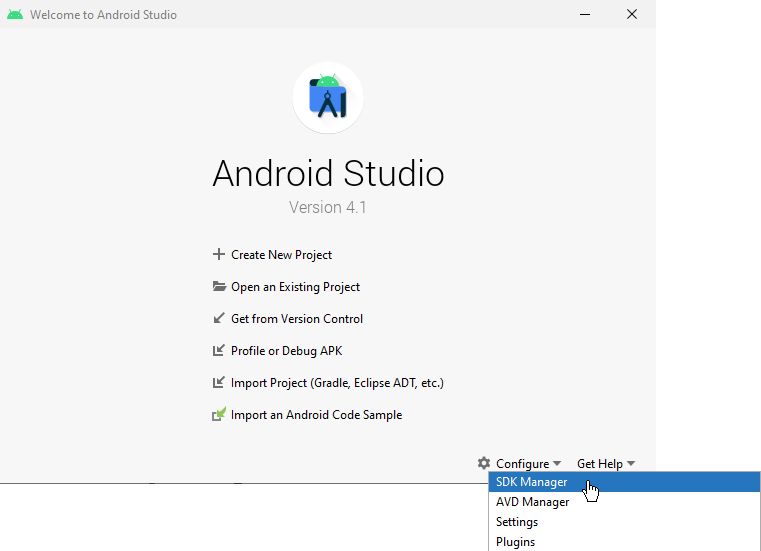
In Android Studio, in the Welcome screen select Configure, and in the dropdown menu select SDK Manager.
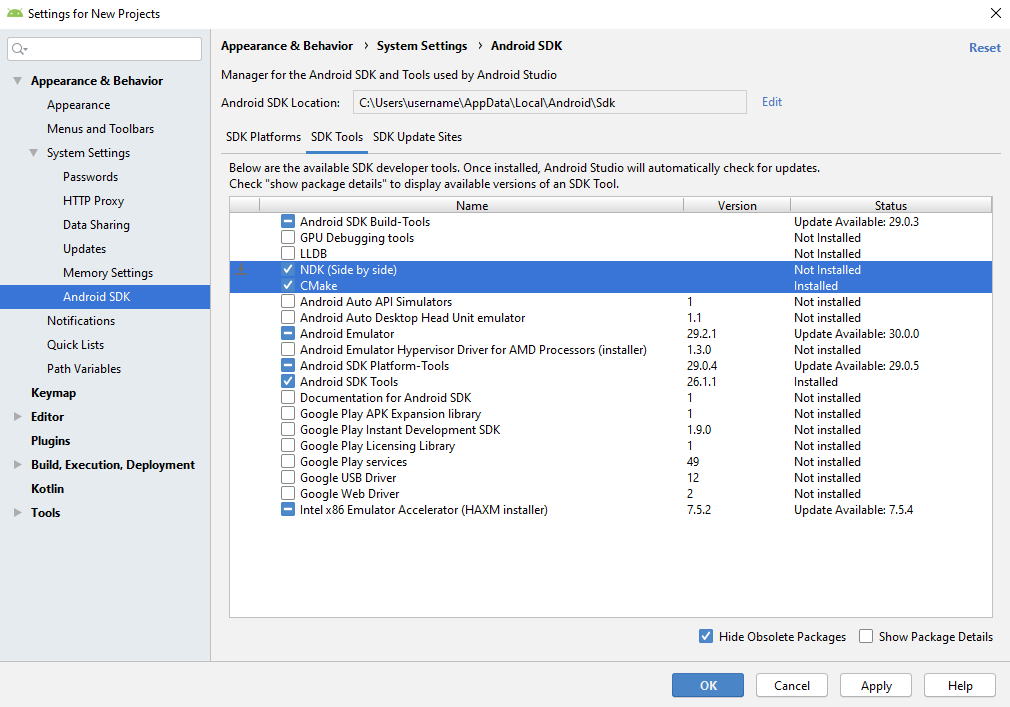
In the SDK Manager window in the SDK Tools tab select CMake and NDK (Side by side), and click OK.
Android Studio installs the Android NDK and CMake that you need to build and deploy Kanzi applications for Android.
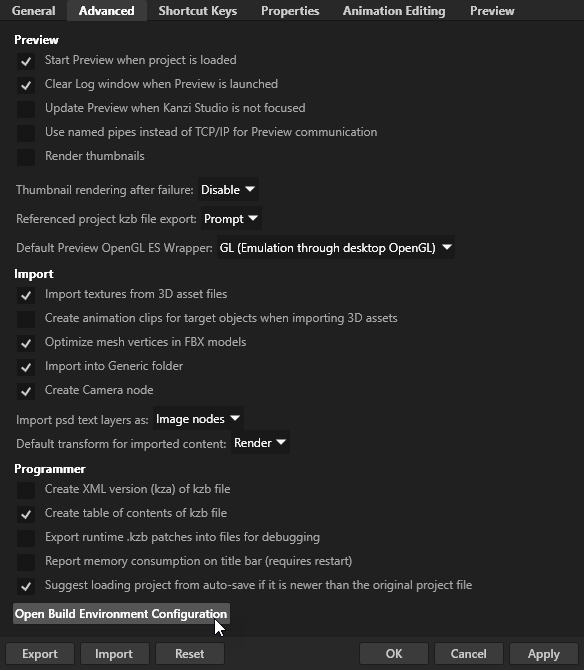
Open Kanzi Studio and in the main menu select Edit > User Preferences and in the Advanced tab click Open Build Environment Configuration.
In the Build Environment Configuration window make sure these environment variables are correctly set:
ANDROID_HOMEis set to the Android SDK pathFor example,
C:\Users\<user>\AppData\Local\Android\Sdk.JAVA_HOMEis set to the 64-bit JDK pathIt is recommended to use the JDK which is bundled with Android Studio.
For example,
C:\Program Files\Android\Android Studio\jre.
Additionally, for using Java Kanzi Engine plugins from Kanzi Studio:
PATHincludes the directory containingjvm.dllfrom the 32-bit JDK.For example,
<openjdk>\jre\bin\server.
Click OK.
Build process
This diagram shows the process that Kanzi uses to build an Android package.