Package Manager
The Package Manager is a tool for sharing and managing reusable software components and assets, and for supporting cross-platform application and plugin development. It allows you to install, update, and remove project dependencies, such as:
Kanzi Engine libraries and headers
Kanzi Engine plugins
Kanzi Studio plugins
Asset packages
Note
The Package Manager is avialable for Kanzi 3.9.11 and later.
Installing the Package Manager
Download and install the Package Manager from the Kanzi Hub.
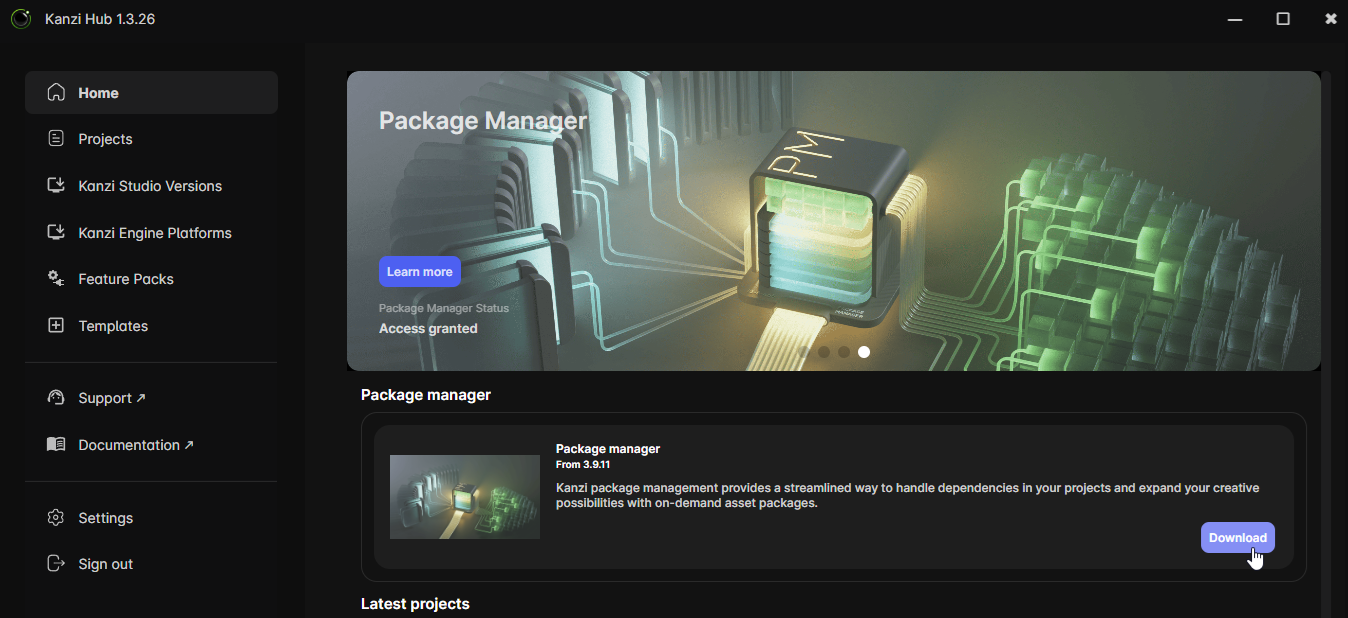
See Kanzi Hub and Kanzi Account.
Once the Package Manager installation is complete, it has:
Installed Conan 2.10.0.
Added the Rightware official Conan repository, kanzi-conan-external, as a Conan remote.
Added the necessary Conan profiles and configurations required by Kanzi.
Installed the Package Manager Kanzi Studio plugin for Kanzi 3.9.11 and later.
After a successful installation, the Package Manager appears in the Kanzi Studio main menu.

Package Manager Plugin for Kanzi Studio
The Package Manager for Kanzi Studio provides a graphical interface for working with Conan repositories and packages. With the plugin, you do not need to manually use command-line instructions or edit configuration files.
Supported Package Types
The plugin recognizes different package types and processes them as follows:
Kanzi Engine plugins are added as project dependencies.
Kanzi Studio plugins are added as dependencies of the current Kanzi Studio instance.
Asset packages are added as asset sources for the current Kanzi Studio instance.
Automatic Package Detection
The plugin automatically detects changes in the packages.json file and notifies you about required updates to the libraries of your Kanzi Studio project.
Kanzi Engine Plugins in Asset Packages
The plugin allows Kanzi Engine plugins to be added as dependencies in Asset Packages. This ensures that the required Kanzi Engine plugins are automatically added to the project when such assets are imported.
Conan-powered Kanzi Studio Project Templates
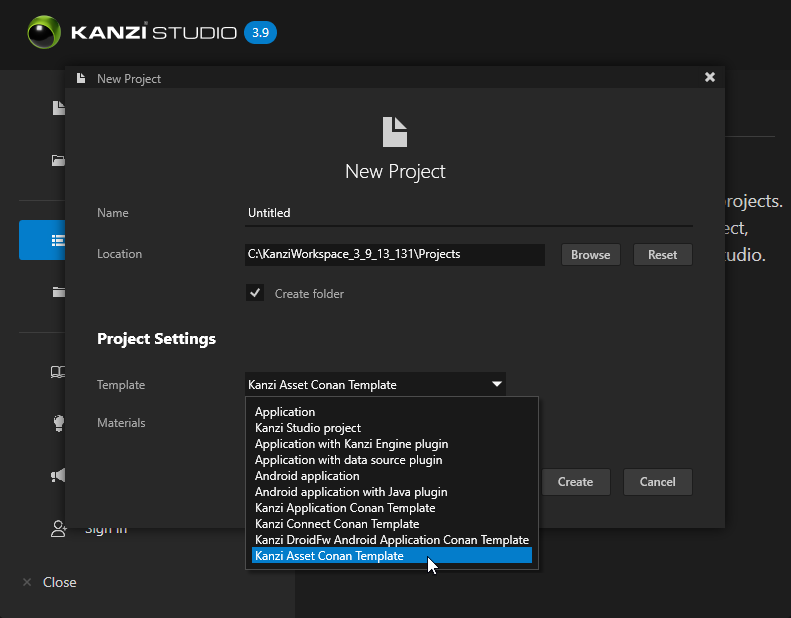
The plugin includes a set of Conan-powered Kanzi Studio project templates. These templates enable Kanzi Studio to use Conan-based package management, making project setup and development more efficient and streamlined.
After installing the Package Manager, the new templates appear in the Template dropdown of the New Project window.
Migrating your project to a newer Kanzi version
When you install a new version of Kanzi, you can migrate your projects to use it.
Install the newer Kanzi version. You can install it side by side with your existing version.
Open your project in the newer Kanzi Studio.
If the newer version contains breaking changes, follow the migration guide for that version. See Release notes and migration guides.
When you open a project that was created with an earlier Kanzi Studio, the newer Kanzi Studio displays a popup and asks you to confirm migration of the project. After you confirm, Kanzi Studio updates the project to the newer version.
Note
If your project uses the Code Behind feature, remove the Code Behind plugin before opening it in a newer Kanzi Studio. The Conan-based templates do not support Code Behind.
Some package dependencies may require you to update or reinstall packages after migration.
Known Issues
The Code Behind feature is not supported when using Conan-based Kanzi Studio project templates.
When using templates provided through the Package Manager, deploying Kanzi applications from Kanzi Studio to Android does not work. You can build and deploy the application manually with Gradle CLI or Android Studio.
Package Manager does not work with Java packages, and the Android templates do not include a Java plugin template. You can manually add Java dependencies and create your own Java plugin subproject.
The Package Manager installer currently overwrites Conan profiles in the Conan cache. If you have existing profiles that match those needed by Kanzi, they will be overwritten when you install the Package Manager.
Troubleshooting
In some cases, the Package Manager installer can fail or hang. If that happens:
Clear the Conan cache on your computer, located at
C:\Users\<admin>\.conan2\.Reinstall the Package Manager from Kanzi Hub.
See also
Using Package Manager Kanzi Studio plugin
Using Package Manager to create and deploy an Asset package