Using Package Manager Kanzi Studio plugin
Installing packages to a project
To install a package using the Package Manager plugin for Kanzi Studio:
In Kanzi Studio main menu, select Package Manager > Open Package Browser.

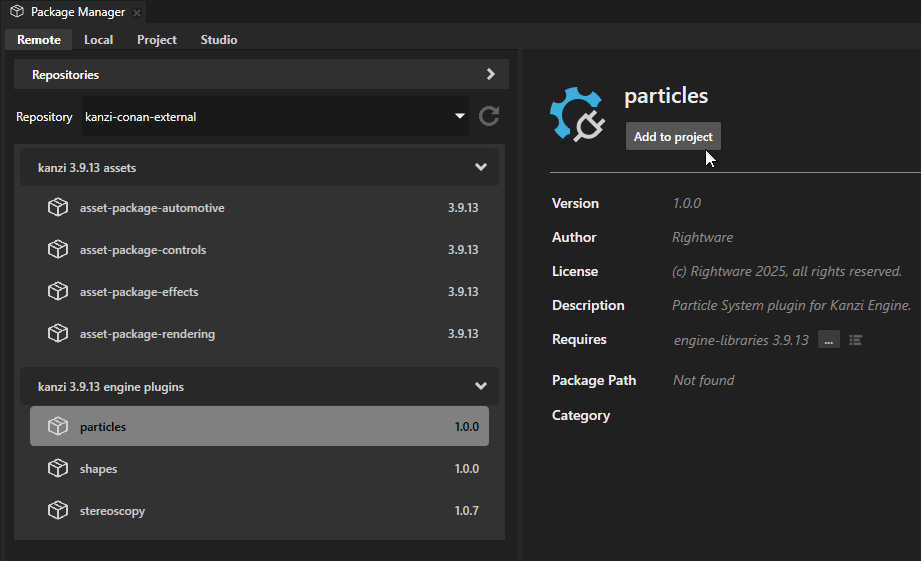
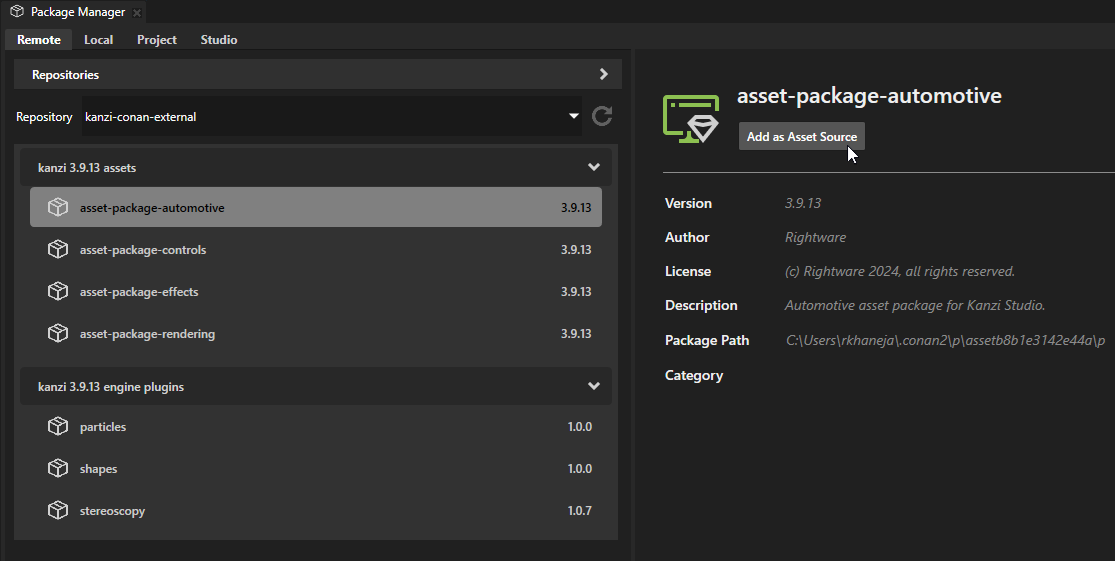
Select the Remote tab. In the left panel, select the package that you want to add to your project and in the right panel click the button under the package name.
The Package Manager plugin installs the package according to its type. It adds:
Kanzi Engine plugins as project dependencies.
Kanzi Studio plugins as a dependency of the current Kanzi Studio instance.
Asset packages as an asset source for the current Kanzi Studio instance.
Removing packages from a project
To remove:
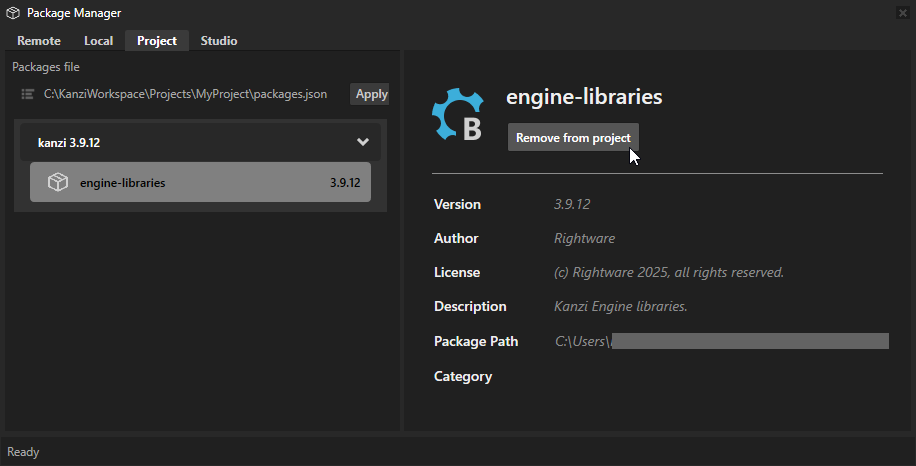
A Kanzi Engine package, in the Package Manager plugin, in the Project tab, select the package that you want to remove, click Remove from project, and confirm removal.
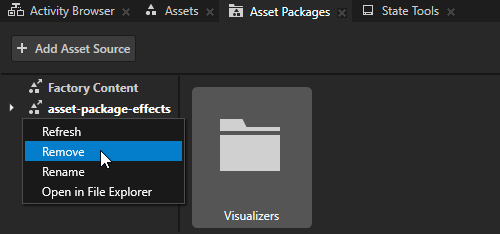
An asset package, in the Asset Packages window, right-click an asset source and select Remove.
Adding remote repositories
The Package Manager plugin allows you to add, remove, and manage multiple Conan remote repositories.
To add a Conan remote repository:
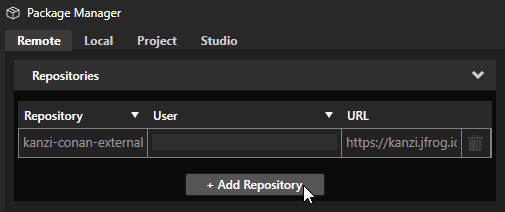
In the Package Manager plugin, select the Remote tab. In Repositories, click + Add Repository.
In the Repository Setup window, set:
Repository Name to the name that you want to use to identify the Conan repository
Repository Url to the Conan repository URL
User to your Conan repository username
Password to your Conan repository password
Click OK.
The Package Manager plugin lists the packages from the repository that you added.
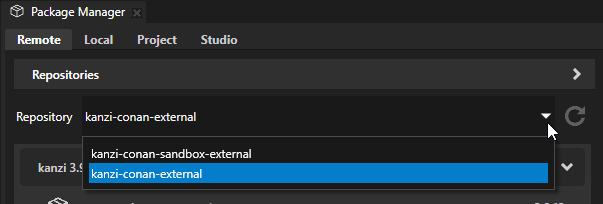
The Package Manager plugin shows packages from only one Conan repository at a time. You can toggle between repositories using the dropdown list.