Kanzi Project Templates
Kanzi Project Templates are automotive 3D visualization reference projects that demonstrate Kanzi’s rendering and HMI capabilities, and serve as a ready-made foundation for your own applications.

Requirements
The Kanzi Project Templates require:
Kanzi Studio 4.1.0
Kanzi Package Manager
Kanzi Bridge
All of these, including the Kanzi Project Templates, are installed from the Kanzi Portal.
Installing Kanzi 4.1.0
To install, or update to Kanzi 4.1.0:
Visit Kanzi Portal and Sign in with your credentials.
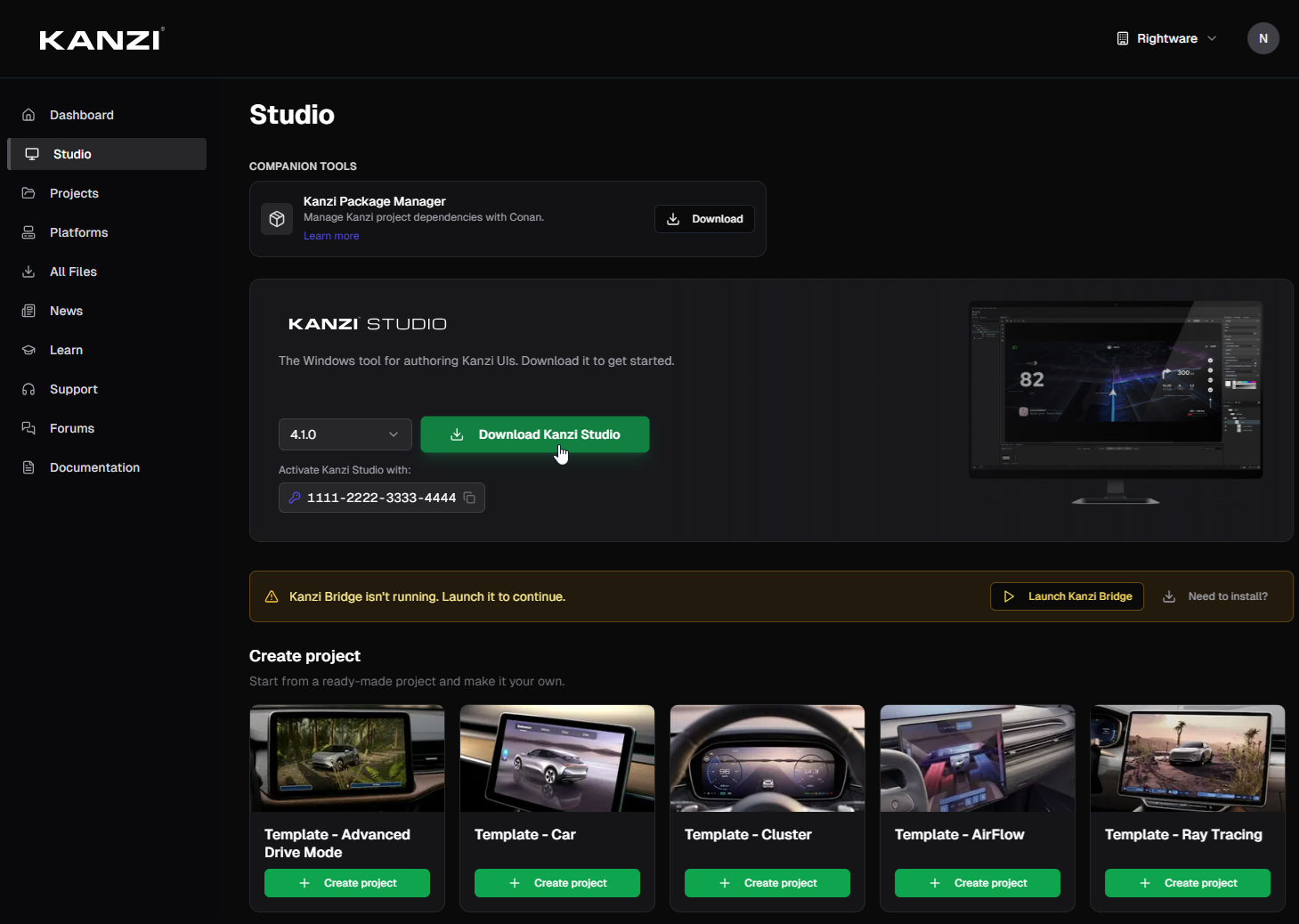
Select Studio from the menu.
Under Kanzi Studio, select 4.1.0 and click Download Kanzi Studio.
This downloads and runs the Kanzi Studio installer. If the installation does not start automatically, run it from your Downloads folder.
Installing Kanzi Package Manager
The Kanzi Studio installer bundles the Kanzi Package Manager installer. See Installing Kanzi Package Manager in the Kanzi Studio documentation.
If you did not initially opt in to Install Kanzi Package Manager along with the Kanzi Studio installation, either:
Re-run the Kanzi Studio installation and check the Install Kanzi Package Manager option.
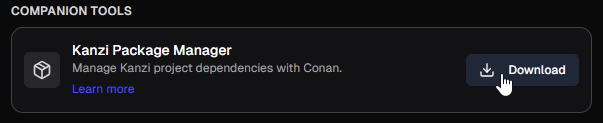
Install Kanzi Package Manager separately as a Companion Tool:
Installing Kanzi Bridge
Kanzi Bridge provides the link that allows Kanzi Portal to manage Kanzi Studio projects. If you do not yet have Kanzi Bridge installed and running, a banner will notify you of the fact, with buttons to either install or launch Kanzi Bridge.
To install Kanzi Bridge from Kanzi Portal:
Under the Studio tab, when presented with a warning banner, click Need to install?.
This downloads KanziBridgeSetup.exe to your downloads folder.

Run KanziBridgeSetup.exe from your downloads folder.
On the same warning banner, click Launch Kanzi Bridge.
Installing Kanzi Project Templates
To install a Kanzi Project Templates:
With Kanzi Studio 4.1.0 and Kanzi Package Manager installed, and Kanzi Bridge running, click Create Project on the template you want to install.
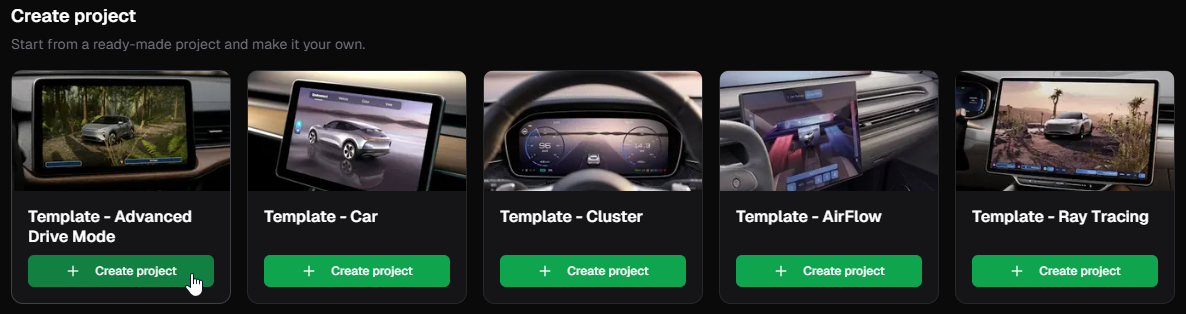
This downloads and extracts the template to the
<KanziWorkspace>/Projectsdirectory, and launches it in Kanzi Studio.
Installing required plugins using Kanzi Package Manager
When you open a template project in Kanzi Studio that needs, for example, the Instanced Mesh or Kanzi Particles plugins, the Kanzi Package Manager will automatically download it to your local cache, as long as:
You have Kanzi Studio 4.1.0 with Kanzi Package Manager installed.
In Kanzi Studio, under the Kanzi Package Manager menu > User Preferences you have the option marked to Restore dependencies on project loading.

If you do not use the option to Restore dependencies on project loading, trigger its download manually. To trigger the download, either:
In Kanzi Studio, under the Kanzi Package Manager menu, click Restore Solution.
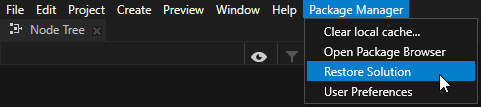
In the Kanzi Package Manager package browser, select the Project tab and click the Restore button.

Feedback and support
Your feedback is important to us. To send your questions, findings, and comments, use the Kanzi Support Portal at support.rightware.com. When submitting a request regarding Kanzi Project Templates, set the Product field to Kanzi Project Templates.