Library Asset transfer
Library Asset transfer moves design specs (colour palettes, text styles, named brand styles, and component variants) to Kanzi as Library Assets so they can be reused and centrally edited. The plugin walks the selected subtree, registers every Figma library asset it finds, and reproduces the Figma variable and mode concept inside Kanzi.
Selection contract
Any parent node of a subtree. The plugin walks descendants looking for the four asset types below. The surrounding layers do not have to be transferable themselves.
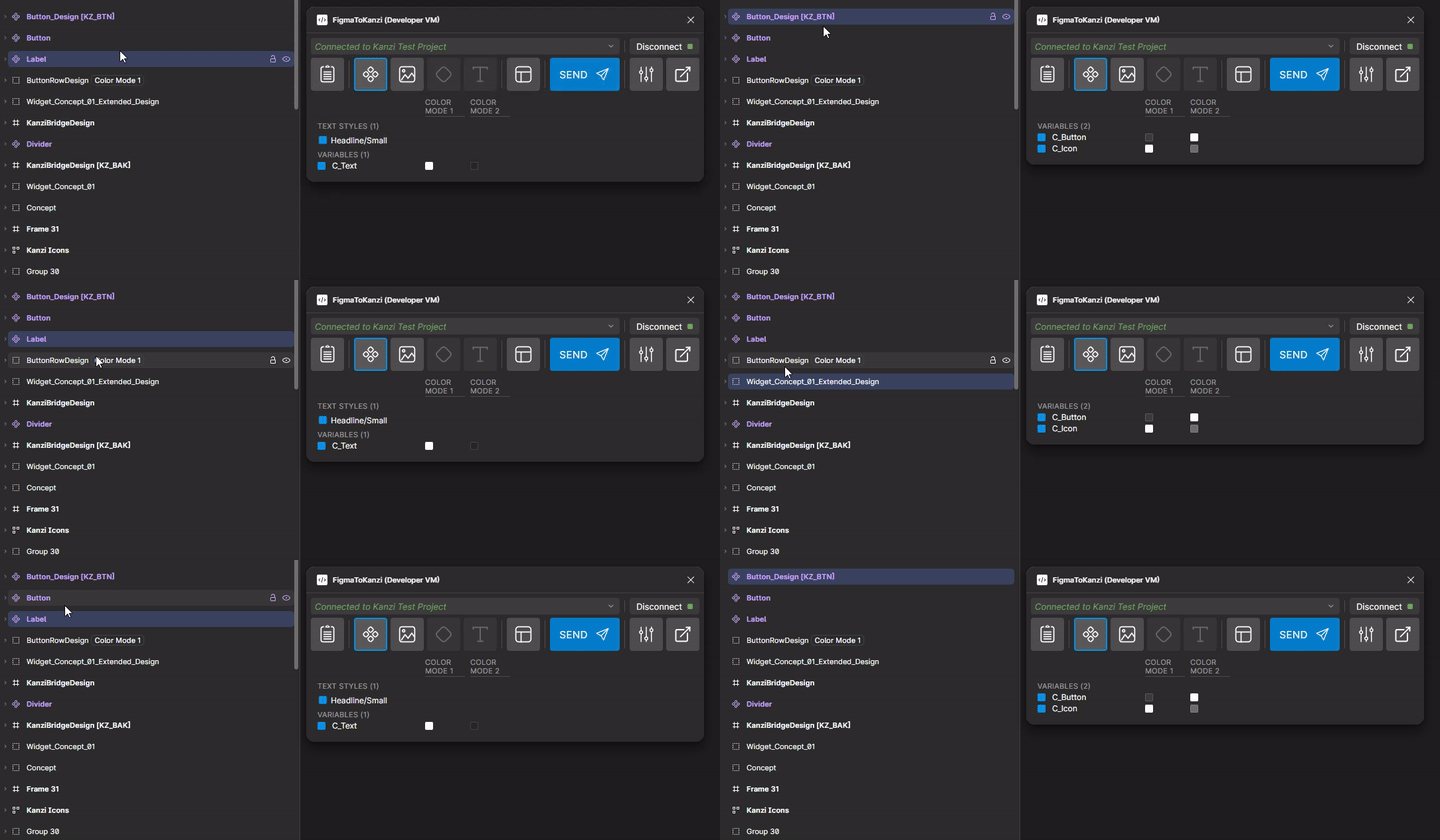
What gets transferred
Asset type |
Kanzi-side result |
|---|---|
Variables (Color, Number, Boolean, String) |
One PropertyType per variable, registered under the FigmaVariableCollection (FVC) node and StateManager. Each Figma mode becomes one State. See Library Assets (FVC pipeline). |
Color styles |
One Color PropertyType per style under Library > Property Types > FigmaColorStyles (the Figma style name is the leaf). |
Text styles |
Reusable Kanzi text styles with the same hierarchical name. Re-imports reuse the existing style. |
Component variants |
StateManager skeleton for the variant axis, ready for the Layout transfer pipeline to fill in. |
Variables and modes
Use Figma variables (Color, Number, Boolean, String) for any value you want to switch at runtime in Kanzi: Light and Dark themes, brand themes, language-dependent values.
A Figma Variable Collection can declare several modes (for example Light and Dark) and switch between them at runtime. Kanzi Figma Importer imports the Variable Collection as a Kanzi StateManager with one State per Figma mode, creates one PropertyType per variable, and adds an enumeration controller property that lists the modes. Switching the controller-property value switches every bound node to the matching mode. Any imported node whose Figma property is bound to a variable is auto-bound to the matching PropertyType in Kanzi.
The Figma plugin has no variable-handling UI. Variables and styles transfer automatically with the selection.
On the Figma side:
Bind your layer properties to Figma variables in Figma. Any bound property auto-binds to its Kanzi PropertyType on transfer.
Use colour and text styles with hierarchical names (
Brand/Primary,Display/Large) for named consistency without runtime switching.
The Kanzi-side machinery (FigmaVariableCollection node, StateManager, per-mode states, PropertyType naming, auto-bindings) is documented in Library Assets (FVC pipeline).
Options panel
The Library Asset transfer panel lists every detected asset in the selection: component variants, variables, text styles, and colour styles. To exclude a detected asset from the transfer, clear the checkbox next to it before clicking Send. If no assets are detected, the panel reports so and Send stays disabled.