Text transfer
Text transfer brings Figma text into Kanzi as TextBlock2D, with content, font, size, colour, alignment, and per-axis sizing preserved. Fonts not yet in the Kanzi project are auto-resolved through a multi-source chain.
Selection contract
All selected nodes must be TEXT layers. Make sure a font is set on each layer. The Figma plugin transfers whichever font Figma is showing.
What gets transferred
Figma |
Kanzi |
|---|---|
|
|
|
|
|
|
|
|
|
|
|
|
|
|
|
Node-level |
|
Glyph-masked gradient via |
|
|
|
|
Per-axis sizing
Figma textAutoResize is mirrored per axis:
WIDTH_AND_HEIGHT: both axes auto. NoNodeWidthorNodeHeightis set; the TextBlock sizes itself.HEIGHT: width fixed, height auto. OnlyNodeWidthis set.NONE: both fixed. BothNodeWidthandNodeHeightare set.
Gradient overlays on text auto-bind to the right size source: Node.ActualWidth and Node.ActualHeight for auto axes, Node.Width and Node.Height for fixed.
Automatic font import
When a Text transfer references a font that is not yet in the project Fonts/ resource folder (the Fonts folder under the Kanzi project), Kanzi Figma Importer resolves it through a 4-step chain. The first source that returns a font is used:
Project Fonts folder: any TTF or OTF file already in the project
Fonts/resource folder (fuzzy filename match).Google Fonts: CSS2 endpoint. Downloaded over the network.
Bunny Fonts: GDPR-compliant Google mirror. Downloaded over the network. Unblocks enterprise networks that block
googleapis.com.Fontsource via jsDelivr: open-source self-hosted Google Fonts mirror with a slightly wider catalogue. Downloaded over the network.
Note
Steps 2 to 4 fetch fonts from the internet. The bridge server needs outbound HTTPS access on the host machine. If the network blocks all three sources, place the TTF file in the project Fonts/ resource folder manually.
Tip
Licensed fonts: place every TTF or OTF file you have a licence for in the project Fonts/ resource folder before running a Text transfer. Step 1 of the resolver chain will find them by name, so the licensed file is used instead of an online fallback.
The Kanzi Studio plugin decodes the returned TTF, writes it to the project Fonts/ resource folder, and calls Commands.ImportFont.
Once a font is resolved within a session, it is not re-fetched.
Named text styles
Text styles with hierarchical names (Display/Large, Body/Default) become reusable text style resources in Kanzi. The name maps directly: Display/Large is stored as the text style name.
Text gradients
Gradient fills on text are supported via FigmaTextGradientMaterialType, glyph-masked through ContentTexture. Shared MaterialType, Material, and Brush plus per-node overrides for texture, type, start, range, rotation, and aspect.
Gradient stop handling matches the Shape transfer rules (see Gradient stop colours). Up to 5 stops keep their bound colours dynamic. Gradients with more stops fall back to a baked texture and lose runtime colour control. For the FVC binding mechanics, see Library Assets (FVC pipeline).
Warning
Text gradients on TextBlock2D currently have rendering bugs that are being addressed. For a clean gradient on text today, use the Transfer as SDF route described below.
Text as SDF
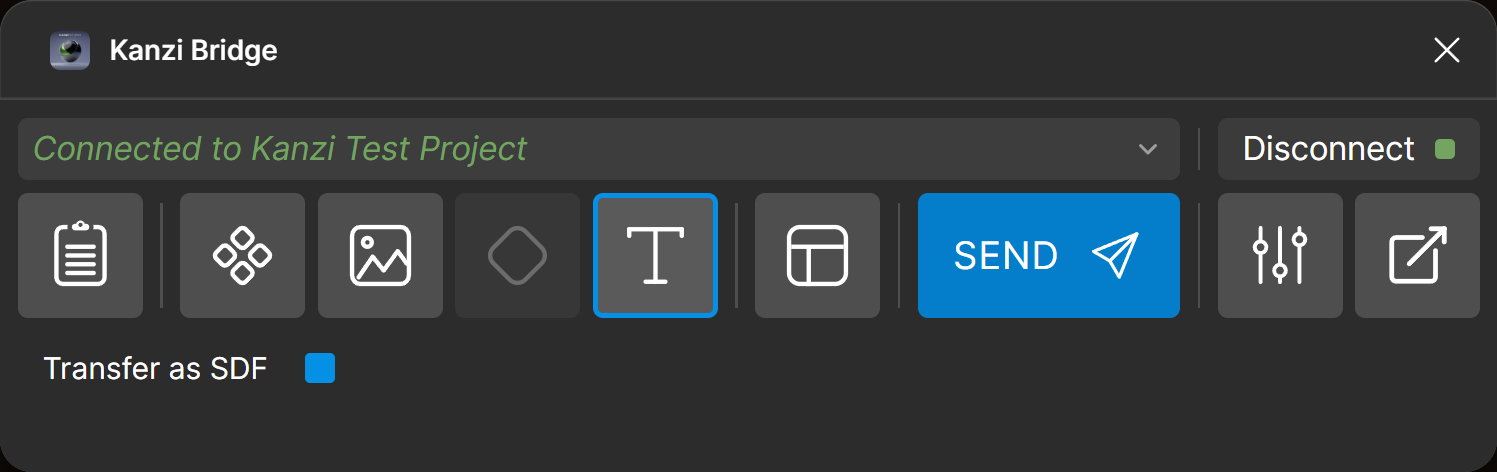
For fonts none of the resolver sources have (Enterprise, Variable, custom commercial fonts), enable the Transfer as SDF toggle in the options panel. The Figma plugin clones the TEXT layer, flattens the glyphs to vector paths, and delegates to the standard SDF Shape pipeline. The text is baked at transfer time and is no longer editable as text. The resulting node remains scalable and recolourable in Kanzi: the SDF texture stays sharp at any size, and the colour comes from the material tint uniform.
Gradients on text-as-SDF render cleanly through the standard Shape gradient pipeline, so SDF is the recommended route for gradient text until the TextBlock2D gradient bugs are resolved.
This route handles every font, including Enterprise and Variable fonts.
Note
To transfer a TEXT layer as a rasterised image instead of an SDF (for example, when you need a pixel-exact Image2D), tag the TEXT layer with [KZ_BAK] and route it through Layout transfer. The TEXT layer itself accepts the bake tag; no wrapping frame is required. See Layout transfer. The rasterised result is no longer editable as text.
Options panel
One toggle: Transfer as SDF. When on, the TEXT layer is routed through the SDF path described above instead of producing a TextBlock2D.
Limitations
Text decoration (strikethrough, underline): not implemented.
Text case transforms (upper, lower, title, smallcaps): not implemented.
Pattern and image fills on text: not supported.
CJK fonts (Chinese, Japanese, Korean) should work, but an explicit test pass is still pending.