Installing
Kanzi Figma Importer supports two install paths. Both result in the same Kanzi-Studio-side experience — pick whichever fits your environment.
Requirements
To use Kanzi Figma Importer, you need:
Kanzi Studio 4.1 or newer.
Figma Desktop. After the Figma plugin is published in the Figma Community, Figma in a browser is also supported.
Node.js available on your machine. The bundled bridge server runs on Node.js. The standalone installer can install Node.js for you (via
winget). KPM does not install Node.js — add it separately if it is not already present.
Contents of the package
Kanzi Figma Importer is a self-contained bundle. Both install paths deliver the same set of files:
Kanzi Studio plugin DLLs:
FigmaImporter.dll,FigmaImporter.Core.dll, andNewtonsoft.Json.dll.figma-importer.manifest.json: the Kanzi Studio plugin manifest.feasibility-bridge/: the local Node.js bridge server that routes packets onlocalhost:3847. The Cloudflare tunnel binary (cloudflared.exe) sits next to the bridge for online mode — both install paths include it (KPM bundles it inside the package; the standalone installer places it next to its bridge).FigmaPlugin/: the Figma plugin files (manifest.json,ui.html,code.js) that you import into Figma Desktop.
Note
FigmaImporter.Core.dll is a hard runtime dependency of the Kanzi Studio plugin. Hand-deployments that omit it raise a TypeInitializationException when you open the panel.
Option A: Kanzi Package Manager
Recommended for projects already using KPM:
Open Kanzi Package Manager and locate the figma-importer package (version
2.0.0). This is an experimental release. The full package reference isfigma-importer/2.0.0@kanzi-4.1.0-studio-plugins/stable.Click Install. KPM deploys the bundle into
%ProgramData%\Rightware\Kanzi <version>\plugins\FigmaImporter\. Kanzi Studio discovers the plugin regardless of the exact version folder.Restart Kanzi Studio so it rescans its plugins. Close every window first.
KPM does not install Node.js — that is the one gap it leaves. (It does bundle cloudflared.exe, so online mode works out of the box.) If you need Node.js, run the standalone installer (Option B) in KPM companion mode after the KPM install completes.
Option B: Standalone installer (.exe)
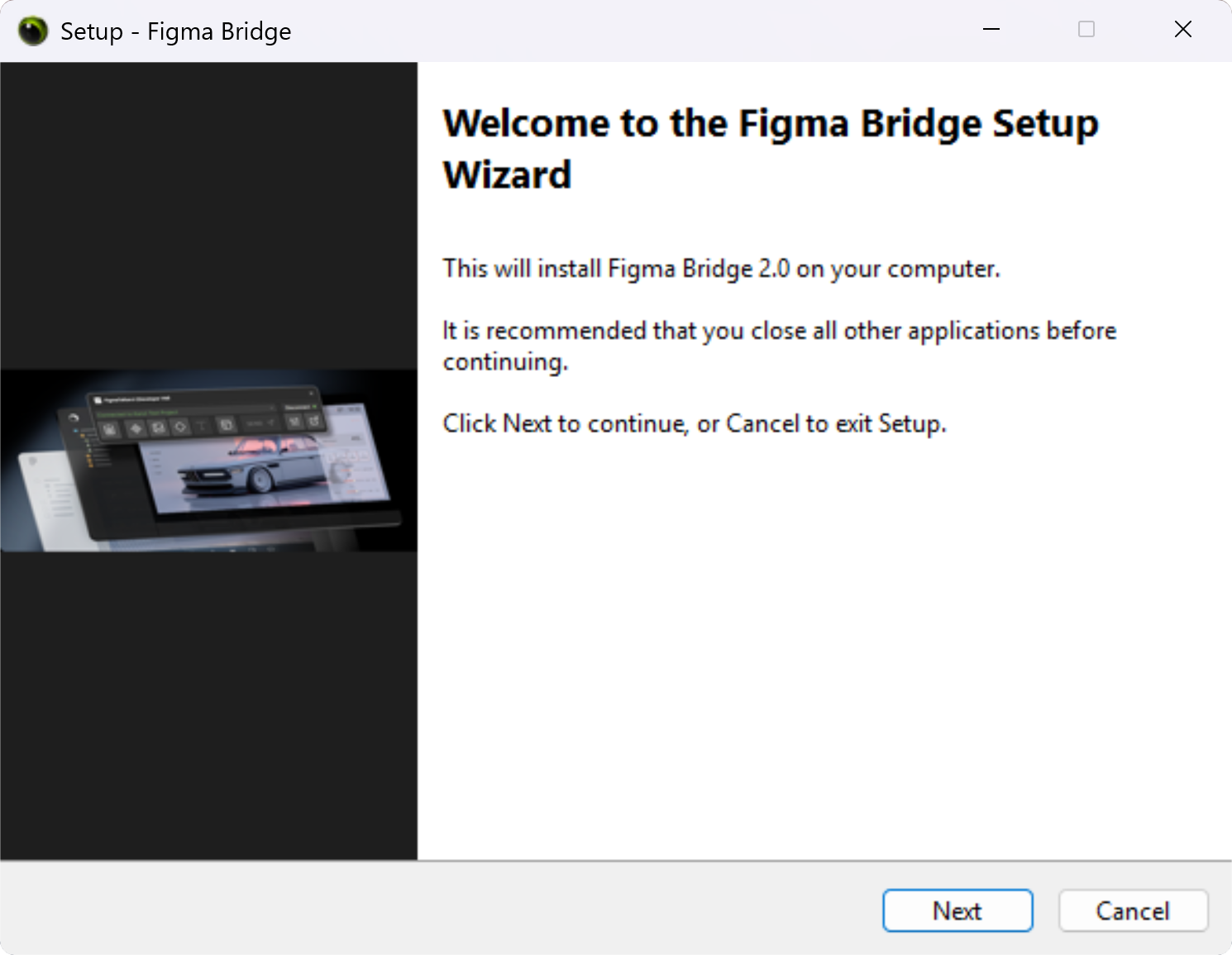
Recommended for first-time setup, environments without KPM, or to fill the Node.js and Cloudflare-tunnel gaps left by a KPM install. The installer is a Windows wizard. Run FigmaBridge-Setup-v2.0.exe and follow the steps:
License agreement.
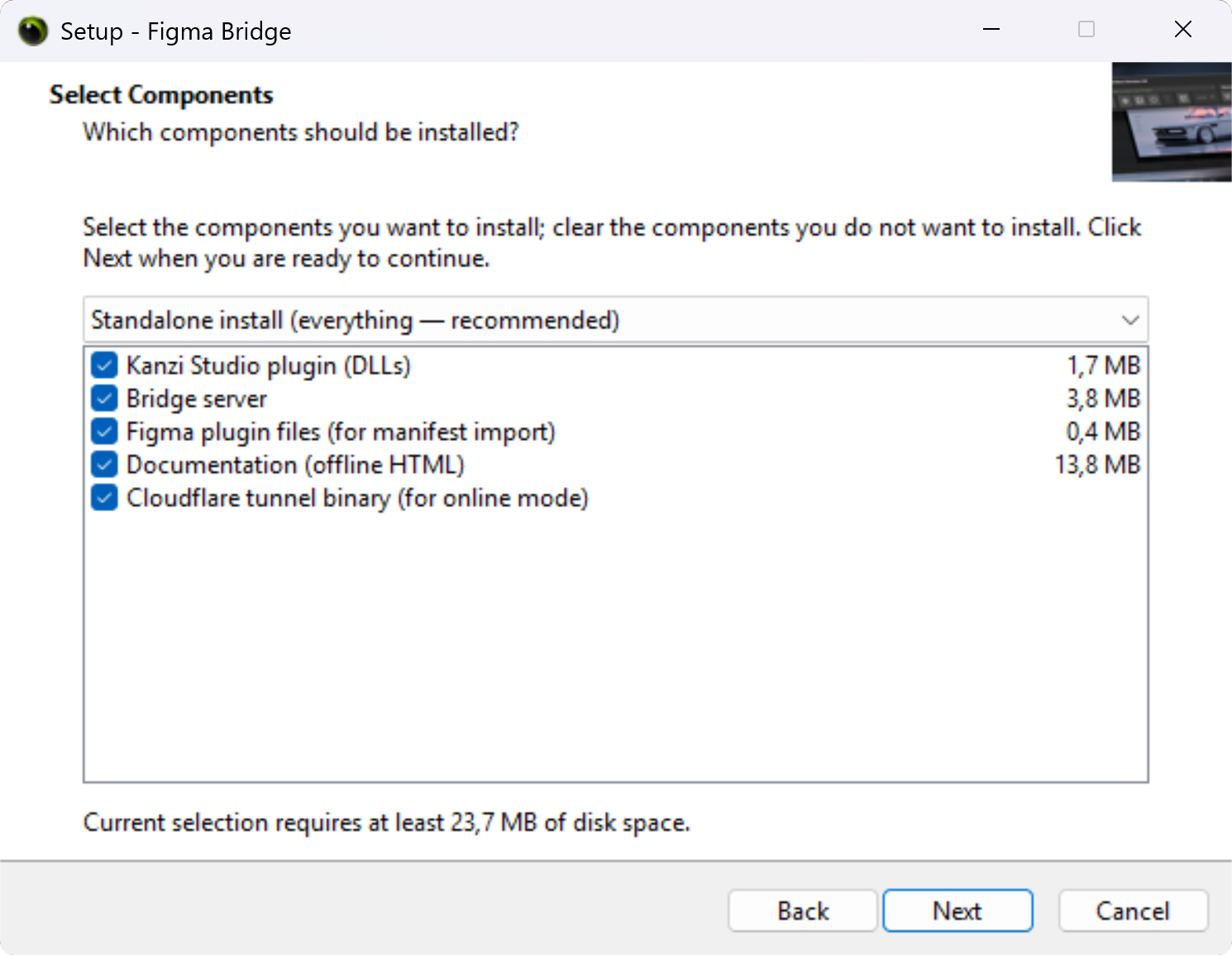
Setup type — pick one:
Standalone install (recommended): deploys everything (plugin DLLs + bridge + Figma plugin files + offline documentation + Cloudflare tunnel + Node.js task).
KPM companion: fills the one gap a KPM install leaves — it runs the Node.js install task. (KPM already ships the plugin DLLs, the bridge, and
cloudflared.exe.)Custom: pick components individually.
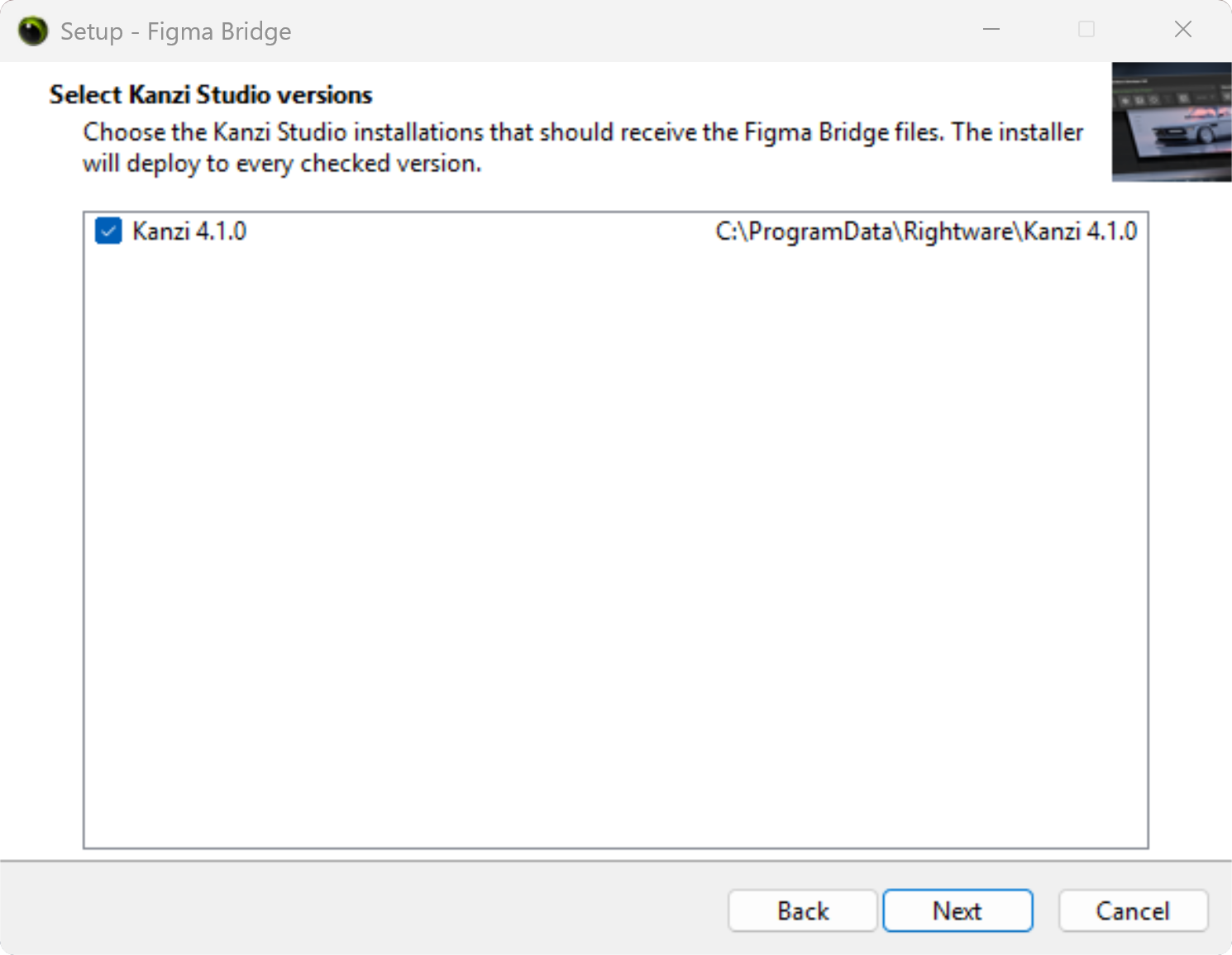
Kanzi Studio version page (shown whenever the Studio plugin component is being installed — always for Standalone, and for Custom only if you keep that component checked; skipped in KPM companion mode, which installs nothing per Kanzi version). The installer scans
%ProgramData%\Rightware\for every Kanzi Studio installation of version 4.1 or newer and shows them as a checklist. Tick the versions that should receive the plugin DLLs. All discovered versions are checked by default.Tasks — pick the optional steps:
Install Node.js via winget if it is missing (on by default).
Create a desktop shortcut to the documentation (off by default).
The installer deploys the plugin DLLs into every selected version’s
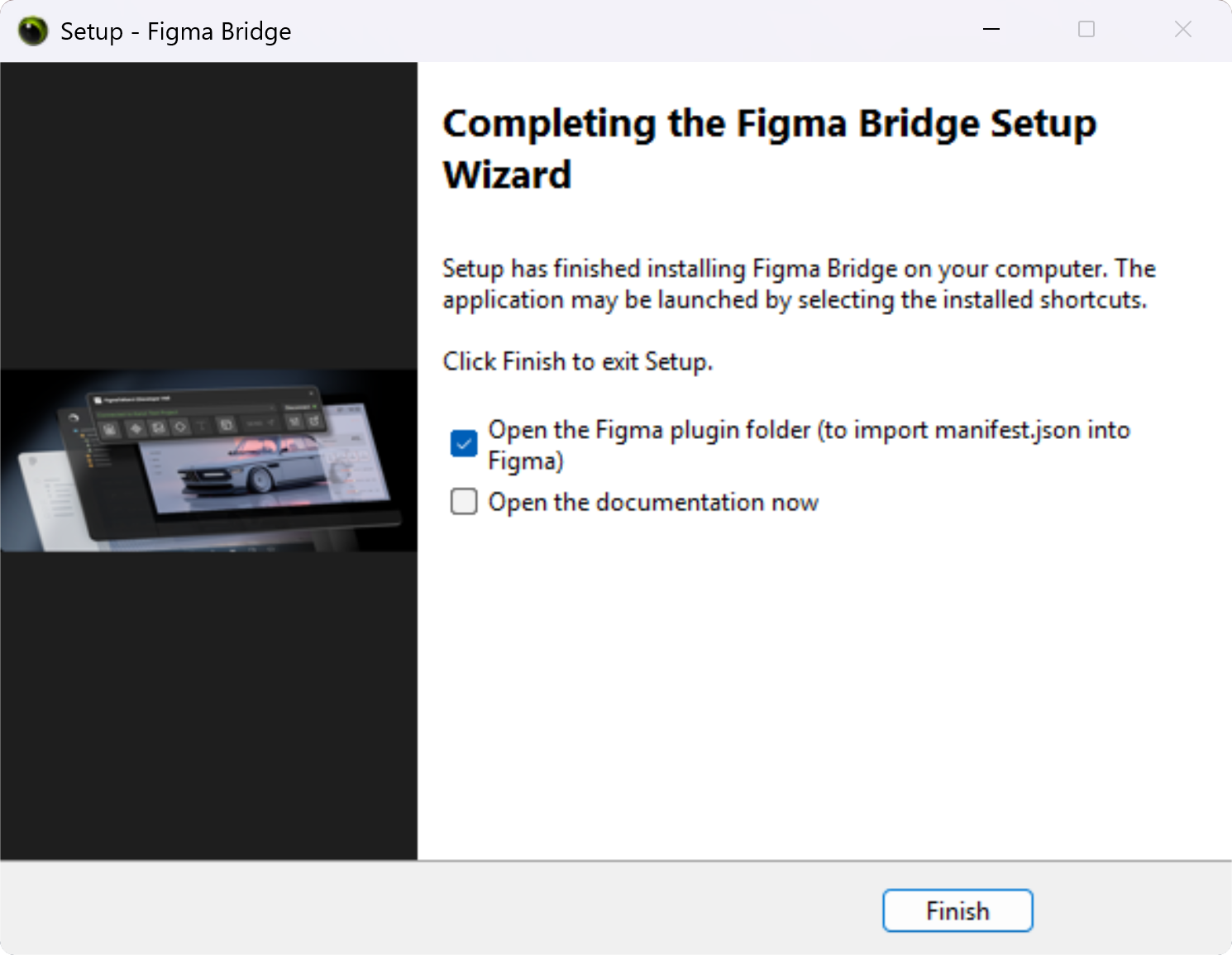
plugins\folder. The bridge server, the Figma plugin files, the offline documentation, and the standalone uninstaller land under%ProgramFiles%\Rightware\Figma Bridge\. The installer sets theFIGMA_BRIDGE_PATHuser environment variable automatically so the Kanzi Studio plugin can locate the bridge.On the finish page, the installer offers to open the Figma plugin folder (so you can drag
manifest.jsoninto Figma Desktop’s plugin import dialog) and to open the documentation.Restart Kanzi Studio so it rescans its plugins. Close every window first.
Wizard pages
Importing the Figma plugin
After either install path, the Figma plugin still needs to be imported in Figma Desktop:
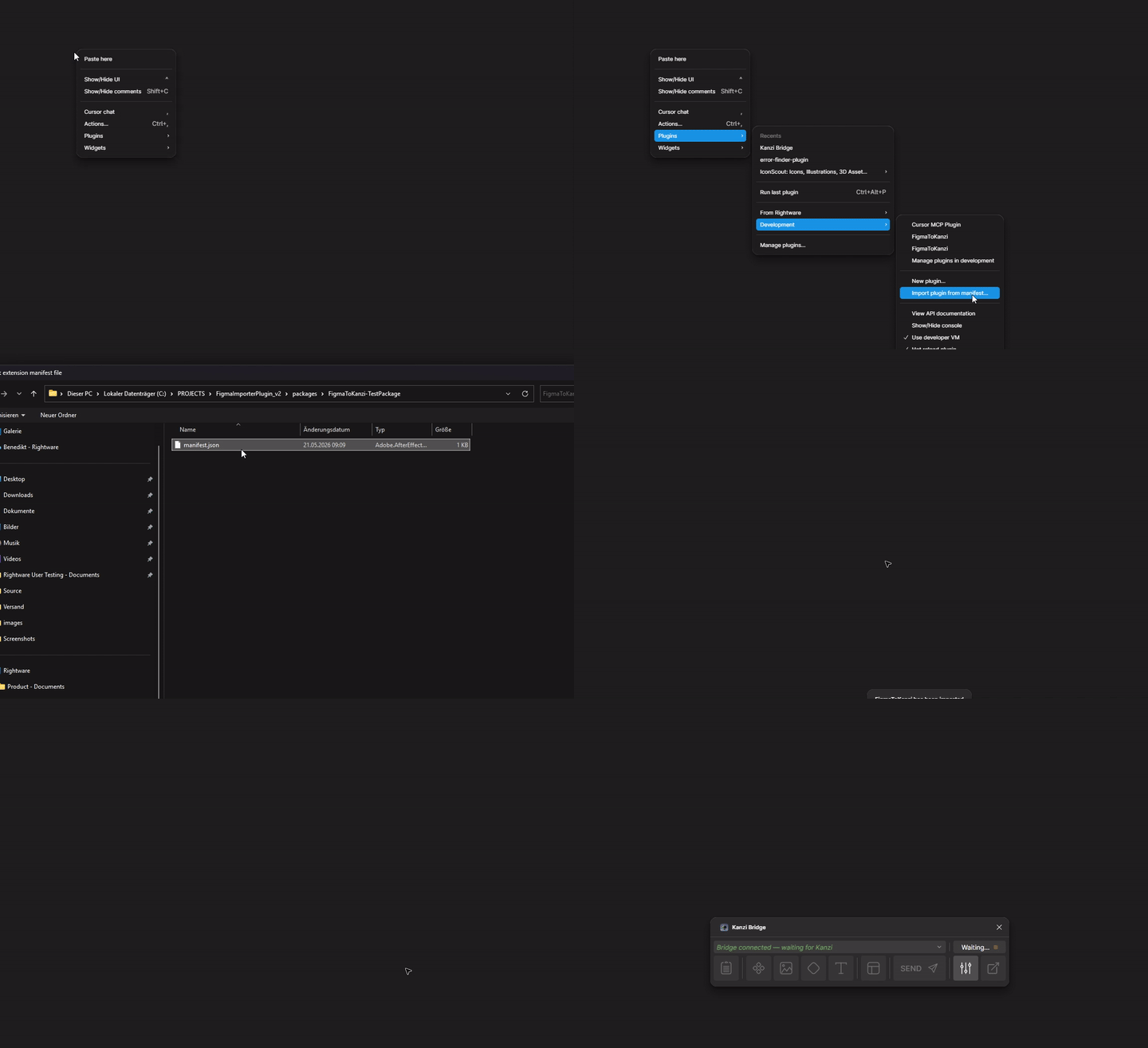
In Figma Desktop, select Plugins > Development > Import plugin from manifest and choose the bundled manifest.json. Its location depends on the install path:
KPM:
%ProgramData%\Rightware\Kanzi <version>\plugins\FigmaImporter\FigmaPlugin\manifest.jsonStandalone installer:
%ProgramFiles%\Rightware\Figma Bridge\FigmaPlugin\manifest.json
The plugin then appears as FigmaToKanzi under Plugins > Development.
Note
Manifest import is required until the plugin is officially published in the Figma Community. After publication, Figma Online (browser) can also install the plugin directly.
After installation
Kanzi Studio shows a top-level Figma Importer (Experimental) menu with two entries:
Figma Bridge — opens the Kanzi Figma Importer panel. The panel is single-instance: selecting this entry again focuses the existing panel.
Documentation — opens this user guide.
Both entries are disabled until a project is open in Kanzi Studio. If the menu does not appear, confirm the plugin DLL and manifest are present and that you restarted Kanzi Studio.
Uninstalling
The standalone installer registers itself with Windows so you can uninstall through any of these paths:
Windows Apps & Features: Start menu, type “Apps”, find Figma Bridge in the list, click Uninstall.
Start menu shortcut: under Rightware > Figma Bridge > Uninstall Figma Bridge.
Directly: run
unins000.exefrom%ProgramFiles%\Rightware\Figma Bridge\.
The uninstaller tracks every Kanzi Studio version it deployed the plugin DLLs to. It removes those DLLs from every plugins folder it touched, clears the FIGMA_BRIDGE_PATH environment variable, and removes the %ProgramFiles%\Rightware\Figma Bridge\ folder.
KPM-installed packages are uninstalled through Kanzi Package Manager itself — the standalone installer’s uninstaller only undoes what the standalone installer placed.