Using Package Manager Kanzi Studio plugin
Package Browser
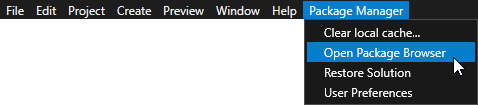
The Package Browser is where you browse, install, update, and remove the packages your work depends on. To open it in Kanzi Studio, select Package Manager > Open Package Browser.
The Package Browser has two panes:
The left pane lists packages, organized into four tabs by where the packages come from: Remote, Local, Project, and Studio.
The right pane shows the details of the package selected in the list - its version, author, license, description, and dependencies (Requires) - together with the button that installs or removes it.
The action button’s label reflects what installing the package does, which depends on the package type:
Add to project / Remove from project for a Kanzi Engine plugin, which becomes a dependency of the open project.
Add to Studio / Remove from Studio for a Kanzi Studio plugin.
Add as Asset Source / Remove for an asset package.
Remote
The Remote tab lists the packages available in a connected Conan remote repository, for example, packages published by Rightware or by your team. Select which repository to browse from the Repository dropdown, and use the refresh button to reload its list of packages.
To add, remove, or manage the configured repositories, expand the Repositories section. See Adding remote repositories.
Local
The Local tab lists the packages in your local Conan cache: packages you downloaded from a remote and packages you created locally. The Cache: path shows where the cache is on disk, and the refresh button reloads the list.
Below the cache, a separate Editable Packages list shows your editable packages. An editable package is one that Conan resolves from a folder on your computer - the folder that contains its conanfile.py - instead of from a built package in the cache. Changes on disk then take effect without rebuilding and re-publishing the package. Editable packages are marked with (Editable) in the details pane. Kanzi Studio creates these entries for you during plugin development; the Package Browser itself has no control for making a package editable.
Project
The Project tab lists the package dependencies of the currently open Kanzi Studio project. The Packages file bar shows the path to the project’s dependencies file, with a button to open it in a text editor and a Restore button that reinstalls every dependency the project lists.
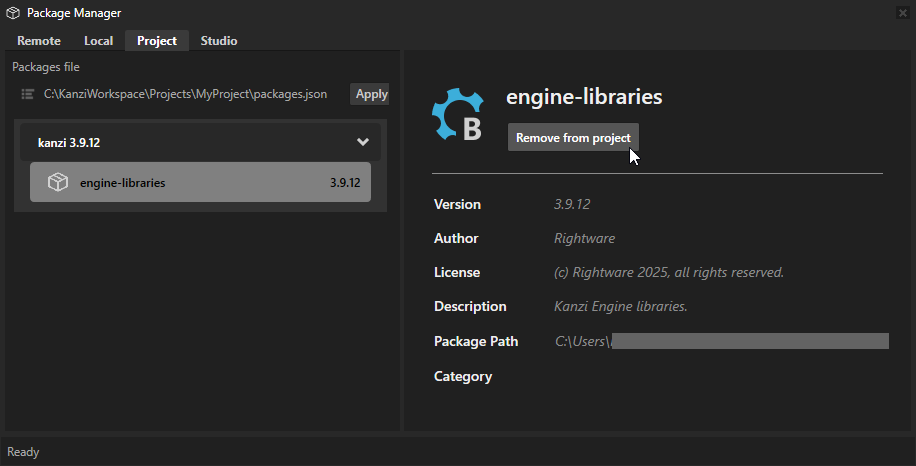
To remove a dependency, select it and, in the details pane, click Remove from project. If removing the package would modify the Kanzi Studio project file, a Package Removal dialog asks you to confirm before the change is applied.
Studio
The Studio tab lists the Kanzi Studio plugins installed for the current Kanzi Studio version. Unlike a Kanzi Engine plugin, which you add to a single project, a Kanzi Studio plugin is installed into Kanzi Studio itself and is available to every project you open with that Kanzi Studio version. As on the Project tab, a Packages file bar shows the dependencies file and provides a Restore button.
Installing packages to a project
To install a package using the Package Manager plugin for Kanzi Studio:
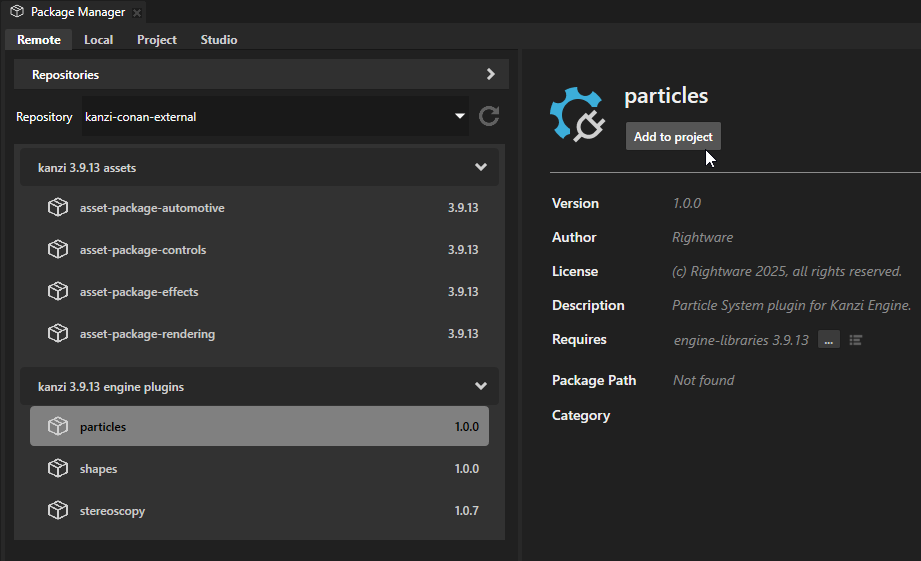
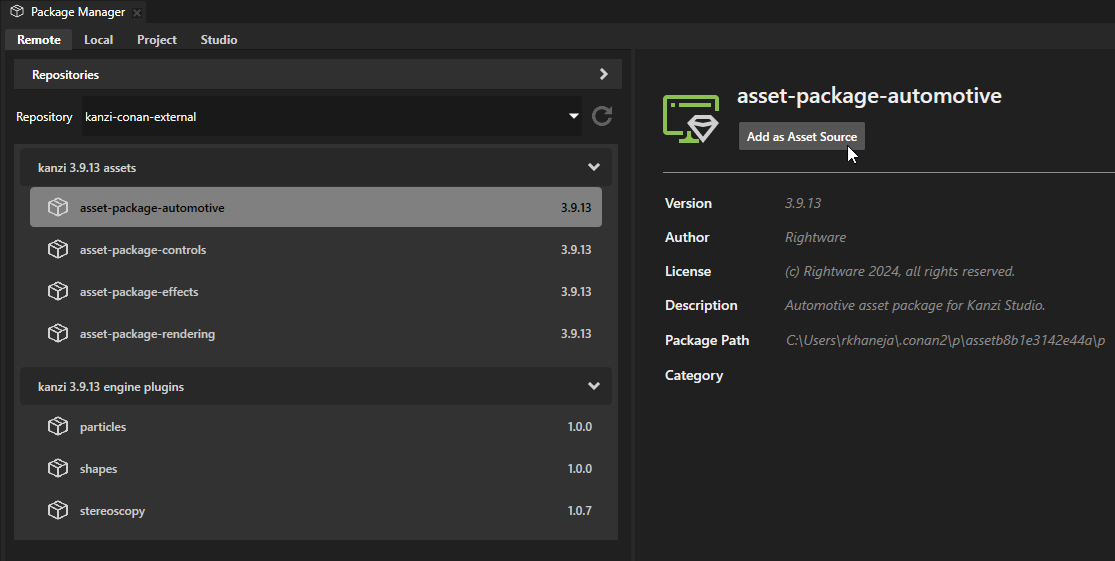
Select the Remote tab. In the left panel, select the package that you want to add to your project and in the right panel click the button under the package name.
The Package Manager plugin installs the package according to its type. It adds:
Kanzi Engine plugins as project dependencies.
Kanzi Studio plugins as a dependency of the current Kanzi Studio instance.
Asset packages as an asset source for the current Kanzi Studio instance.
Removing packages from a project
To remove:
A Kanzi Engine package, in the Package Manager plugin, in the Project tab, select the package that you want to remove, click Remove from project, and confirm removal.
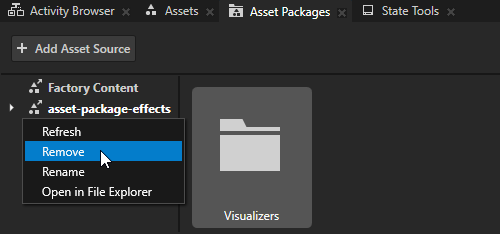
An asset package, in the Asset Packages window, right-click an asset source and select Remove.
Adding remote repositories
The Package Manager plugin allows you to add, remove, and manage multiple Conan remote repositories.
To add a Conan remote repository:
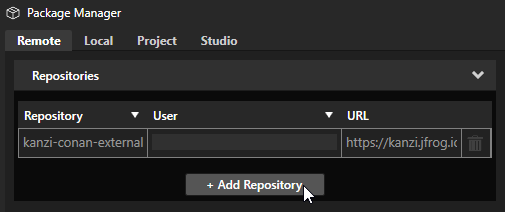
In the Package Manager plugin, select the Remote tab. In Repositories, click + Add Repository.
In the Repository Setup window, set:
Repository Name to the name that you want to use to identify the Conan repository
Repository Url to the Conan repository URL
User to your Conan repository username
Password to your Conan repository password
Click OK.
The Package Manager plugin lists the packages from the repository that you added.
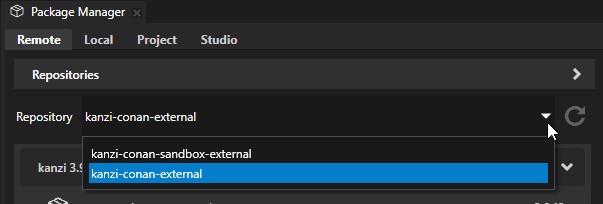
The Package Manager plugin shows packages from only one Conan repository at a time. You can toggle between repositories using the dropdown list.
Restoring dependencies
A project records the packages it depends on in its packages file. When you open a project whose dependencies are not yet in your local Conan cache, for example, after you clone the project, check it out on another computer, or migrate it to a newer Kanzi version, you can reinstall them all in one step instead of adding each package by hand.
To restore the dependencies of the open project:
In the Package Browser, select the Project tab. To restore Kanzi Studio plugins, select the Studio tab instead.
Click Restore.
The Package Manager reinstalls every package listed in the packages file.
To restore the dependencies of every project in the current solution at once, select Package Manager > Restore Solution.
Clearing the local cache
The Package Manager keeps the packages it downloads and builds in a local Conan cache, shown as Cache: on the Local tab (by default %USERPROFILE%\.conan2\). If the Package Manager starts behaving unexpectedly, for example, after a failed installation, clearing the cache forces Kanzi to download the packages again from their remote repositories.
To clear the cache, select Package Manager > Clear local cache…, and confirm when Kanzi Studio prompts you. This removes all packages from the local Conan cache.
The next time you install or restore packages, the Package Manager downloads them again from the connected remotes.