Sharing project items
When you need to share project items with another project, Kanzi Studio lets you export the selected item and its dependencies to an empty project archive, and import it into another project. You can also copy project items and their dependencies directly to the filesystem of another project.
Kanzi provides these options for bringing content from other projects:
You can bring an entire project to the current project. See Importing projects.
You can bring only a part of another project to the current project. See Merging projects and Merging content from referenced Kanzi Studio projects.
You can merge 3D assets from a 3D asset file. See Merging 3D assets.
If you want to import collections of ready-made content, use Kanzi Studio asset packages.
See Asset packages.
If you want to import the assets that you created with third-party tools, use Kanzi Studio importing tools. See Importing.
Exporting and importing project items
To export project items:
Select the items you want to export.
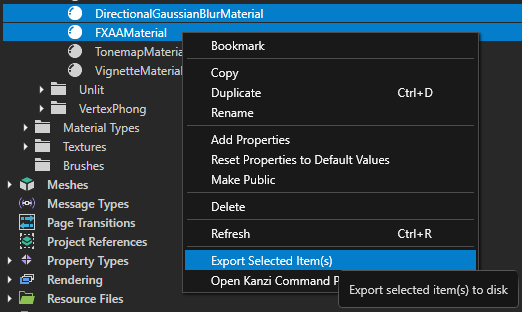
Right click, and select Export Selected Project Item(s).
Kanzi Studio creates an archive which contains the selected items, and the items they reference.
To import project items:
Select File > Import > Import Project Item(s).
Select the archive that you want to import.
Note
The export is a zip archive. You can also extract the items manually to the filesystem of another project.
Copying kzm files
You can also share project items by copying kzm files manually. To use a project item in another project, copy the kzm file of that project item into the same directory of another project. When a project item has child items or refers to other items, copy all child and referenced items too.
Note
Only copy kzm files from another project when both are from the same Kanzi Studio version.
For example:
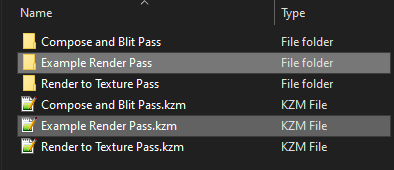
To copy a Render Pass Prefab:
In File Explorer, in the project directory open the Render Pass Prefabs directory of the first project.
Copy Example Render Pass directory and Example Render Pass.kzm render pass prefab file.
Paste the directory and kzm file to the Render Pass Prefabs directory of the second project.
To copy a Material:
In File Explorer, copy
FirstProject/Materials/ExampleMaterial.kzmto theSecondProject/Materials/directory.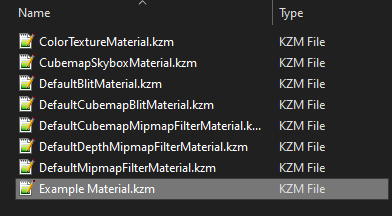
Copy the material type
FirstProject/Material Types/ExampleMaterialType.kzmto theSecondProject/Material Types/directory.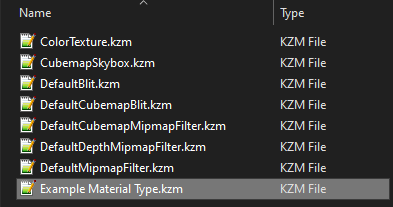
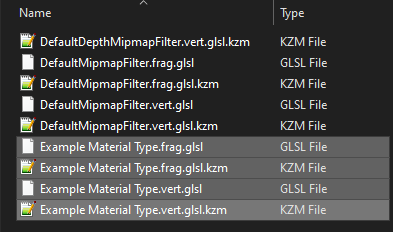
Copy the shaders and the corresponding kzm files from the
FirstProject/Shaders/directory to theSecondProject/Shaders/directory.