Kanzi 4.1.0 release notes
Changes
Raised minimum CMake version requirement to 3.25.
In Android projects, Gradle is set to use CMake version 3.30.5, as this is the lowest compatible version provided by the Android SDK.
The CMake hint variable
KANZI_ROOTis renamed toKanzi_ROOTto comply with CMake policy CMP0144, introduced in CMake 3.27.If your project or build environment sets
KANZI_ROOTto locate the Kanzi installation, rename it toKanzi_ROOT. See Changes to the build system.Added per-frame increment mode to Value Accumulators. You can now configure a Value Accumulator to increment its value once per frame instead of based on time intervals.
To use the per-frame increment mode, set the Increment Mode property of a Value Accumulator to Per Frame. In this mode, the Value Accumulator ignores the Increment Time Interval property and increments the accumulated value by the input value on every frame.
Refactored List Box classes to simplify custom implementations.
Kanzi Studio now imports default materials from the
<KanziInstallation>/Studio/Asset Library/MaterialTypesproject instead of.kzmatfiles.In the Kanzi Studio Preview window, holding down the Alt key now switches between the Camera tool and the Node tool.
The selection outline is no longer captured when Preview screenshots are taken in Kanzi Studio.
Added the Target Shader Family property to the Binary Export project settings. Use this property to set which shader families Kanzi Studio includes in the kzb file. By default, Kanzi Studio includes all three families: OpenGL, OpenGL ES, and Vulkan. Remove families that your target platform does not use to reduce the kzb file size.
You can now sort render entries directly in the Draw Objects render pass without using object sources as a sorting workaround. To use sorting, set the DrawObjectsRenderPass.SortingOrder property. The following orderings are supported:
None- The same as not having the property.BackToFront- Clusters farther from the camera are drawn first. Use for translucent content.FrontToBack- Clusters nearer to the camera are drawn first. Use for opaque content.Material- Clusters are grouped by material. Use to reduce shader switches.
The term “Cluster” is used because when using
SortingOrder, Kanzi sorts render entries, not complete objects. This means that aModel3Dwith a mesh that contains multiple clusters with different materials can still be sorted reliably by shader used. The sorting is unstable, meaning the exact rendering order of two clusters with identical sort values is not guaranteed to be consistent across frames.These changes also reduce the cost of adding and removing nodes from the
DrawObjectsRenderPassrender entry list.Creating dynamic property types with identical names but conflicting settings no longer immediately throws an error.
Updated the following third-party libraries:
Zlibfrom 1.2.13 to 1.3.2.LibPNGfrom 1.6.37 to 1.6.55.FreeTypefrom 2.12.1 to 2.14.3.FreeTypeupdated its internal TrueType interpreter. This can introduce subtle differences to text rendering.HarfBuzzfrom 8.3.0 to 13.2.1. This update changes text shaping behavior, which can cause small differences in text layout.
Started using the following third-party libraries:
FlatBuffers25.12.19-2026-02-06-03fffb2. This is an enabler for defining Kanzi resources using a public schema anyone can write.
yaml-cpp0.9.0. Kanzi YAML parser and writer that is used in file format transformations. It shall replaceTiny-XML.
Protobuf3.8.0. Used for proof of concept work in Emscripten platform package for a more flexible KZA representation.
Qualcomm Shadow Denoiser1.0. Used for reducing noise in ray-traced shadows.
Image data in
.kzbfiles now usesFlatBuffersmessages. The intent is to allow future users to send ready-made binary blobs to Kanzi using publicly available schemas. For now, the change is invisible to the user.Added the
KANZI_LINK_KZMONITORCMake option to Android Kanzi templates. Enable it inbuild.gradleto link the Monitor plugin. For step-by-step integration instructions, see Integrating to Android projects with Gradle, CMake, and Android Studio in the Kanzi Monitor documentation.
Kanzi Engine Lua API
You can now use an optional argument of
DataObject::createto define a child tree of data objects.Iterating over node children can now be done with iterators
Node2D:iterateChildrenandNode3D:iterateChildren.You can now register tasks and timer tasks on the main loop scheduler. See Registering Main Loop Scheduler tasks
You can now manipulate node components owned by a
Node.You can now use getters and setters for inherited properties in
MessageArgumentchildren.You can now use
InputManipulatormethods on theNodeclass.Lua runtime is now split into
DebugandReleaseversions. TheReleaseversion removes all argument verification checks, improving performance at the cost of detailed error messages.Lua runtime is now creating objects by directly dispatching to C++ function counterparts instead of going though
Metaclass::createInstancemethod.
Rendering
Removed
MappedBufferclass. Mapping a buffer can now be done throughkzgfx::mapBufferandkzgfx::unmapBufferdirectly. Updating a buffer without mapping can be done with eitherCommandRecorderorkzgfxcommands directly.Added the
AlphaToCoverageEnabledproperty toPipelineStateRenderPass, which enables Alpha to Coverage GPU support. Consider enabling this when rendering objects or particles with semi-transparent textures like foliage, grass or smoke to get sharp, anti-aliased edges with less processing overhead. This property is also available in the Draw and MultiDraw prism nodes.Replaced the
GraphicsColorWriteModeenumeration withgfx::ColorWriteMask, a bitmask flags type. You can now combine individual channel flags using the bitwise OR operator to control per-channel color writes.See Changes to the PipelineStateRenderPass Color Write Mode.
Kanzi now invalidates the framebuffer contents instead of clearing it, when the previous content is not necessary. This improves performance, as the framebuffer memory does not have to be copied to, or from the tile memory.
The
GPUBufferclass is now derived fromGPUResource. It now only manages a single buffer handle throughout the entirety of its lifetime and will no longer resize its buffer internally.As a result, the
Meshclass andGeometryclass have undergone API changes as well.The
RenderState::HandleTypetype is now a strongly typed enum and has been renamed toRenderStateHandle. It now must be initialized toRenderStateHandle::Invalidinstead of -1.The
RenderStateHandlenow encodes aRenderStateDomainin the top bits of the handle. You can access the domain conveniently withgetRenderStateDomain(RenderStateHandle handle). The domain can be used to determine if the value associated with this RenderStateHandle is a Texture, Buffer, Uniform, or Acceleration Structure.Kanzi now requires GLSL ES 310+ or desktop GLSL 140+ source syntax for shaders. Deployment targets down to OpenGL ES 3.0 are still supported — shaders are cross-compiled to the dialect required by the project’s Target Graphics API setting, provided the source does not use features introduced after the target version. To migrate shaders in your projects, see Changes to shader compilation.
The default Target Graphics API for new projects is now OpenGL ES 3.1. Existing projects keep their current setting.
Added support for Volume Texture.
Added support for Buffer objects.
Added support for Compute render pass.
Added support for Basis Universal texture compression. Supported texture modes:
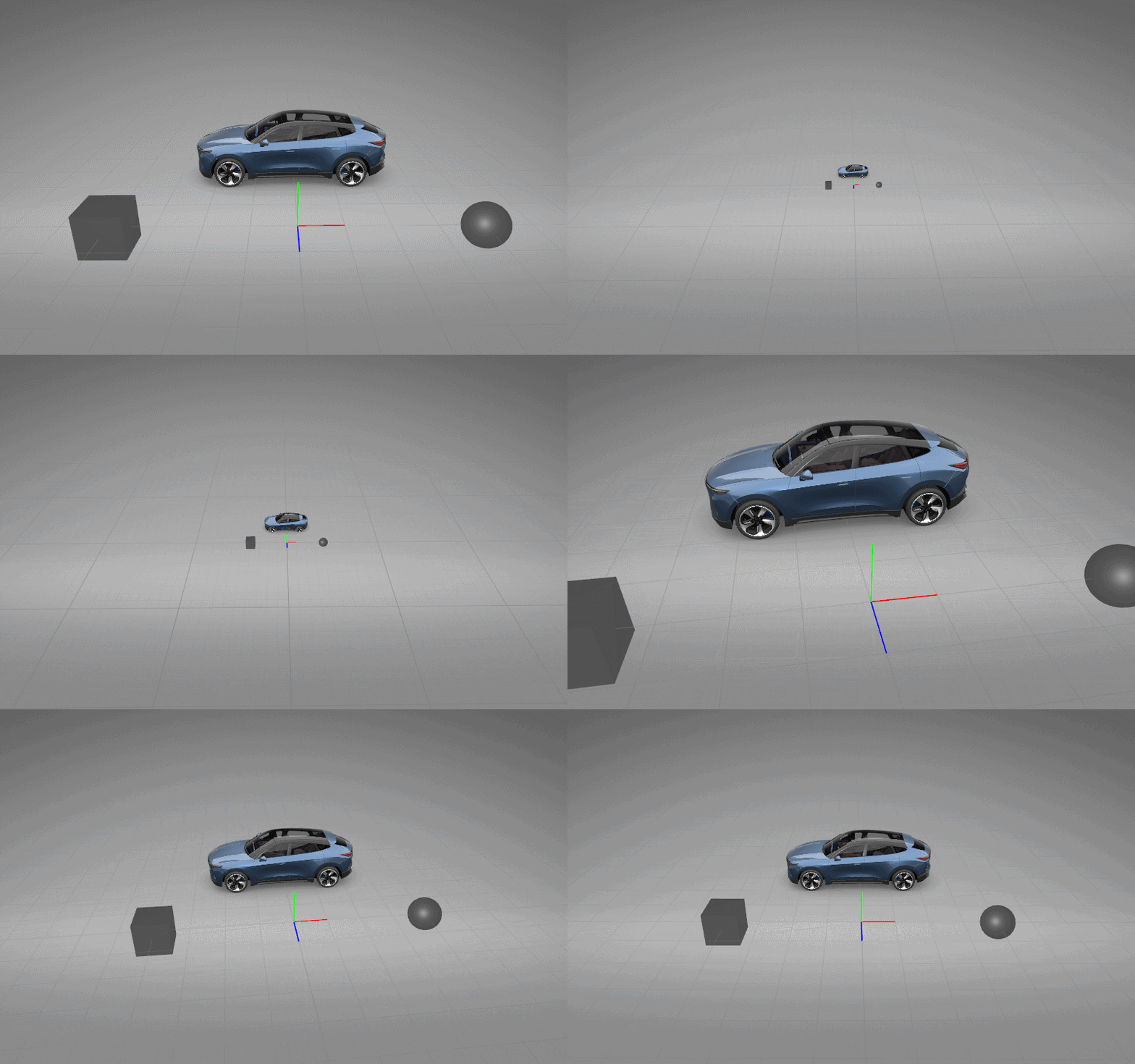
UASTC LDR,UASTC HDR 4x4,UASTC HDR 6x6andETC1S.Improved the 3D Grid visualization in the Kanzi Studio Preview. The grid is now unit-based, making it easier to read and use as a guide when placing objects in 3D space.
Changed
RenderPass::CameraSettings::initializeFromLightto support automated directional shadow projection fitting.Added support for velocity buffer generation. You can now output per-pixel screen-space velocity in materials, which is the foundation for effects such as motion blur and temporal anti-aliasing (TAA).
This feature introduces: - New preprocessor defines
KANZI_SHADER_OUTPUT_VELOCITYandKANZI_SHADER_OUTPUT_VELOCITY_INDEXfor Physically Based Rendering materials. - A newkzPreviousProjectionCameraWorldMatrixfixed uniform that provides the previous frame’s projection-camera-world matrix for velocity calculations.Reshaped
Mesh::CreateInfoand surrounding APIs:Vertex source data is now de-interleaved per attribute.
Mesh::CreateInfo::vertexDataandvertexBufferHandlewere removed; eachMeshVertexAttributecarries its owninitialDatabytes and optionalbufferHandle.Vertex buffers on a created
Meshare now exposed per attribute throughMesh::getVertexBuffer. The container type isMesh::VertexBufferContainer.MeshVertexAttribute::dataTypeanddimensionwere collapsed into a singlegfx::Formatfield. Newgfx::ChannelTypevariantsUNorm,SNorm, andUFloatgive accurate format classification.MeshVertexAttribute::stridewas removed; derive fromgfx::getPixelStride.Added structured
Mesh::CreateInfovalidation:validateCreateInfo,getVerboseDescription, and theMesh::CreateInfo::Statusenum.adjustForDeviceCapabilitiesnow returnsvector<Mesh::CreateInfo::Adjustment>describing what was adjusted (wasvoid).Pipeline validation now treats
UNorm/SNorm/UFloatchannel types as compatible with shaderfloatinputs,ColorRGBAclear values, andColorRGBAsampler border colors. Previously these combinations were rejected.
gfx::DepthAttachmentDescriptiongainedisDepthReadOnlyandisStencilReadOnlyfields. Set either totrueto declare that a render pass does not modify the corresponding aspect of its depth/stencil attachment, which allows the same depth (or stencil) texture to be sampled as input while still bound as the framebuffer’s depth/stencil attachment. Asymmetric combinations on packed depth/stencil formats require the newgfx::FeatureId::SeparateDepthStencilLayouts(Vulkan 1.2 /VK_KHR_separate_depth_stencil_layouts; always available on OpenGL). Render pass validation reportscreate-renderpass-separate-depth-stencil-layoutsif the feature is unavailable. At command-stream time,BeginRenderPipelineCommandinside a read-only pass reportscommands-begin-render-pipeline-depth-write-in-read-only-passorcommands-begin-render-pipeline-stencil-write-in-read-only-passwhen the bound depth/stencil state would modify a read-only aspect. Both fields default tofalse; existing pipelines are unaffected.CompositionTargetRenderPassalso no longer invalidates the framebuffer when it reuses an externally-supplied depth target.Refactored Mesh vertex buffers to be de-interleaved, so that each attribute can be accessed individually in a single buffer. As a consequence, the following Mesh class methods now require a parameter for accessing a specific attribute:
Mesh::getVertexBufferHandle,Mesh::getVertexBuffer,Mesh::setVertexData,Mesh::setVertexSubData.Shader reflection now exposes the
locationandcomponentqualifiers on every input and output attribute.gfx::reflection::ReflectionInfo::inputAttributesandoutputAttributesnow map attribute names to a newgfx::reflection::Attributestruct that carrieslocation,component, and the existingtypeInfo. This makes the compiled shader the single source of truth for which channels of which color attachment a fragment output writes, including component-qualified layouts such aslayout(location = 1, component = 2) out float— useful for passes that pack multiple scalar outputs into a single render target.Render pipeline validation uses the new reflection fields to reconcile each bound color attachment’s blend state write mask against the reflected outputs, the bound attachment’s channel set, and the active render pass. The check runs at
BeginRenderPipelineCommandprocessing — the only point at which the validator can see the actual attachment formats — and reportscommands-color-write-mask-mismatchwhen the blend state enables writes to a channel that the fragment shader does not produce and the bound attachment carries. Write mask bits aimed at channels the bound attachment lacks are no-ops on hardware and do not warn. Fragment outputs whoselocationexceeds the bound attachment count are also left alone — the excess writes are discarded, so a single shader can drive a variable number of bound attachments.Added binding expression accessors for de-interleaved mesh buffers. You can now read the per-attribute GPU buffers and counts of a
Meshdirectly from a binding expression:meshGetPositionBuffer,meshGetNormalBuffer,meshGetTangentBuffer,meshGetUVBuffer,meshGetIndexBuffer,meshGetVertexCount, andmeshGetIndexCount. This lets you, for example, bind a vertex buffer of a mesh as a storage buffer to a Compute Render Pass, or drive a dispatch size from a vertex or index count, without writing C++ code.See Mesh functions.
Moved the output viewport property from
kanzi::DrawObjectsRenderPassto theRenderPassbase class and renamed it toRenderPass::OutputViewportPropertyto clarify that the property reports the viewport area produced by the render pass. Every render pass now exposes the property, not only Draw Objects render passes.Improved the Depth / Stencil Attachment property of Render Target Texture and Cubemap Render Target Texture:
Enabled the Depth 32-bit, Stencil 8-bit (D32_SFLOAT_S8_UINT) format. Use this format when you need a combined 32-bit floating-point depth and 8-bit stencil attachment.
Changed the default format to Depth 32-bit (D32_SFLOAT) for higher depth precision.
Added support to use the nearest supported format as a fallback when the selected format is not supported by the GPU.
Removed the
GraphicsLoggingEnabledapplication configuration option, the matching--log-graphicscommand-line option, and the publickanzi::Renderer::setLoggingAPI. The option has been a no-op since the OpenGL/Vulkan renderer refactor; reimplementing graphics API-call logging is tracked separately by RENDERING-2703.Removed
kanzi::Renderer::getLoggingandkanzi::Renderer::getDumpStateOnDrawCalls. These getters had no corresponding setter afterkanzi::Renderer::setLoggingwas removed, so their return values could not be changed through any public API.Kanzi 4.1.0 includes graphics information logging as a one-time startup report of the graphics backend, device, versions, extensions, and format support, controlled by the
LogOpenGLInformation,LogOpenGLExtensions, andLogSurfaceInformationapplication configuration options. It does not include graphics API call logging (per-draw-call tracing with state dumps), which was available in Kanzi 3.9 and is planned to return in a future release.Added the Bindless Raytracing Advanced example, which demonstrates raytraced shadows and reflections using bindless rendering in a 3D scene. The example includes a custom render pass prefab with Build Acceleration Structure, Raytraced Shadows, and Raytraced Reflections passes.
Added experimental ray tracing support. Requires Vulkan 1.2 or later as the target graphics API.
Note
Ray tracing is experimental. The API may change in future releases.
The following render passes are available:
BuildAccelerationStructureRenderPass— builds a top-level acceleration structure from scene geometry each frame.RaytracedShadowRenderPass— traces rays to produce a screen-space shadow mask for a selected light.RaytracedReflectionRenderPass— traces rays to compute per-pixel reflections for surfaces with roughness below a configurable threshold.DenoiserRenderPass— applies temporal denoising to the shadow mask before compositing.
For a complete working example, see the Bindless Raytracing Advanced example example project.
Added experimental bindless support. Requires Vulkan 1.2 or later as the target graphics API.
Note
Bindless texture support is experimental. The API may change in future releases.
The following class was introduced:
BindlessTextureRegistrymanages the bindless descriptor arrays of 2D textures. Textures are reference-counted — multiple registrations of the same texture are safe. Shaders access textures by integer index instead of individual descriptor bindings.
Shaders that opt into bindless also gain access to the following GPU-resident scene data, exposed through the
kzGPUSceneuniform block:kzGPUSceneMeshInfo— per-mesh buffer device addresses for positions, normals, tangents, UVs, and indices.kzGPUSceneInstanceInfo— per-cluster-instance transform matrices and indices into the mesh and material tables.kzGPUSceneMaterialInfo— per-material property values. This struct is user-defined: you declare it in a shared GLSL header and include it in every shader that participates in the bindless scene. The engine discovers the layout using reflection and packs the material data accordingly. All shaders in the scene must declare the samekzGPUSceneMaterialInfostruct.kzGPUSceneMaterialIndex— per-draw uniform set by the engine, used to index into the material buffer and retrieve thekzGPUSceneMaterialInfofor the currently rendered cluster.
Together these structures make full scene geometry and material data available in any shader stage, enabling effects such as GBuffer rendering with alpha-tested materials and ray-traced reflections where hit-surface properties must be resolved for an arbitrary mesh and material at ray hit.
For a complete working example, see the Bindless Raytracing Advanced example example project.
Application framework
Added the
setTracingOutputDirectoryfunction to the Kanzi application framework (appfw) for setting the output directory for tracing files on Android.Added the
DomainControllerbase class and theDomain::getControlleraccessor.Applicationderives fromDomainController, so plugins holding aDomainpointer can reach genuinely host-specific state — customer-defined methods and fields on a host subclass — withdomain->getController<MyApplication>(), withoutDomaindepending onApplication. Use this for state that lives on the host; plugin access to scene-graph and other Domain-owned capabilities goes through the corresponding Domain accessors. Hosts that do not derive fromApplicationcan derive fromDomainControllerdirectly to expose their host instance to plugins through the same mechanism.Adding
DomainControlleras a base ofApplicationshifts the latter’s vtable and object layout, so out-of-tree plugins and applications built against Kanzi 4.1.0 headers must be rebuilt.Added a set of
Domainaccessors that give Engine plugins direct access toApplication-owned capabilities through theDomainpointer they receive at registration, without depending onApplication:Domain::getScreens— theScreennodes of the host. Single-screen applications return their Screen as the only element. On Android, the application framework returns the Screens of all its views, so plugins written against this accessor work on multi-window applications without host-specific code.Domain::getApplicationProperties— the application properties.Domain::getPerformanceInfoLevelandDomain::setPerformanceInfoLevel— the Performance HUD level.Domain::getRenderingAreaOffset— the rendering-area offset.Domain::getRootCompositionTarget— the root composition target.Domain::getStartupProfilerRegistry— the startup profiler registry.Domain::getStateandDomain::getFramesPerSecond— the main-loop state and frame rate.
Each accessor returns an empty value or a default value when the host does not provide the capability. Check the result before use.
Templates
Application templates that use C++ code now include iOS platform configuration. When you create a project using the Application, Application with data source plugin, or Application with Kanzi Engine plugin template, Kanzi Studio generates a ready-made iOS CMake configuration and a helper script for generating the Xcode project.
Removed the Conan-flavored Studio application templates.
Platforms
Kanzi now calls
setAppId()when creating Wayland graphics output.KZ_LOG_CATEGORY_EGLnow includes diagnostic warnings about platform-level feature support and is enabled by default.listEGLAttributeswas removed in favor of more flexibleformatEGLAttributes, which creates a formatted human-readable string.Platformclass has been renamed toplatform::PlatformContext. All derived classes have been renamed accordingly.GlContextApiclass has been renamed toplatform::GlGraphicsContext. All derived classes have been renamed accordingly.The
platform::GlGraphicsContextmember functiongetOGLProcAddresshas been renamed togetGLProcAddress. The class also gains agetGLProcAddressIntohelper, which loads a typed OpenGL entry point into the passed function pointer and reports whether it was found.kzplatformlibrary internal folder structure has been changed, which caused many files to be moved.Moved
platform::createDefaultPlatformContext,platform::destroyDefaultPlatformContext, andplatform::getDefaultPlatformContextfromplatform_context.hppto a dedicateddefault_platform_context.hppheader.
iOS
Kanzi for iOS now integrates at the view level, so you can embed Kanzi content alongside native views in any iOS application. Use
KanziViewin UIKit applications orKanziViewRepresentablein SwiftUI applications.Kanzi application templates now ship an iOS application shell that hosts
KanziView. Projects you create from the Application, Application with data source plugin, and Application with Kanzi Engine plugin templates build for iOS without modification: the generatedconfigs/platforms/ios/src/directory contains theUIApplicationMainentry point, app and scene delegates, and aUIViewControllerthat hostsKanziView.
Android
Updated the Android NDK version to 28.2.13676358. Kanzi now supports 16 KB page sizes by default, as required for Google Play compatibility on Android 15+ devices. See Changes to Android NDK version
Updated Android examples and tutorials to match latest templates, thereby enabling JDK 21.
The Kanzi installer now warns when the selected workspace path contains spaces. Android Gradle Plugin cannot package native shared libraries from a workspace path with spaces.
getkanzi.gradlenow logs which source was used to resolve the Kanzi workspace (local.properties, Gradle property,KANZI_HOMEenvironment variable, or parent-directory search) and the resolved path. This makes it easier to diagnose workspace resolution issues during Android builds. See Integrating Kanzi as a library sub-project
Package Manager
Introduced the Kanzi Package Manager for sharing and managing reusable software components and assets, and for supporting cross-platform application and plugin development. It allows you to install, update, and remove project dependencies.
See Package Manager.
Kanzi installer
The Kanzi installer now installs Package Manager as an optional post-install step. See Installing Kanzi Package Manager.
Kanzi Android Service
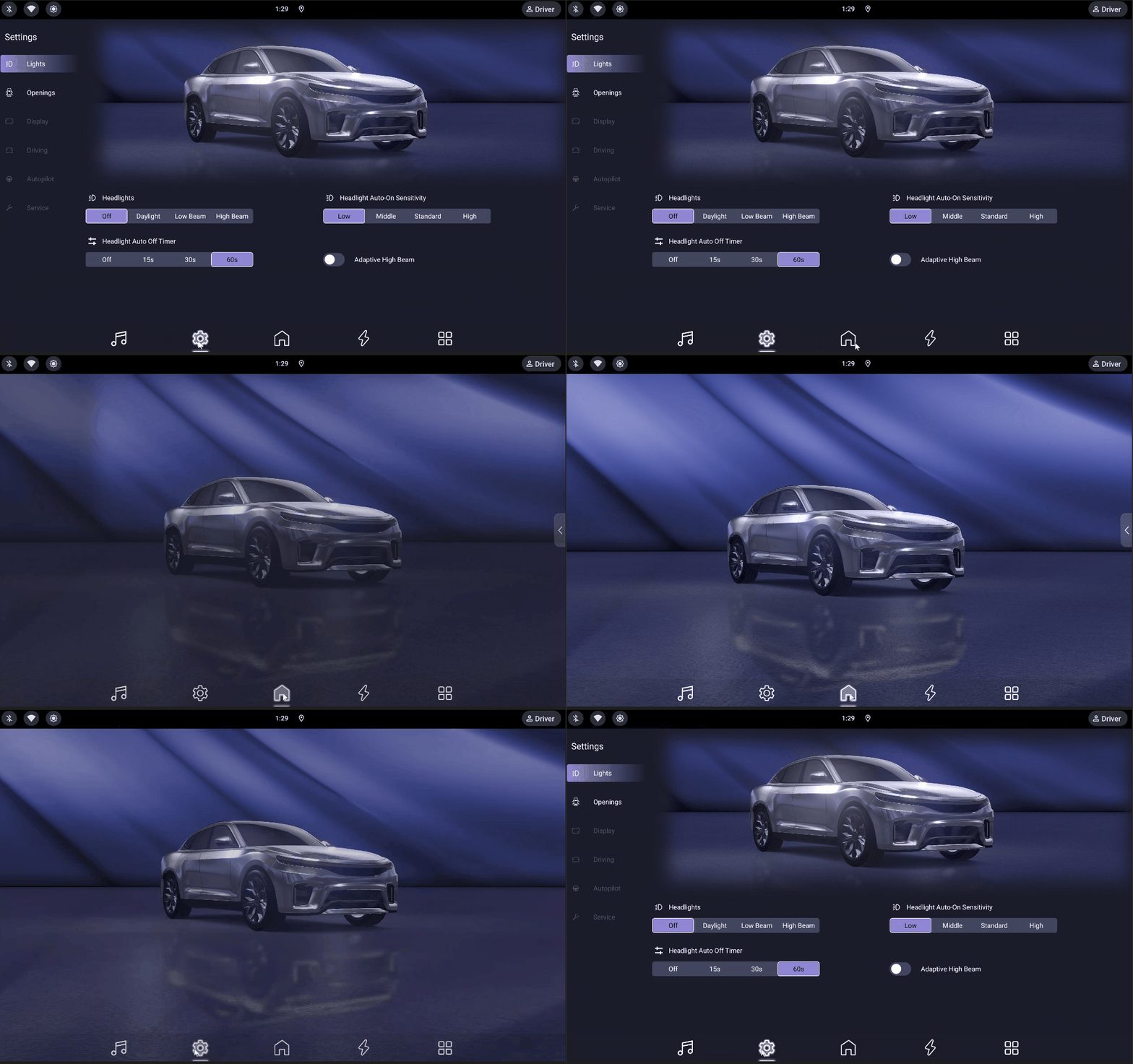
Introduced the Kanzi Android Service framework, enabling you to use the same Kanzi instance and resources across multiple Android applications. Additionally, this enables seamless transitions between applications that have shared Kanzi content.
Kanzi Studio plugins
Kanzi Studio now supports manifest-based plugin discovery for plugins that have dependency DLLs. Place all plugin files in a subdirectory under the
pluginsdirectory and add a<PluginName>.manifest.jsonfile that declares the entry point DLL. Kanzi Studio loads only the declared entry point DLL and resolves other dependencies from the same directory.Kanzi Studio now supports hot reloading of plugins. When you add, update, or remove plugin files in the
pluginsdirectory while Kanzi Studio is running, Kanzi Studio automatically detects the changes and reloads plugins without requiring a restart. When you remove a plugin, Kanzi Studio closes any open plugin windows and cleans up the associated menu items.
Kanzi Studio plugin API
The Kanzi Studio Plugin API now exposes
KanziStudio.GetPreviewScreenshot, which captures the current Preview frame and returns it as a PNG-encoded byte array.Added
Project.CreateLightNode, which creates a Light node of a specified type (Directional Light, Point Light, or Spot Light).Added a non-interactive overload of
Commands.ImportImagesthat accepts explicit HDR import settings (2D texture, environment cubemap, IBL cubemaps, resolutions, and sample count).
Kanzi Studio usability
Kanzi Studio now only writes the kzm format version to the root kzm file. Only copy kzm files between projects that are from the same Kanzi Studio version. See Copying kzm files
Kanzi Studio can now export project items as a shareable archive, and import it into a project. See Exporting and importing project items
Kanzi Studio no longer supports saving material types (
.kzmat), and loading material types from disk is deprecated. Use export and import project items instead. See Exporting and importing project itemsKanzi Studio now imports default materials from the
<KanziInstallation>/Studio/Asset Library/MaterialTypesproject instead of.kzmatfiles.Kanzi Studio now preserves kzm files and folders manually added to a project directory, even if not connected to the project hierarchy. This allows you to reuse project items across projects by copying files, and support custom folder organization without files being unexpectedly deleted.
When Kanzi Studio detects that
.kzmfiles in the project directory changed outside of Kanzi Studio, it now offers to merge the on-disk changes into your unsaved local changes, in addition to the existing reload option. See Responding to kzm file changes.Kanzi Studio now shows a single dialog window when multiple projects are modified outside of Kanzi Studio, which prompts you to Reload, Merge, or Ignore the changes from all these projects.
Kanzi Studio no longer serializes the creation timestamp of project items in
.kzmfiles. The Item Details dialog and the Find dialog now show a Last modified value sourced from the last-modified time of the.kzmfile that contains the item, instead of the previous Created field. Opening and saving a project no longer rewrites these timestamps in.kzmfiles.You can now use the
ImportAsset3DSourceFilecommand from a Kanzi Studio script to import 3D assets.Kanzi Studio now records performance measurements for selected user-observable operations and writes them to the Kanzi Studio log file. The instrumented operations are project open, project create, project save, kzb export, and Preview start. Each operation produces one line tagged
[PROFILE]with the operation name, duration in milliseconds, and metadata such as project path or output size.Profiling is off by default. To enable it, go to Edit > User Preferences > Advanced > Profiling and select Enable profiling. The setting persists across Kanzi Studio sessions. Profiling output appears in the Kanzi Studio log at
%TEMP%\KanziStudioLogs\KanziStudio.log.Kanzi Studio Preview framerate is no longer degraded when thumbnail rendering is enabled.
Prism graph editor
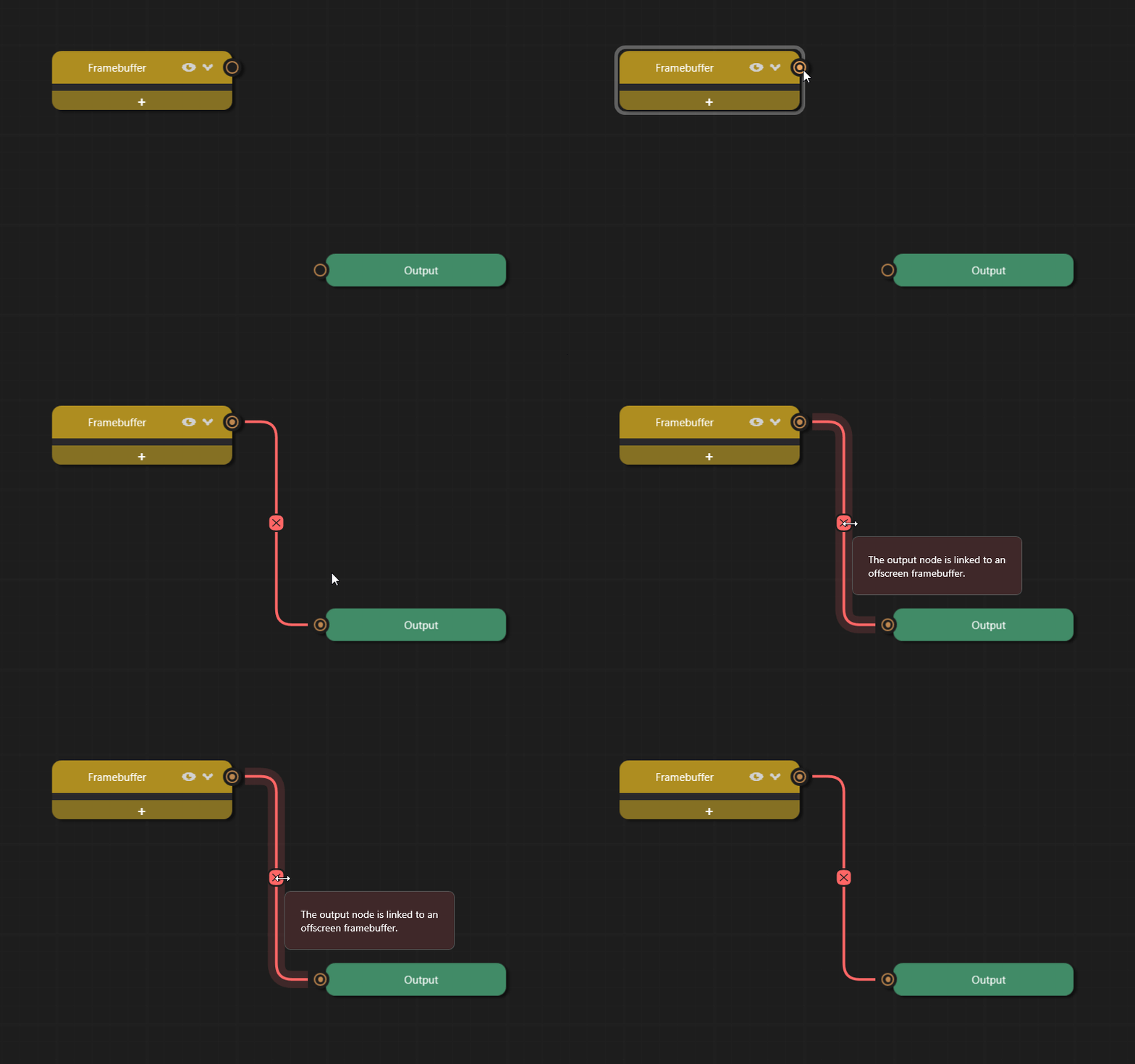
The Prism graph editor now validates connections as you edit. The editor highlights invalid connections and shows the issue in a tooltip.
In the Prism Editor, changing the selected Blit Material property on a Blit node will now remove all properties associated with the previously selected Material.
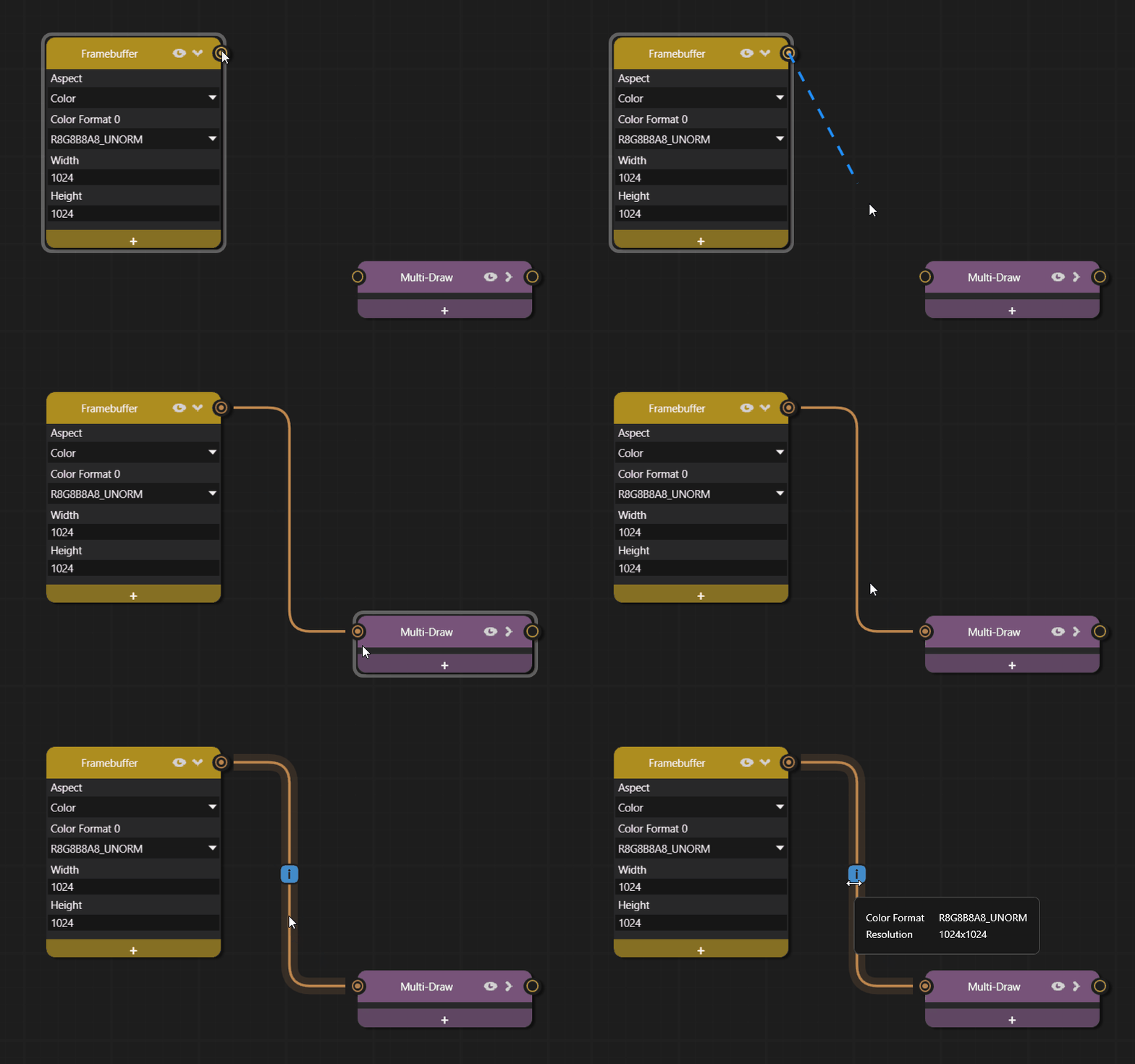
The Prism graph editor now shows detailed framebuffer information when you hover over valid connections. The tooltip displays aspect, format, and resolution of the data flowing through the connection.
Added new prism node types:
Chromatic AberrationColor GradingVignette
Generate Shadowmap node has new properties for configuring directional projection.
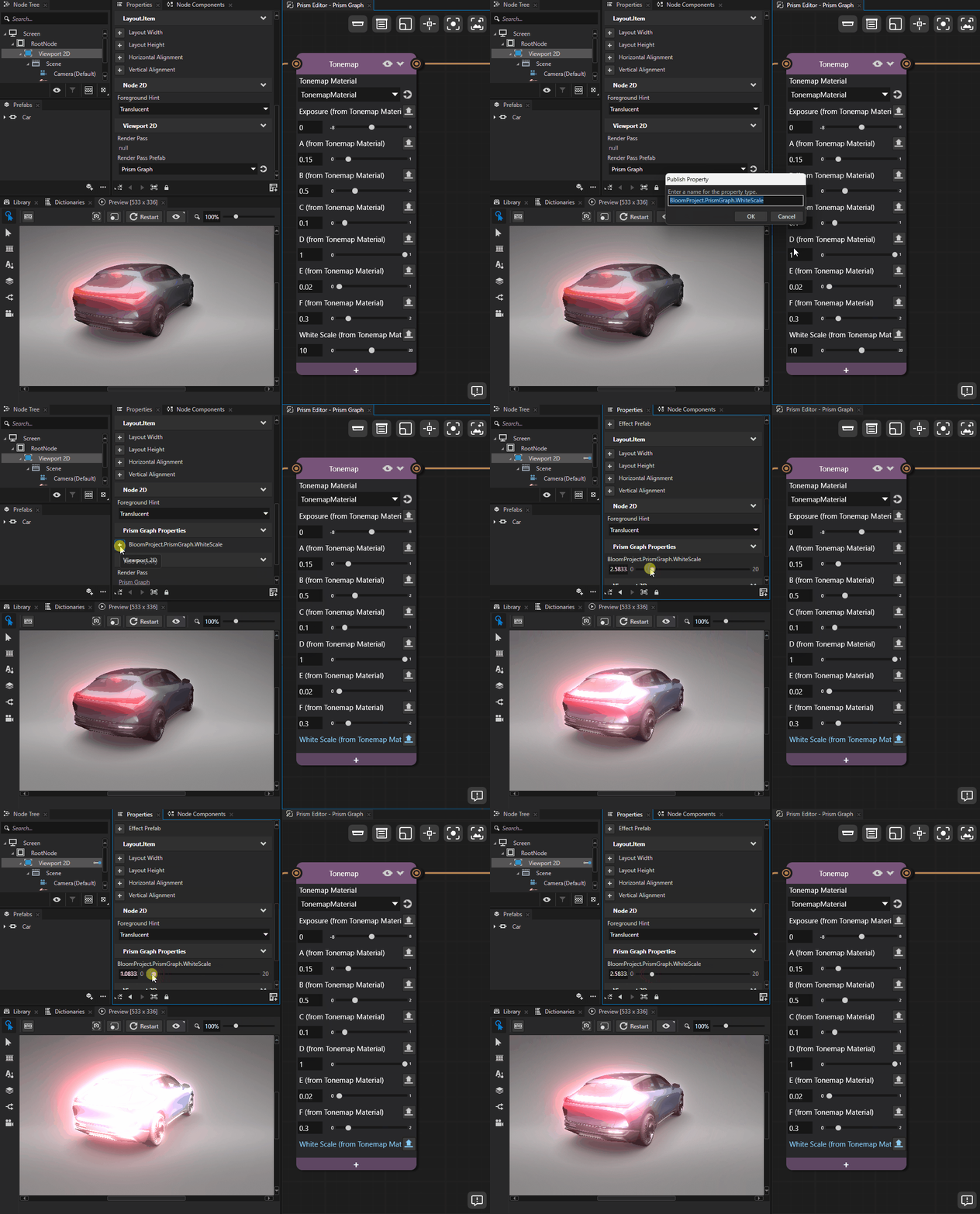
Material properties on Prism nodes now provide an Override value from Viewport button that allows each Viewport that uses the Prism graph to override the property value independently.
Renamed the display names of the Color Grading Prism node properties to avoid clashing with Shadow Effect 2D node properties:
Previous name
New name
Highlight Color
Grading Color Highlight
Highlight Range
Grading Highlight Range
Midtone Color
Grading Color Midtone
Shadow Color
Grading Color Shadow
Shadow Range
Grading Shadow Range
Hue Saturation Value
Grading Hue Saturation Value
The Prism graph editor now supports Render Pass nodes. You can add engine render pass types such as Build Acceleration Structure render pass and Compute render pass directly to your Prism graph. Each render pass node exposes its engine properties for editing in the Prism editor.
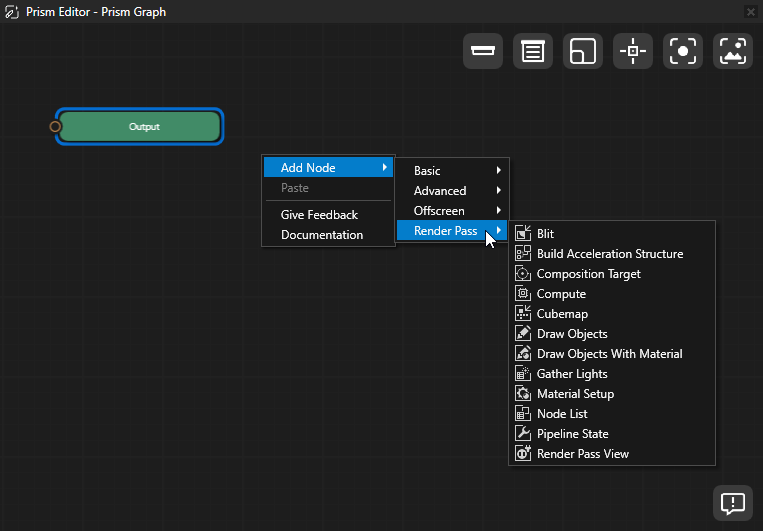
The Prism graph editor now supports resource property bindings between Render Pass nodes. Drag a binding line from a resource output property on one Render Pass node to a resource property of the same type on another Render Pass node to copy the value.
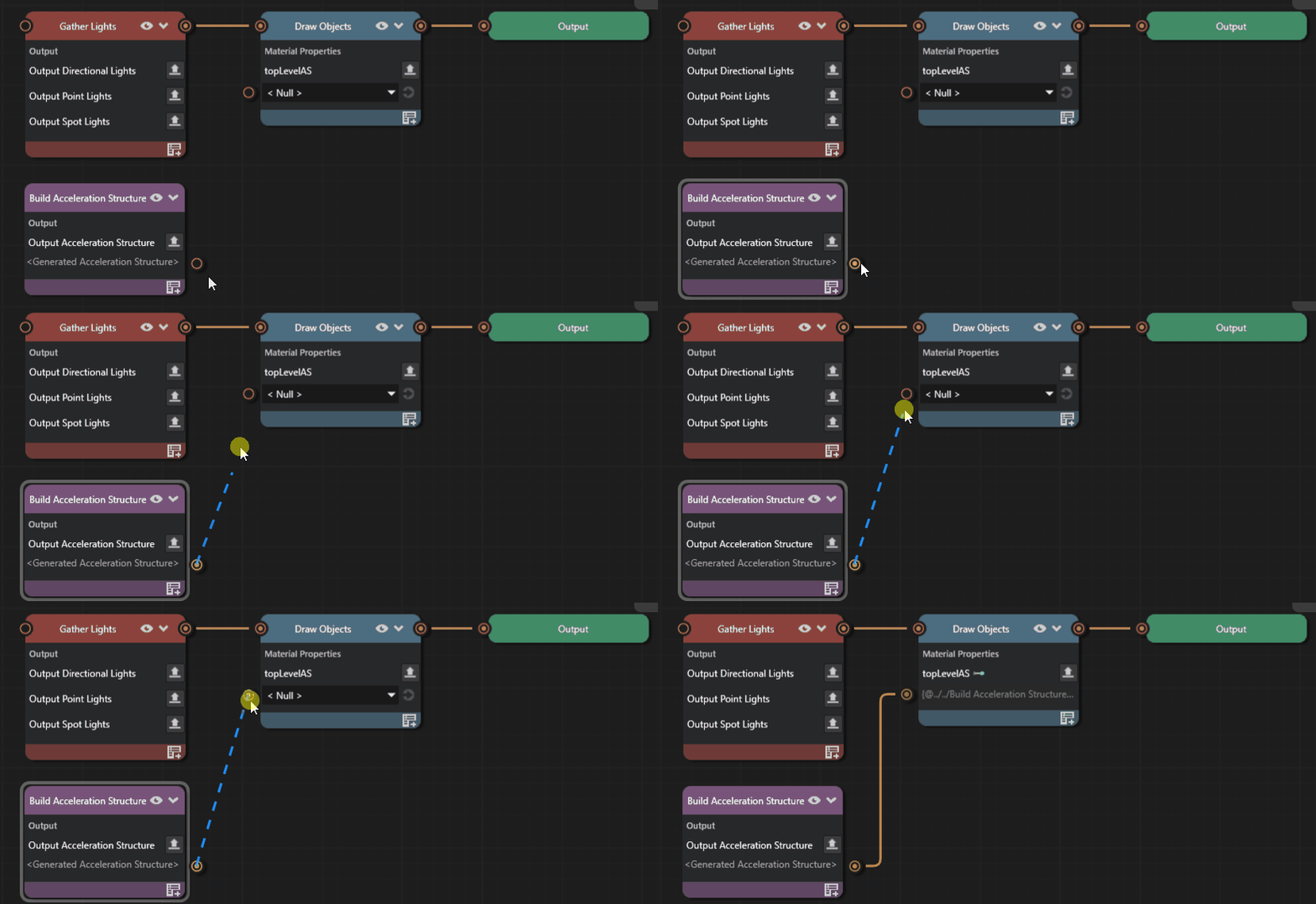
See Binding Render Pass node properties for a worked example.
The Prism graph editor now supports text property bindings on non-resource Render Pass node properties. Right-click any number, boolean, color, or other non-resource property on a Render Pass node and select Edit binding… to drive its value from a binding expression. The property row shows a binding indicator on the label and a read-only preview of the expression. Right-click and select Clear binding to remove it.
See Binding Render Pass node properties for a worked example.
Shader Graph Editor (Experimental)
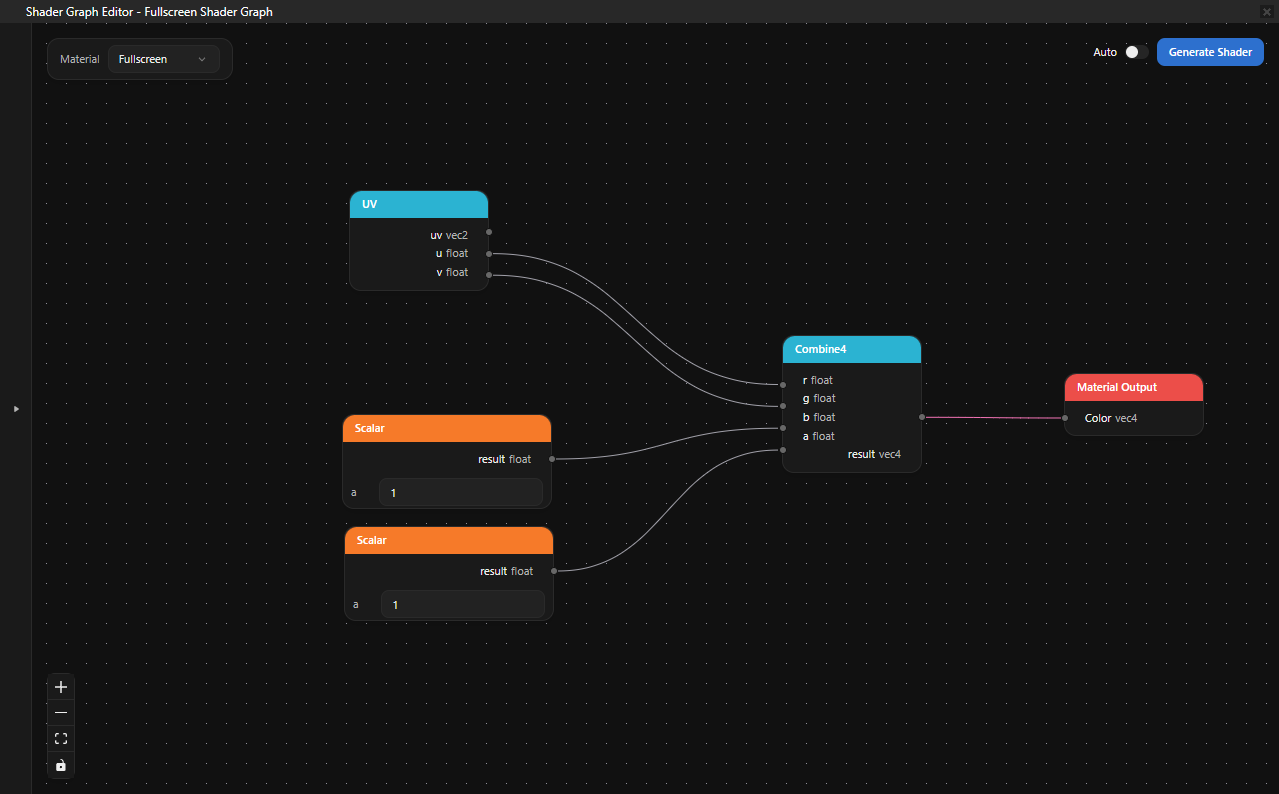
Introduced the Shader Graph Editor, an experimental visual node-based editor for building GLSL fragment shaders. You can create shader graphs, connect nodes, and generate shader code without writing GLSL by hand. To enable the editor, go to Edit > User Preferences > Experimental tab > Web-based editors and enable Shader Graph Editor.
Flags Property
Introduced a new Flags property type for defining bitmask properties with named bit fields. In the New Property Type window, select Flags as the data type. The property stores an integer bitmask whose bits are individually named.
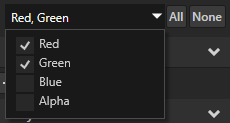
See valueProvider.
Kanzi Engine C++ API
Added a const version of
Node::lookupNodeRaw.Changed the Task Dispatcher API.
TaskDispatcherBaseis now merged intoTaskDispatcher, and the header location has changed.Renamed metaclasses of message arguments in
TextBoxConcept. See Changes to the TextBoxConcept API.Renamed metaclasses of message arguments in
TextInputManipulator. See Changes to the TextInputManipulator API.Added the
NodeComponent::supportsStateTransitionandNodeComponent::transitionFromvirtual functions. Override these in a custom node component to participate in the State Manager crossfade protocol and perform a self-driven transition when the State Manager switches between states.Refactored
MainLoopSchedulerto better adhere to the C++ Coding Guidelines. This refactoring does not require migration effort.Added a helper for extracting a plugin’s contributed metaclasses without registering the plugin into the
Domain. The new public API in<kanzi/core/module/plugin_metadata_extractor.hpp>adds:collectPluginMetaclasses— given aModulereference and a baseline set of engine-owned metaclasses, returns the metaclasses the module contributes throughModule::getMetaclassesOverride, plus their in-plugin transitive closure: nested metaclasses, message argument metaclasses, plugin-defined base classes (named and unnamed), and plugin-defined mixin metaclasses. A plugin that lists only its leaf metaclasses still yields metadata for the plugin-defined bases and mixins they derive from. Engine-owned metaclasses — those in the supplied baseline — are referenced by name in formatted output and are not added to the returned vector.LoadedPlugin— a move-only RAII handle that owns both theModuleproduced by a plugin’screateModuleentry point and the shared-library handle that produced it. The destructor destroys the module before closing the library, so the module’s vtable, which lives in the library, remains valid for the entire module lifetime.loadPluginForMetadata— opens a plugin shared library, invokes itscreateModuleentry point, and returns a populatedLoadedPlugin. The function does not register the module into theDomainand does not invokeModule::registerMetadataOverride, so plugins that perform setup in that hook do not pay its cost during metadata extraction.
Use this helper when extracting plugin metadata from tooling, instead of registering the plugin into the
Domainand diffing theObjectFactory. The companionplugin_metadata_readerconsumer uses it for the native-plugin (.dll/.so) path.
Animations
The Animation Player now crossfades smoothly when the State Manager switches between states that each configure an Animation Player with the same name. The outgoing and incoming animations blend over the configured transition duration instead of switching abruptly.
Shaders
Added the shader include library, a set of reusable
.glslfiles that Kanzi Studio installs alongside itself. You can include system shader files in any project shader using the#includedirective without copying them into your project directory. To customize a system shader for your project, clone it from Library > Resource Files > System Shaders.
Documentation
Added the Migrating projects from Kanzi 3.9 to Kanzi 4 page that explains how to move a Kanzi 3.9 project onto the Kanzi 4 template structure, covering CMake changes, the Kanzi resolver, project file conversion, shader migration, and Android Gradle changes.
Added the Using Kanzi AI tools section with documentation for the Kanzi API MCP server and the Kanzi Documentation MCP server. Use these servers to connect your AI assistant to Kanzi API references and user documentation.
Updated the Kanzi Documentation MCP server to a unified endpoint at
https://docs.mcp.kanzi.comthat supports all loaded Kanzi versions. The mcpb file for Claude Desktop is now available at https://docs.kanzi.com/mcp/kanzi-docs-mcp.zip. See Kanzi Documentation MCP server.Overhauled the search and AI-assistant experience on the docs.kanzi.com Documentation site so you can find what you need faster and with more accurate, grounded information. Search now returns results from across the entire Kanzi documentation: Kanzi framework, feature packs, and tools. You can now narrow your search to specific documentation sets or Kanzi versions. The new Ask Kanzi AI assistant answers your questions grounded in the same documentation and API references, with the page you are reading (and any text you have selected) used as context for follow-up questions. For details on how to use search, see Searching Documentation.
Added the Package Manager section documenting the Kanzi Package Manager (KPM): installing it, using the Kanzi Studio plugin, and creating and deploying asset packages and Kanzi Engine plugins as Conan packages.
Notable fixes
Kanzi Engine
Fixed an issue that caused Lua message handlers added in scripts to remain persistent in Kanzi Preview until it is restarted, even after updating or removing the handler. (ANDROID-1469)
Fixed the issue where asynchronous load tasks in the Resource Manager could fail to complete, causing Kanzi to hang indefinitely during shutdown, if an exception was thrown during resource loading. (FMW-890)
Fixed the issue where text nodes with fixed-width rendering incorrectly applied the fixed character width to diacritics and other combining marks, causing misaligned text rendering. (FMW-239)
Fixed the issue where cursor positions and selection highlights in TextBox nodes with fixed character width did not align with the fixed-width slot boundaries. (FMW-243)
Fixed the issue where a Trajectory List Box 3D crashed when a data source bulk-replaced its items while the list was scrolled to an item near the end. (FMW-988)
Kanzi Studio
Fixed the issue that made it difficult to rotate the selected 3D node in the preview using the outer side node handles
 . (EDITORS-355)
Fixed the incorrect behavior of the context menu in Kanzi Studio Library panel. (EDITORS-552)
Fixed the issue that prevented duplication of property values when duplicating a Blit node in the Prism graph editor. (EDITORS-551)
Fixed the issue in Kanzi Studio that caused precision loss of serialized double types in kzm files. (FMW-883)
Fixed Prism graph editor node connectors not being cleared when a connection is removed after duplicating a node. (EDITORS-557)
Fixed the issue that caused Kanzi Studio to crash on startup on some computers. (EDITORS-238)
Fixed the issue in Kanzi Studio that prevented editing of bindings with matching display names. (FMW-963)
Fixed the issue that caused Kanzi Studio to terminate when cluster materials of a mesh contained invalid references. (FMW-959)
Fixed the issue in Kanzi Studio that caused blocking of the menu item selection, when a tooltip was shown at the edge of the screen. (EDITORS-82)
Fixed the issue that caused Kanzi Studio to replace nodes instead of adding, when you drag and drop asset packages of different types next to each other in the node tree. (EDITORS-120)
Fixed the issue which allowed child commands of Kanzi Studio scripts to run asynchronously. (FMW-1012)
Fixed the issue that caused Kanzi Studio to import materials with stale bindings. (FMW-1028)
Fixed the issue which caused Kanzi Studio to terminate with an exception when selecting an alias binding in the binding overrides context menu. (EDITORS-737)
Fixed the issue where the selection outline in Kanzi Studio Preview did not appear when the Viewport used a custom render pass prefab. (EDITORS-788)
Fixed the issue in Kanzi Studio where editing, disabling, or removing one of two duplicated bindings on the same node also affected the other. (FMW-1103)
Fixed the issue where HDR cubemap generation could fail when Kanzi Studio imported HDR images without showing the interactive HDR import dialog, for example, from a plugin or script. (EDITORS-912)
Fixed the issue where the generated faces and roughness mipmaps of an image-based lighting cubemap could be lost after cloning a project from version control or importing an asset package, which caused incorrect physically based rendering. The generated content is excluded from version control and is not bundled in asset packages, so previously it could not be recovered: the runtime fell back to box-filtered mipmaps, which are incorrect for image-based lighting, and for compressed textures such as ASTC or Basis it could not generate the mipmaps at all.
Kanzi Studio now records how each image-based lighting cubemap was generated, including its type, resolution, and sample count, and keeps a reference to the source image. When the generated faces or roughness mipmaps are missing, Kanzi Studio recreates them from the source image on project load and on asset-package import. Regeneration runs only when the generated content is missing, so opening a complete project does not modify it.
Because regeneration relies on the source image, you must keep in your project the source HDR image from which each image-based lighting cubemap was generated. If you remove the source image, the cubemap can no longer be regenerated. Cubemaps created before this change carry no generation record and must be recreated, and re-packaged, so that the source image and its generation settings travel with the project. (FMW-1117)
Kanzi Java API
Fixed the issue that caused Kanzi Java API memory footprint to grow indefinitely when dynamically creating Kanzi objects in code. (ANDROID-1674)
Fixed a memory leak caused by registration of message handlers through
Node::addTunnelingMessageHandlermethod.Fixed a memory leak that occurred when objects of Kanzi native classes were created.
Rendering
Fixed the issue that caused incorrect debug visualization rendering, when using a Composition Target render pass for viewport rendering. The current implementation still has limitations related to missing depth texture, when rendering a scene using a Blit render pass. (RENDERING-2368)
Fixed the issue where using advanced blend modes without the required extension in the fragment shader caused rendering problems and crashes on some GPUs. (RENDERING-2271)