Custom shading with the GLSL Code node
This tutorial walks you through embedding hand-written GLSL in a shader graph using the GLSL Code node. You author a small function whose signature defines the node’s input and output ports, wire those ports into the graph, and generate a fragment shader that calls your function.
The GLSL Code node parses your function signature and generates ports from it: each in parameter becomes an input port, each out parameter becomes an output port, an inout parameter becomes both, and a non-void return type adds an output port named return. Supported port types are float, vec2, vec3, vec4, int, bool, and sampler2D.
Prerequisites
Before you start:
Enable the Shader Graph Editor. See Enabling the Shader Graph Editor.
Creating the shader graph
In the Library, press Alt and right-click Materials and Textures > Shader Graphs, and select Shader Graph. Kanzi Studio creates the shader graph and opens the Shader Graph Editor.
From the Material dropdown in the top-left corner of the editor, select Fullscreen. The Material Output node updates to expose a single Color input.
Adding a GLSL Code node
Right-click on the canvas and select Custom > GLSL Code. The GLSL Code node appears with a Function name field and an embedded GLSL editor.
In the Function name field, type
Checker.In the embedded GLSL editor, type this function:
// Soft checker mask. `tile` controls cell size; `softness` blurs cell edges.
// `bright` is 1.0 on bright cells, 0.0 on dark cells.
// The return value is the antialiased mask.

float Checker(vec2 uv, float tile, float softness, out float bright) {
    vec2 cell = floor(uv * tile);
    bright = mod(cell.x + cell.y, 2.0);
    vec2 f = fract(uv * tile);
    float edge = min(min(f.x, 1.0 - f.x), min(f.y, 1.0 - f.y));
    return smoothstep(0.0, softness, edge) * bright;
}
As you type the signature, the editor generates ports from the parameters:
uv(vec2),tile(float), andsoftness(float) become input ports;bright(float) becomes an output port; and the non-voidreturn type adds areturnoutput port.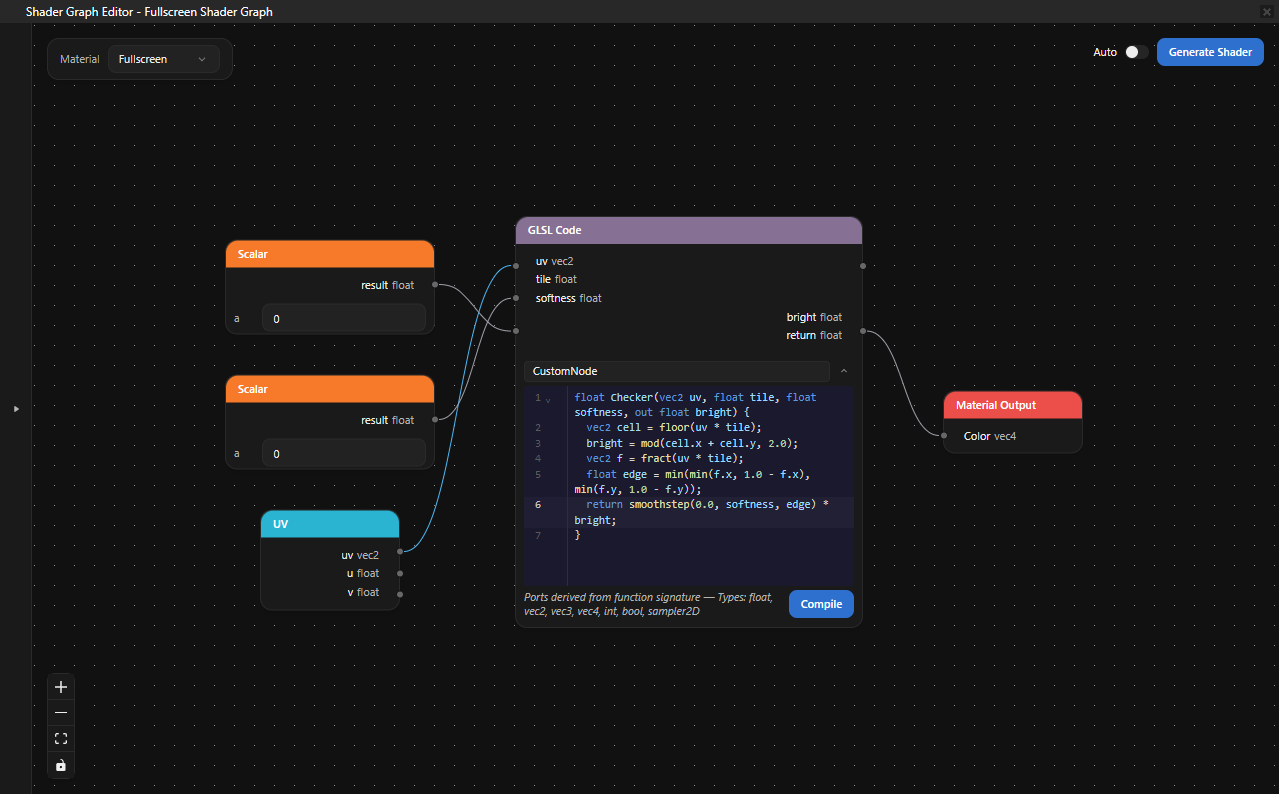
Wiring the node into the graph
In this section you drive the GLSL Code node from a UV node and route its output to the Material Output node.
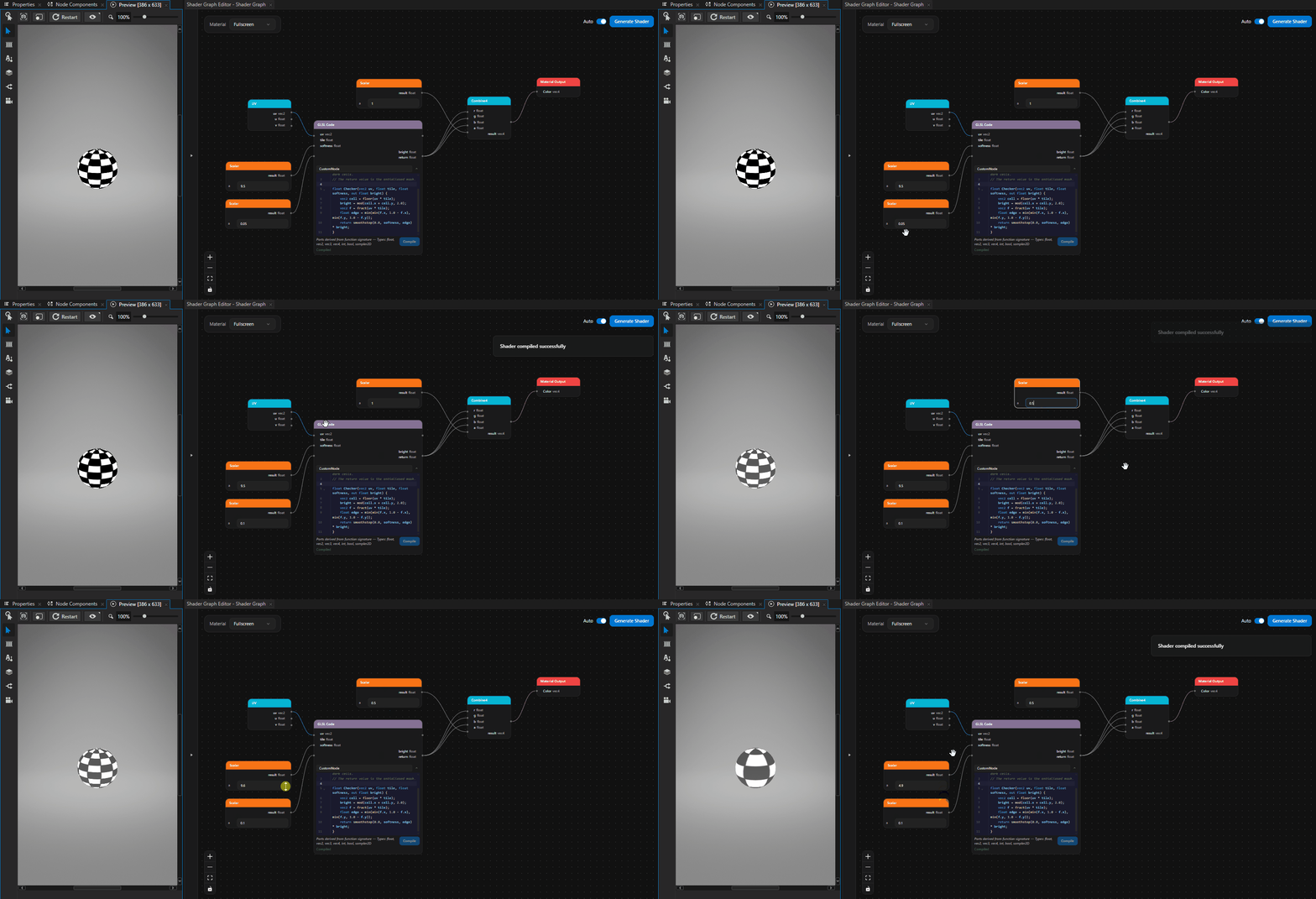
Right-click on the canvas and select UV. Drag from the uv output port of the UV node to the uv input port of the GLSL Code node.
Right-click on the canvas and select Scalar. Set the value to
8.0and connect its result output to the tile input port of the GLSL Code node.Add another Scalar node, set the value to
0.05, and connect its result output to the softness input port of the GLSL Code node.Right-click on the canvas and select Combine4. The Material Output Color input takes a vec4, so you need to lift the float
returnof the GLSL Code node into a vec4.Drag from the return output port of the GLSL Code node to each of the r, g, and b input ports of the Combine4 node. The checker mask now drives all three color channels, producing a grayscale result.
Add another Scalar node, set the value to
1.0, and connect its result output to the a input port of the Combine4 node.Drag from the result output port of the Combine4 node to the Color input port of the Material Output node.
Generating the shader
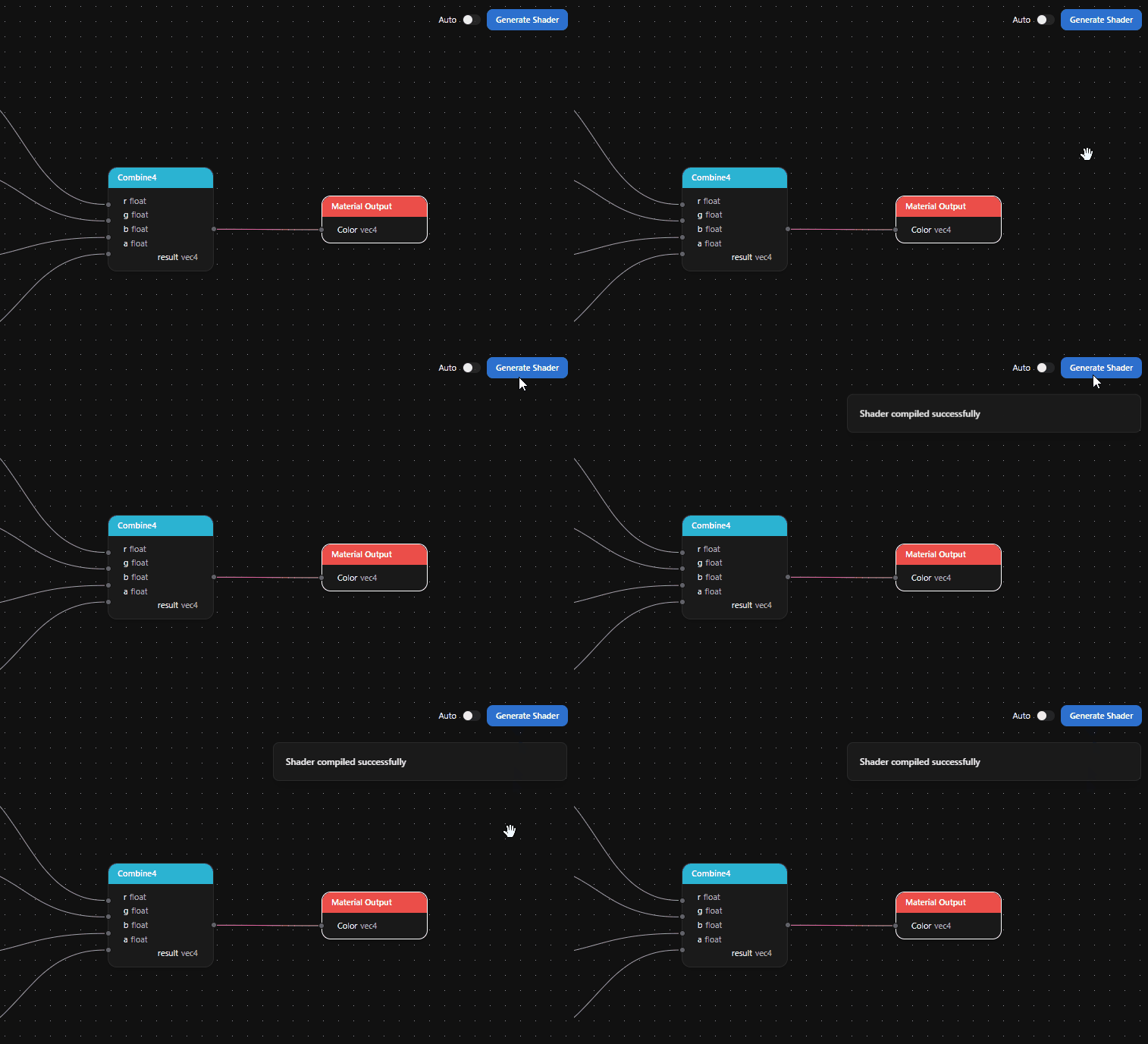
Click Generate Shader. When the shader compiles successfully, a green Shader compiled successfully notification appears, and Kanzi Studio creates a Material Type for the fullscreen pass.
If the GLSL Code body fails to parse or compile, the Problems panel shows the error. Common mistakes are an unsupported port type in the function signature, a missing main-or-only function in a multi-function body, and a mismatched return type at the call site.