Jetpack Compose example
This example shows how to use Kanzi Android framework (droidfw) with Jetpack Compose on Android. For the Gradle files, the example uses Kotlin DSL.
Requirements:
JDK 17
Gradle 8.0 or newer
Android Gradle plugin 8.1.2 or newer
Android Studio Giraffe or newer
Getting the example
To get the example, in the Kanzi Studio Quick Start window, click Projects and select the Examples tab. Next to the Compose example, click  .
.
Kanzi Studio downloads the example to the <KanziWorkspace>/Examples/Android/Compose directory.
Content of the example
The main activity ComposeActivity contains these Kanzi-based composables:
CoverFlowloads a Kanzi prefab from a kzb file.Endinstantiates a Kanzi Text Block node and sets the text that the node shows.
Running the example
To run the example:
Connect your Android device to your computer.
In the Kanzi Studio Quick Start window, click Projects and select the Examples tab. Next to the Compose example, click Open.
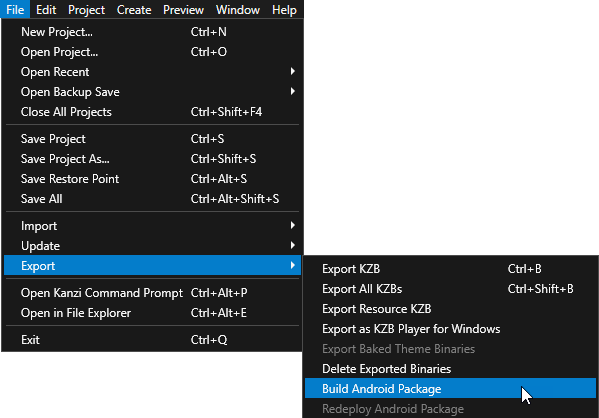
In the main menu select File > Export > Build Android Package.
Kanzi Studio creates an Android package from your Kanzi Studio project, deploys, and runs it on your Android device.