Projects
Kanzi applications use kzb Kanzi files as the source of application content and event logic.
You can use one or more Kanzi Studio projects to create your Kanzi application.
See Combining Kanzi Studio projects into a Kanzi application.
You can configure your project in Kanzi Studio by selecting Project > Properties.
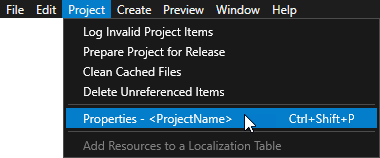
In Kanzi Studio you can have only one project open at a time.
Kanzi Studio project structure
Your Kanzi Studio project consists of project objects and resources. Each object in the project has a parent, a name, and a set of properties that define it. Additionally, most objects have either child or item objects.
In addition to the parent link and the child links in the children collection, items can also refer to other branches in the project tree. For example, animation objects have animation library as their parent but have a list of references to animation that act as their child nodes. This allows animation instancing where several animation nodes can share a single child node in their child node lists.
Project directory
By default, Kanzi Studio projects are stored in the <KanziWorkspace>/Projects directory. For every project Kanzi Studio creates a directory that contains:
Project files. Kanzi Studio stores the project data in kzm files. The root project file has the
.proj.kzmextension. While you can manually modify the project files, they are designed to be modified only by Kanzi Studio.Project file backups. When you save your project, Kanzi Studio makes a copy of the project file and stores it in a file with the
.proj.kzm_Nextension, where N is the consecutive number of the backup.Project file lock. When you open a project, Kanzi Studio creates a lock file in the project directory. The project lock file prevents the opening of more than one copy of a project. Kanzi Studio deletes the project lock file when you close the project.
Resource file directories. These directories contain files that are part of a Kanzi Studio project but their contents are not included in the project file. For example, this includes image files and shader source files.
You can access most of the contents of the resource file directories in Kanzi Studio in Library > Resource Files. When you add a file to any of these directories in the file system, that file is automatically added to the Library, with the following exceptions:
Mesh Data and Animations directories are used only by Kanzi Studio. The files in these directories contain the vertex and index data of the meshes and animation keyframe data of the animations. If you are using source control system, remember to add these files to the source control whenever you import meshes or create new animations in your Kanzi Studio project.
Source Assets directory is a storage place for the native files where you can store image processing applications and digital content creation tools so that they remain with the project. Kanzi Studio does not handle these files and does not export them into the kzb file of your Kanzi application. You cannot access the Source Assets directory from the Kanzi Studio.
Restore Points directory. Use restore points to return to an earlier version of your project. When you create a restore point for a project, Kanzi Studio makes the complete copy of your project into a timestamped directory in the
<ProjectName>/Restore Pointsdirectory. See Creating restore points.
See also
Configuring Kanzi Studio projects
Creating backups of your projects
Using version control systems with Kanzi