Color grading split tone
Color grading enables control over the visual tone of a scene by selectively adjusting colors across different luminance ranges. This effect allows you to use pre-defined set of properties to achieve split tone effect using the Color Grading effect as a base.
Split toning is a color grading technique that applies different color tints to the shadows and highlights of an image while preserving the original colors in the midtones. Use the effect to balance the image by independently controlling the color temperature of dark and bright areas.
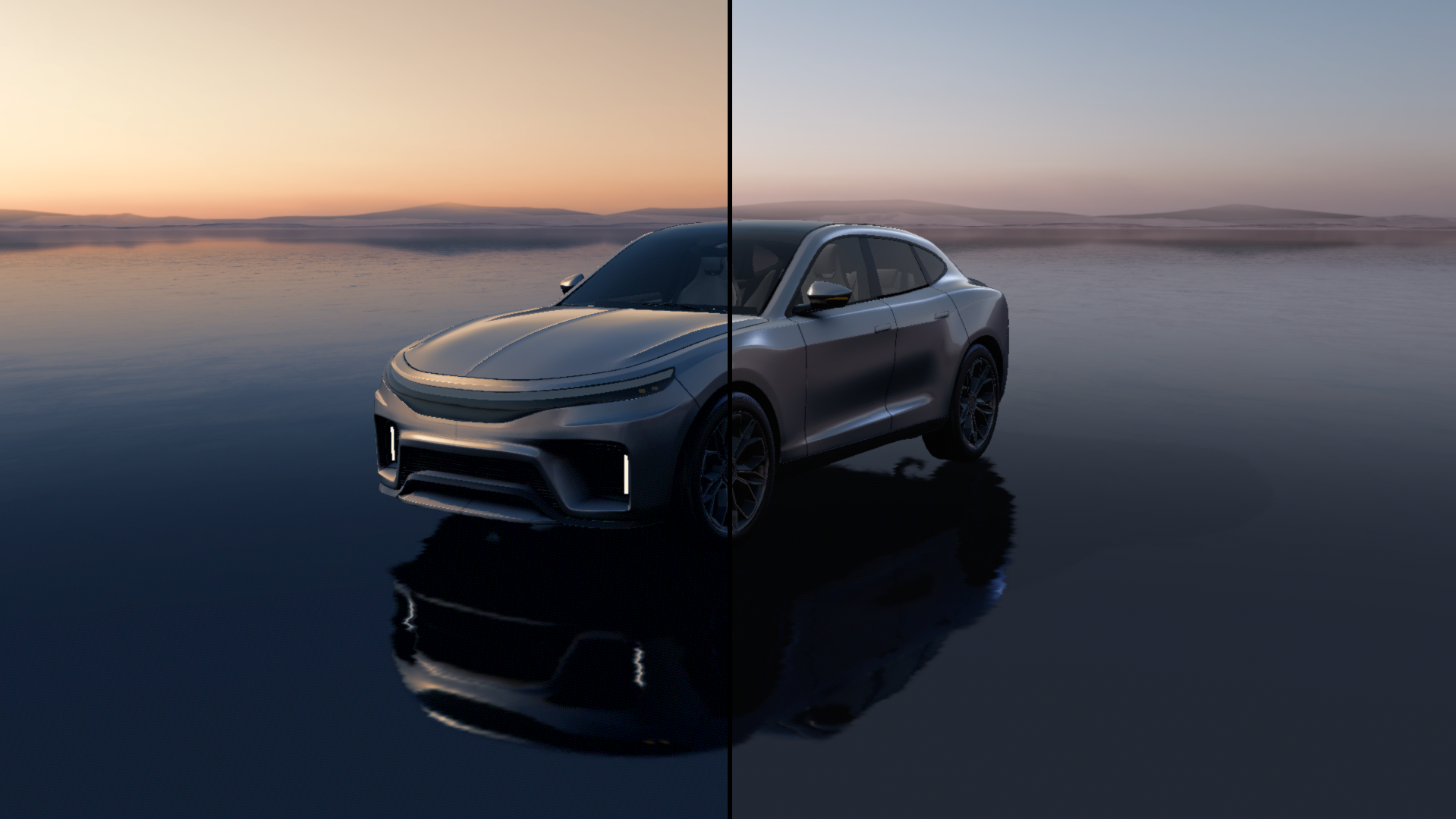
Color grading properties
Property |
Type |
Range |
Description |
|---|---|---|---|
Effect Strength |
Float |
0 - 1 |
Controls the overall intensity of the post-processing effect. |
Highlight Range |
Vector2 |
|
Defines the luminance range considered as highlights in the image. |
Hue Saturation Value |
Vector3 |
|
Adjusts the global hue, saturation, and value of the image. |
Shadow Range |
Vector2 |
|
Defines the luminance range considered as shadows in the image. |
Highlight Color |
Color |
The color tint applied to the highlight regions of the image. |
|
Midtone Color |
Color |
The color tint applied to the midtone regions of the image. |
|
Shadow Color |
Color |
The color tint applied to the shadow regions of the image. |