Kanzi 4 beta release notes
This is a set of release notes that lists all features, changes and notable fixes from the Kanzi 4.0.0 alpha and beta releases.
Kzm file format
In Kanzi Studio, introduced the kzm file format that will replace the kzproj file format. When you use the kzm file format, Kanzi Studio stores the project in multiple kzm files, instead of a single project file.
The goal of the kzm file format is to improve teamwork and collaboration on Kanzi Studio projects by:
Decreasing the amount of conflicts and making them easier to resolve
Simplifying sharing of project items between projects
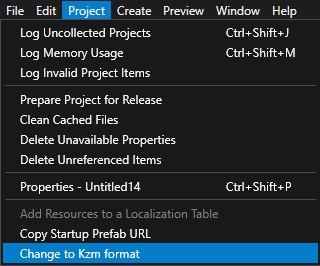
Kanzi Studio now saves new projects in the kzm file format. See Kzm file format. Projects in the kzproj file format can still be opened and saved. The kzproj file format will be deprecated in the next version of Kanzi. To migrate your Kanzi projects to kzm file format see Migrating from the kzproj to kzm file format.
Kanzi graphics
Introduced Kanzi graphics (kzgfx), the render hardware interface (RHI) for Kanzi. Kanzi graphics supports Kanzi applications running on OpenGL 3.3+, OpenGL ES 3.0+, or Vulkan 1.1+. See Kanzi graphics. For information on how to select which API to use, see Graphics library.
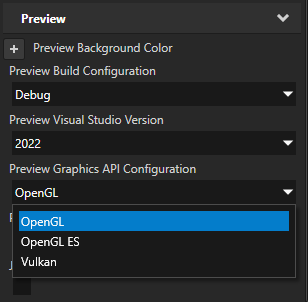
In the Project > Properties, use the Preview Graphics API Configuration property to set which API the Kanzi Studio Preview uses. For example, to use the OpenGL renderer set the property to OpenGL.
In the application configuration, you can:
Set the preferred GPU type that you want to use with the Kanzi Vulkan backend. See Preferred Vulkan GPU.
Enable the statistics and validation layers for the Kanzi graphics library. Use this information to check whether your application correctly uses the graphics API. See GraphicsStatisticEnabled and GraphicsValidationEnabled.
To migrate your Kanzi application, see Introduction of Kanzi Graphics.
Android
Updated all Android application templates to use the latest Gradle 8+ tooling. The templates now support Android Studio Ladybug and JDK 21.
Refactored the integration of Kanzi into Gradle, replacing the Kanzi Gradle plugin with a transparent, modifiable and copyable sub-project. This means that you can introduce Kanzi into your Android application by copying this sub-project to your Android application. See Adding Kanzi Android framework (droidfw) to your Android application.
Introduced the Android library template. This template enables you to export an AAR with prebuilt Kanzi C++ libraries. You can use it from any number of Android applications. This means that your application build does not require access to a Kanzi installation, as long as your application project can reach the prebuilt Kanzi AARs from your package management system or version control.
To learn more about this workflow, see Integrating Kanzi as a prebuilt library (AAR).
Updated the Android NDK version to 26.3.11579264. See Changes to Android NDK version.
Updated Android application templates and examples to explicitly set CMake version.
Post-Processing Graphs
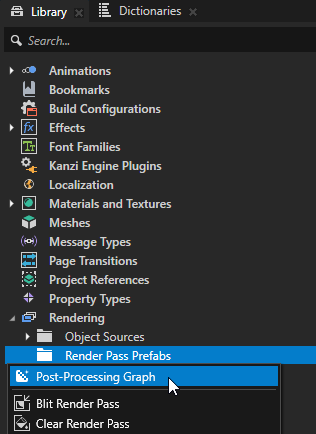
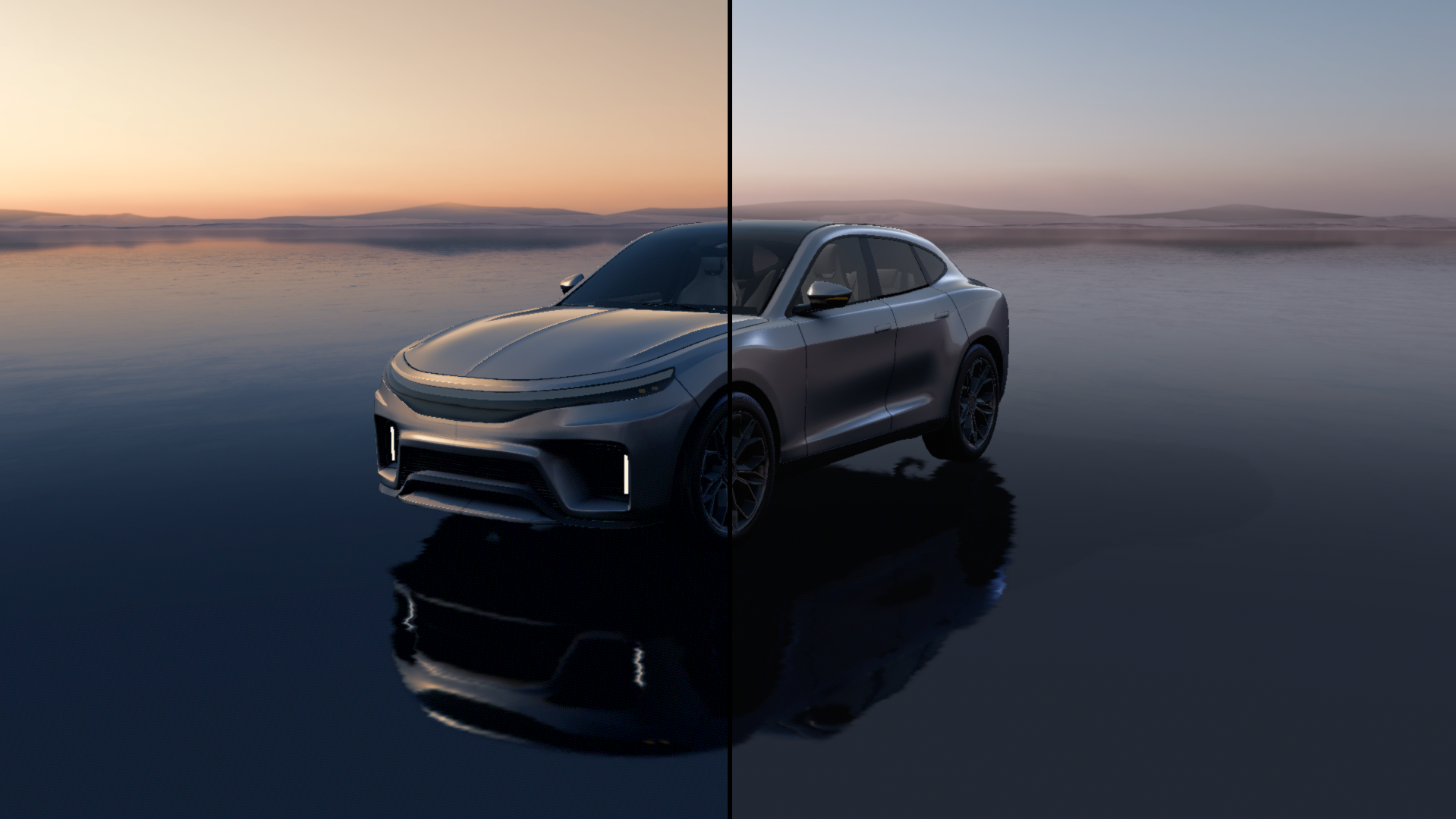
Introduced the Post-Processing Graph feature that allows you to create custom post-processing effects for your Kanzi application.
See Using post-processing graphs.
Fallback fonts support
Kanzi now allows you to define a chain of fallback fonts for a font family. If a glyph is missing in the primary font, Kanzi uses the next font in the list to render that glyph.
Introduced the
FontFamilyandFontRuntimemethods to manage fallback font chains.Changed the signatures of the
GlyphRunandTextFormatmethods. See Changes to text rendering.
Color fonts
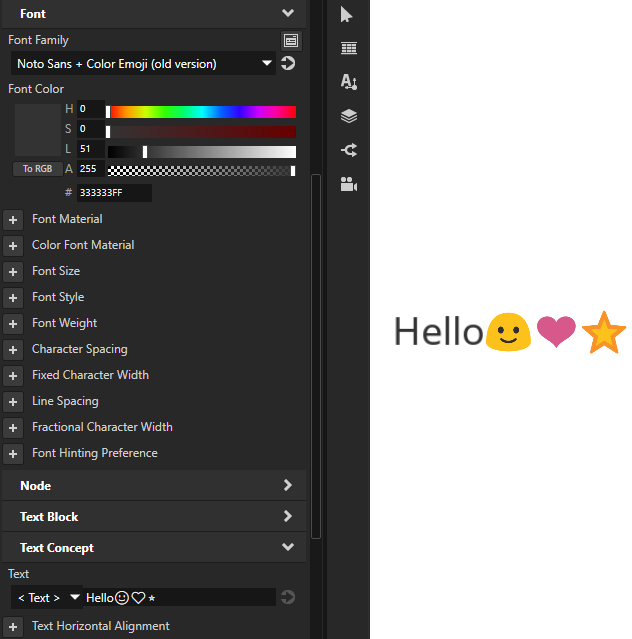
Kanzi can now render text with fonts that contain emoji and other colored glyphs. See Color fonts.
Text layout optimization
Kanzi now caches shaped text. This improves layout performance when rendering the same text under different constraints.
Kanzi Studio Preview
In Kanzi Studio, you can now take screenshots directly from the Preview window using the Screenshot button
 . See Taking a screenshot of the Preview.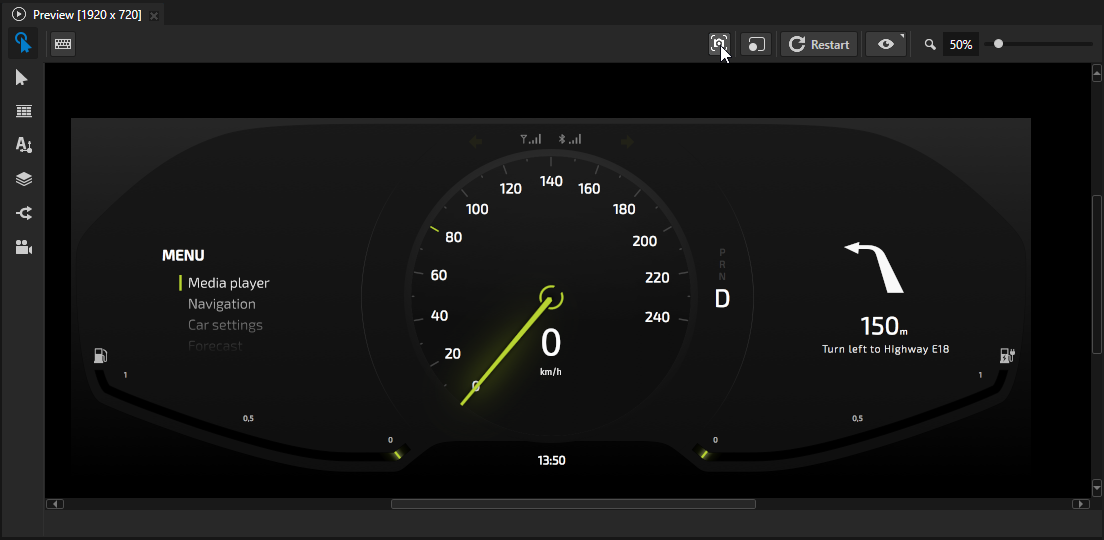
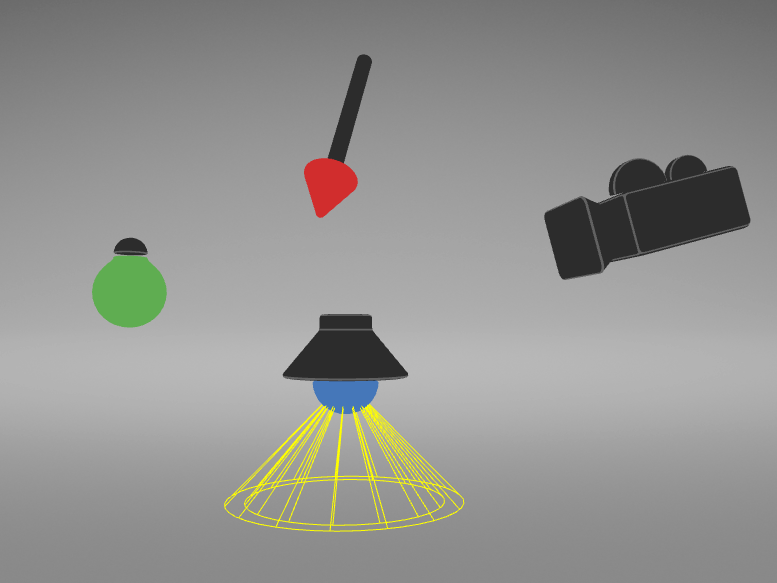
In Kanzi Studio, the visualization of the Debug Objects has been updated.
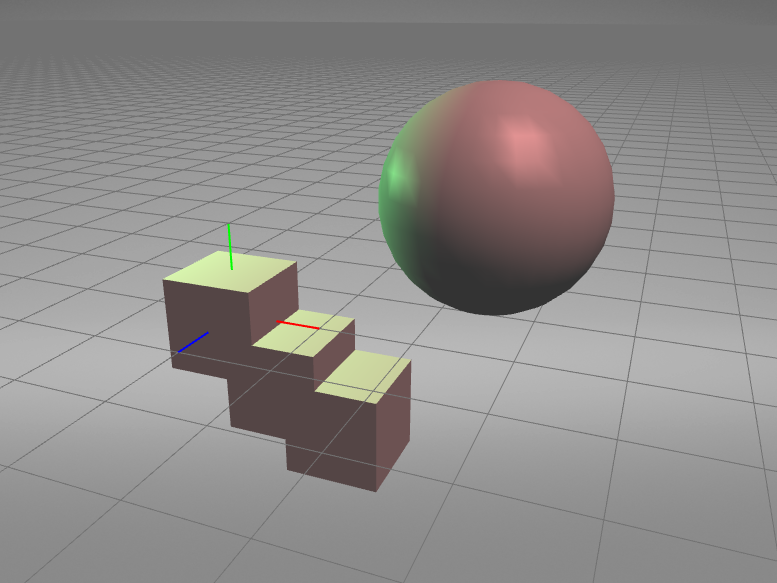
In Kanzi Studio, the visualization of the Debug Grid has been updated.
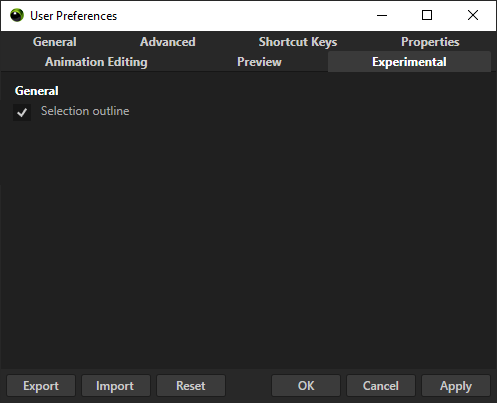
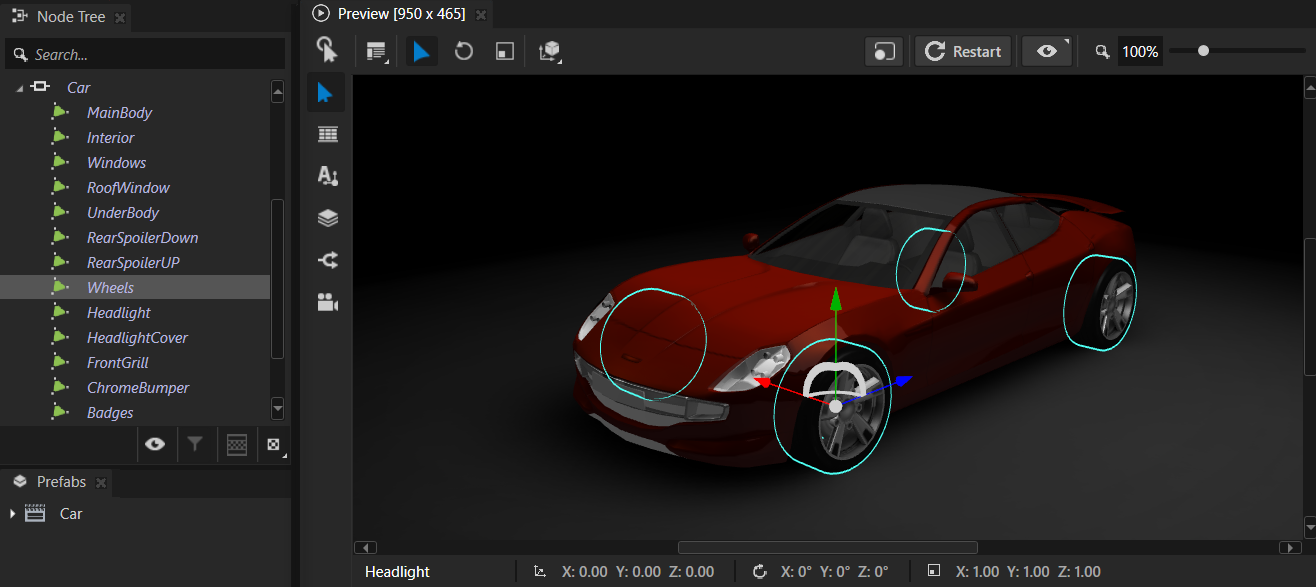
You can now enable experimental selection outline in User Preferences > Experimental tab
Kanzi Studio usability
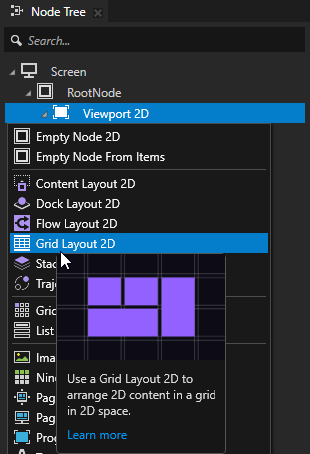
Improved tooltips in Kanzi Studio:
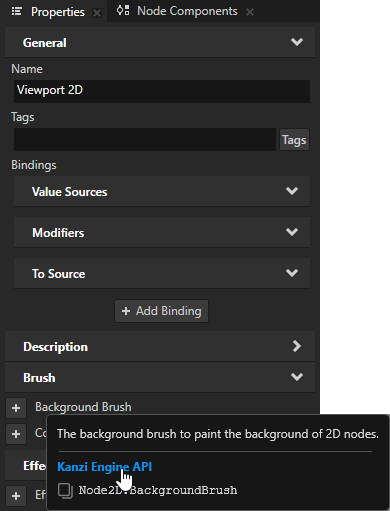
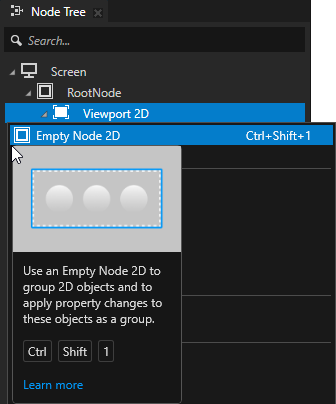
You can now access feature and Kanzi Engine C++ API reference documentation from tooltips.
Tooltips now show the default and custom Kanzi Studio shortcut keys. For the list of the default shortcut keys and how to set custom shortcut keys, see Default shortcut keys.
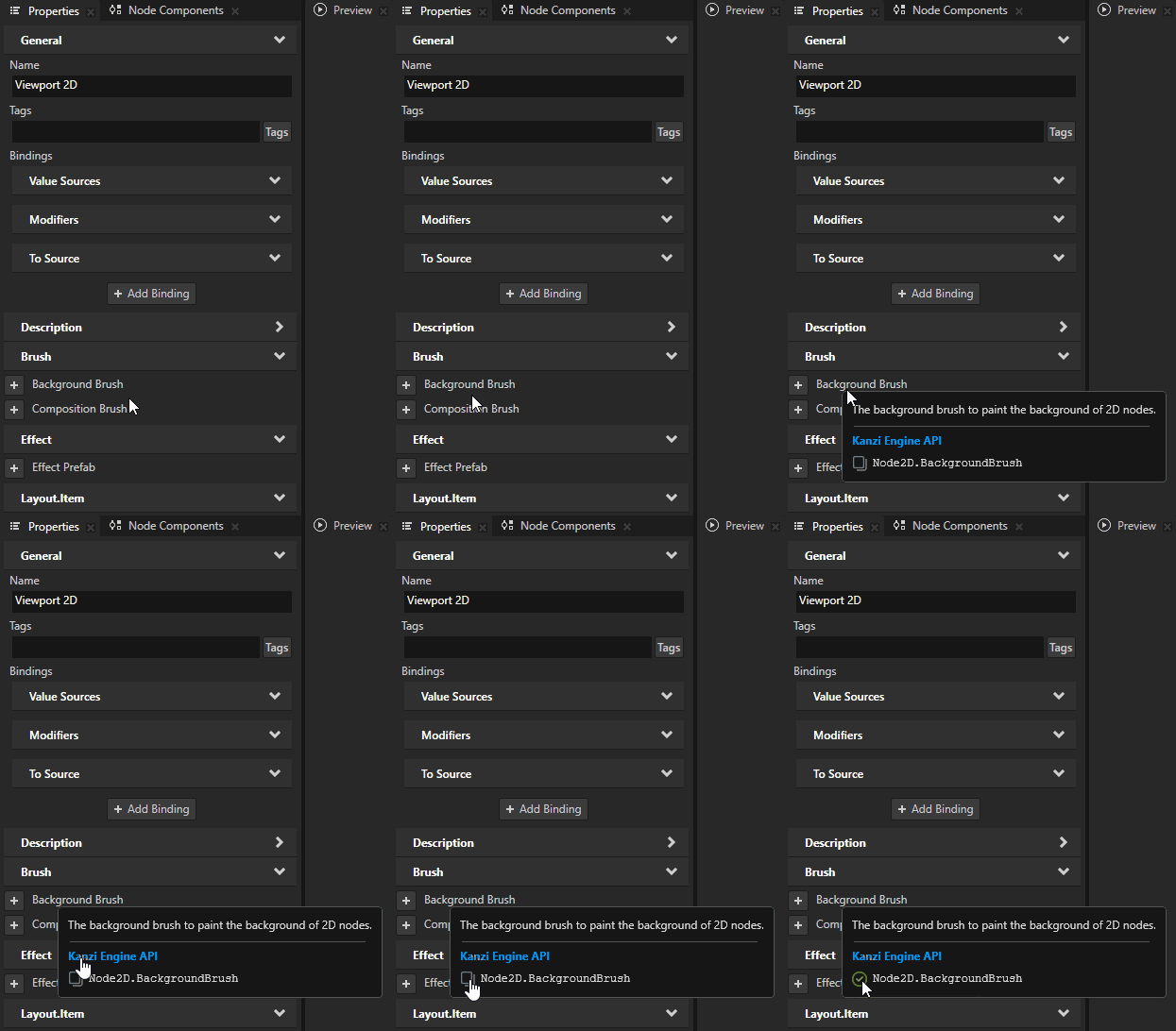
You can now copy Kanzi Engine property type name in a tooltip.
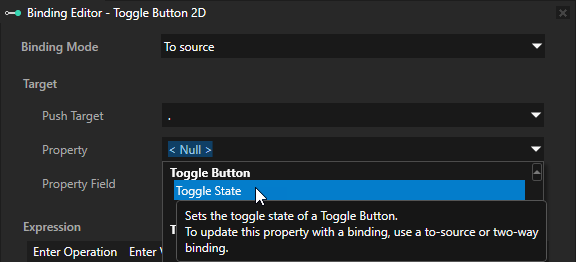
Kanzi Studio now shows tooltips for property types in dropdown menus.
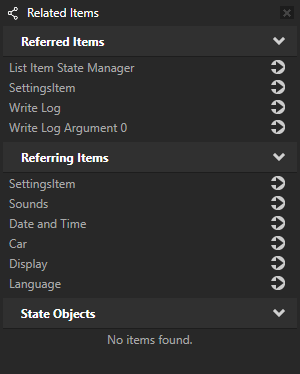
You can now view nodes and resources related to the selected item in a dockable Related Items window. The window provides direct navigation to related items.
Open the window from the context menu of any node or resource, or from the Window main menu.
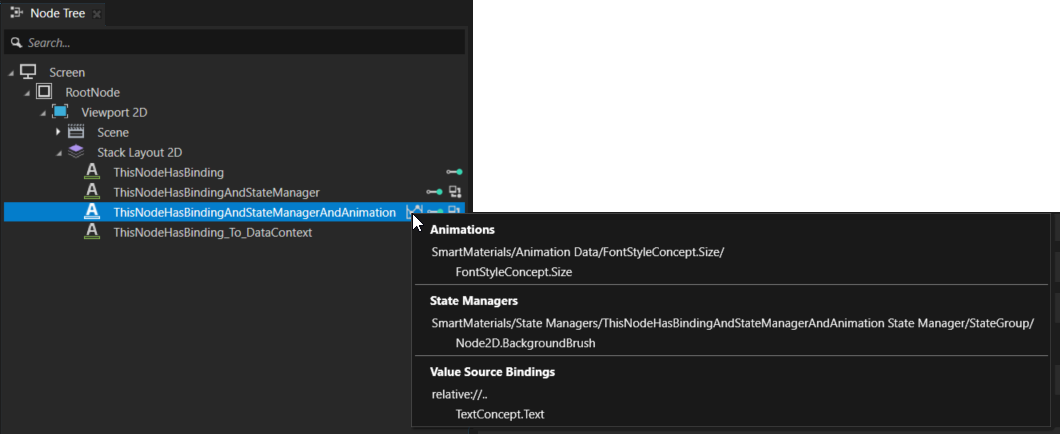
In the Node Tree, an indicator next to a node now shows when a State Manager, Binding, Data Source Binding, or an Animation sets the values of some properties in that node.
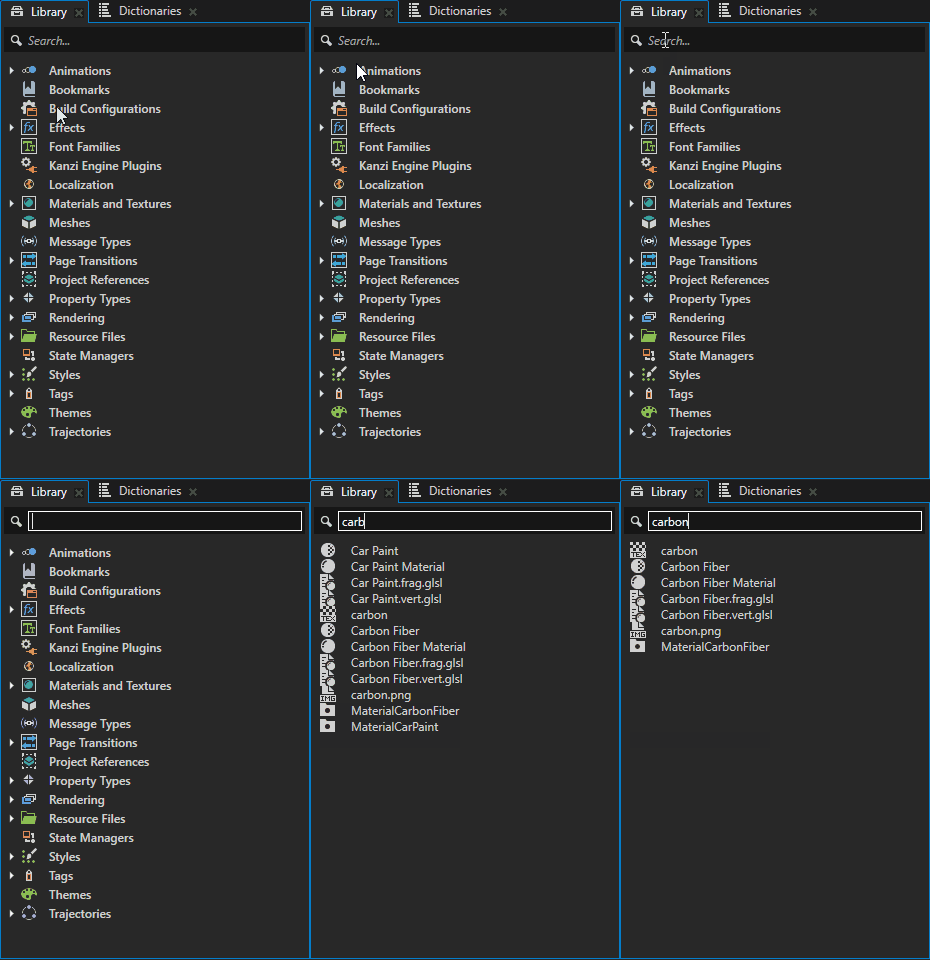
You can now search for and filter items in the Library window.
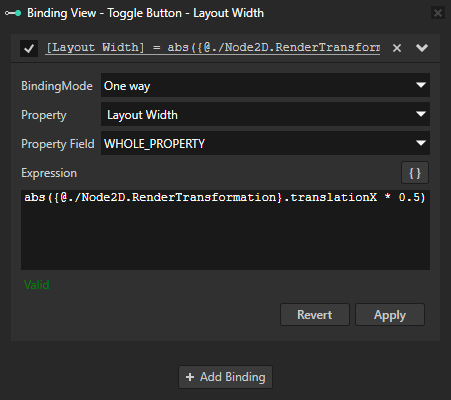
You can now add, edit, and remove identical bindings from multiple nodes at a time.
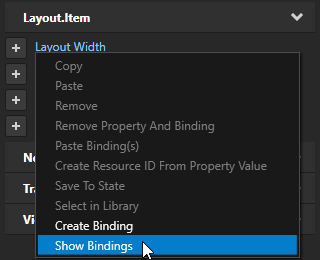
You can now start creating a binding directly from a property and view all bindings that affect a property from the context menu of that property.
Kanzi Studio now has a redesigned New Project window that simplifies the creation of new projects. See Creating a project.
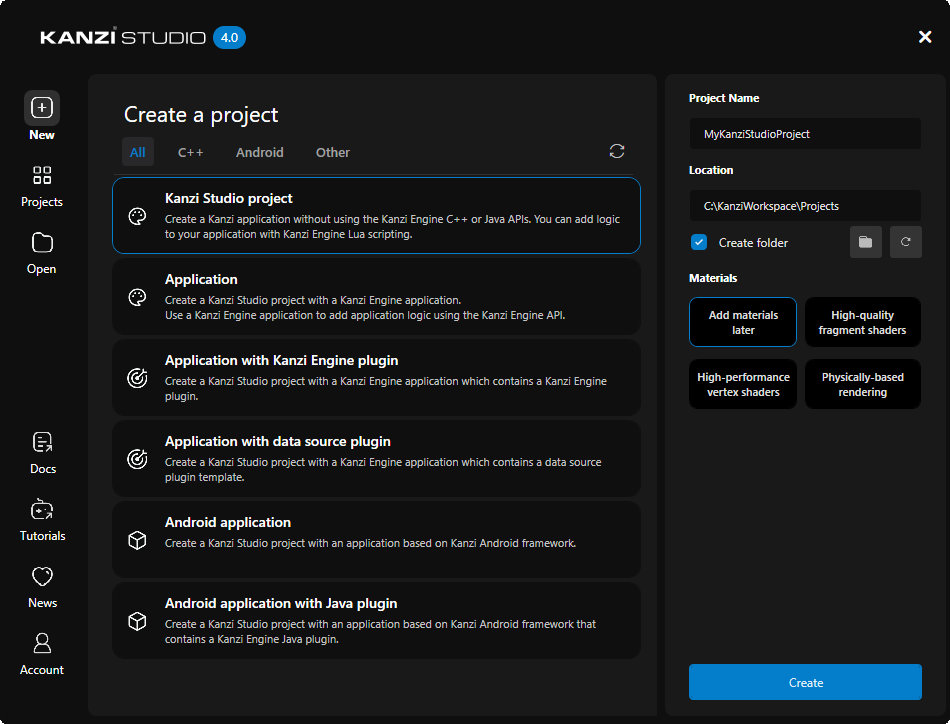
When you rename a project, Kanzi Studio will now update the name of the main project file when you save the project.
Kanzi Studio lock file now has a static name
KanziStudio.lock.Changed
SaveProjectandNewProjectcommands to accept directory paths instead of project file paths. To migrate your Kanzi Studio scripts, see Changes to Kanzi Studio commands.Kanzi Studio now requires that a Scene node is always the first child in a Viewport2D node. This allows for proper handling of focus and better application performance. This change does not require you to migrate your project, but Kanzi Studio does highlight Scene nodes that do not follow these requirements.
When building an Android package from Kanzi Studio, Kanzi Studio now exports the cfg file based on the project Binary File Name property. For migration instructions, see Changes to Kanzi Studio Android package export.
You can now access the Screen node’s resource dictionary from the root nodes of all prefabs. This allows you to reference and use aliases defined in the Screen node’s dictionary within bindings inside node prefabs.
In the Animation Clip Editor, when using the Keyframe tool
 , Kanzi Studio now automatically selects the last keyframe created. This allows you to edit the keyframe’s values, without having to switch to the Move tool
  and select the keyframe first.
In the Prefabs window the ellipsis button opens an additional menu, which allows to delete unreferenced items, collapse or expand the tree.
In the Animation Clip Editor, when using the Move tool
to select a node or curve, Kanzi Studio now selects the control point closest to the cursor if there are more than one.In the State Manager, when you try to set the Mesh Material property state, Kanzi Studio now issues a warning instead with workaround instructions.
In the Asset Packages, when you import the same asset package, Kanzi Studio now duplicates its prefab and increments the number in its name instead of replacing the existing asset package.
Clicking the expander in Kanzi Studio now expands and collapses all tree items under it when Ctrl is pressed.
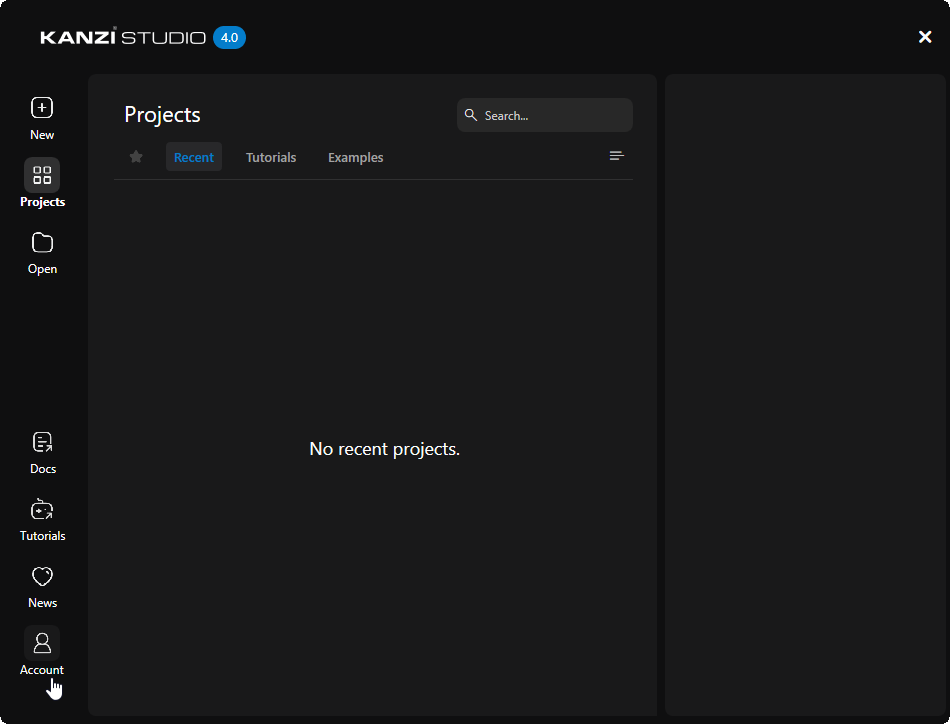
You can now sign in to your Kanzi Account in Kanzi Studio. See Kanzi Hub and Kanzi Account.
In the Kanzi Studio Node Tree, you can now right-click the override indicator in the Kanzi Studio project and select the source you wish to navigate to from the context menu.
Kanzi installer now adds a registry entry that associates
.kzmfiles with Kanzi Studio.Kanzi installer now adds a registry entry that enables long file path support for Windows and Git, required by the
.kzmKanzi Studio project file format.In the Project Merge, when you select an item that only exists in the source project, Kanzi Studio now shows the properties of that item.
Documentation
Kanzi example and tutorial projects are no longer part of the Kanzi installer. You can download the tutorial and example projects in the Kanzi Studio Quick Start window in the appropriate section.
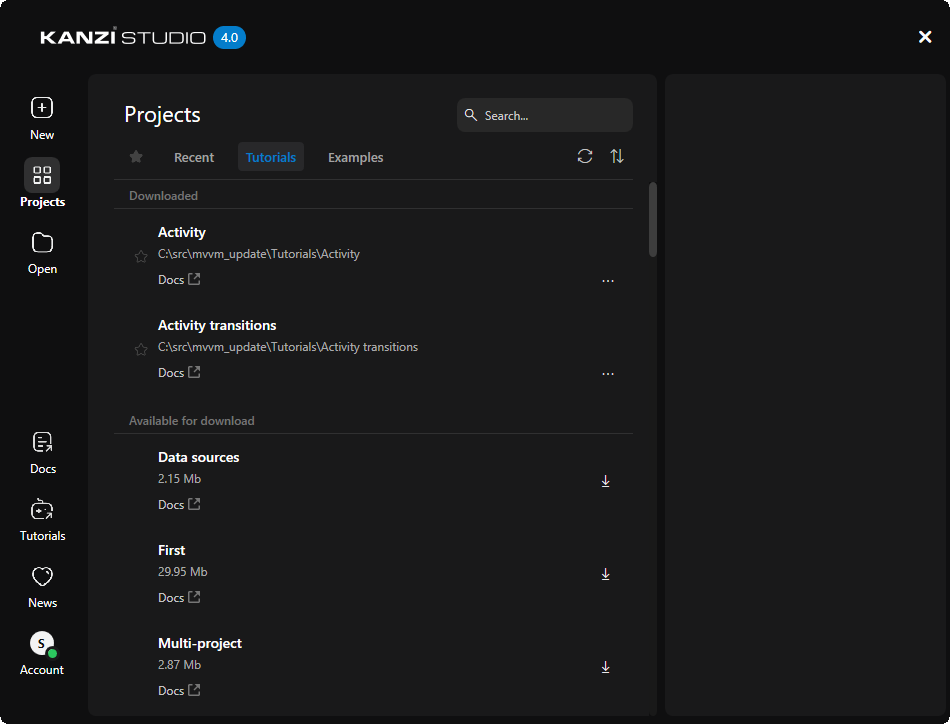
All example, tutorial, and asset projects are now migrated to the kzm file format.
The
Node2D_pluginexample now works with any Kanzi project without code modification.The
Android data sourceexample now matches the tutorial code.
Platforms
Kanzi Engine now reports mouse wheel events on QNX.
You can now list EGL attributes in a comma-separated format. See
listEGLAttributes.You can now convert EGL error codes to strings. In the Kanzi Engine C++ API reference, see
kzsEGLErrorString.Converted QNX EGL graphics output API from C to C++.
In the Kanzi Engine C++ API reference, see
qnx::DefaultQnxEGLGraphicsOutput.You can now set the window class name for your application. See WindowClassName.
You can now set the application ID for Wayland XDG shell in the Kanzi Engine C++ API. See
kanzi::wayland::XDGToplevel::setIdandkanzi::wayland::XDGShell::setAppId.Added
wayland::WaylandIVIEGLGraphicsOutputto Wayland platform packages as a graphics output option.On QNX, you can now set the context type flags that you want your Kanzi application to use. See QNX context type selection.
qnx::DefaultQnxEGLGraphicsOutputnow supports theQnxWindowBufferCountconfiguration option that sets the number of window buffers to use. To ensure compatibility, if you do not set this configuration option explicitly, Kanzi uses the value from theWindowBufferCountconfiguration option. See QnxWindowBufferCount and WindowBufferCount.qnx::DefaultQnxEGLGraphicsOutputnow respects:Default window position and size setting
Default window z-order setting
Window group name
Default display index
Surface padding bits setting
Kanzi no longer supports QNX development platform 7.0.0.
Event file descriptor values on POSIX systems are no longer limited by
FD_SETSIZE.Changed Wayland class names related to XDG and IVI to follow CamelCase notation. For example,
XDGToplevelwas changed toXdgToplevel.All platforms now use Kanzi graphics by default. To migrate your Kanzi application, see Introduction of Kanzi Graphics.
These backends now correctly set the EGL window surface color space attribute:
Android WS
Emscripten
QNX/PBuffer
X11/EGL
(INTE-569)
Kanzi Engine C++ API
Added these helper methods for working with
span:as_bytesconverts a span into a span of bytes.fromBytesconverts a span of bytes into a span of typed objects.toSpanconverts a container to a span over that container.asSpanandasConstSpanconvert a single element into a span over that single element.
Added
to_underlyingto cast an enumeration to the underlying type.Added
readAsBytesto load the contents of a file into a vector of bytes.Added
containsFlagandcontainsAnyFlagto test whether a bit field enumeration contains a specific flag.Added
VectorMapto store key-value data in a vector to store a small list of key value pairs in a vector.Removed from the
PinchManipulatorthesetScaleRecognitionThresholdandsetRotationRecognitionThresholdfunctions that had no effect.In the
Rendererclass, renamed thesetActiveGLGraphicsOutputmethod toRenderer::setActiveGraphicsOutput. See Changes to the Renderer API.Removed the
CompositionStackparameter from all methods that also had theRendererorkanzi::Renderer3Das a parameter. You can now access theCompositionStackinstance fromRenderer::getCompositionStack. See Changes to the CompositionStack.Modified
CompositionStackto use theFramebufferclass withCompositionStack::pushCompositioninstead ofNativeFramebufferHandle. See Changes to the CompositionStack.Removed the
GlRenderValueandGlBlendModeRenderValueclasses and theupdateRenderValuefunctions. See Changes to the Renderer API.Removed the
GraphicsPrimitiveTypeLineLoopoption from theGraphicsPrimitiveTypeenumeration. See Changes to the Renderer API.Simplified the methods related to the framebuffer in the
Rendererclass. See Changes to the Renderer API.Removed the
kanzi::Renderer3Dclass. You can now access these functions through theRendererclass:Suspension wake-up signal sources now have an interface you can query with
WakeupSignalSource. See Changes to suspension handling.Attaching an event source to the domain using the
Applicationclass no longer registers the associated event handle with the main loop scheduler. See Changes to event handling.Exposed several low-level functions from dynamic Windows libraries.
Updated the parameters and return types of several Kanzi Engine APIs to use the
size_tdata type, instead of theunsigned int. See Changes to several Kanzi Engine APIs.Changed
kanzi::optional(optional.hpp) andkanzi::string_view(string_view.hpp) tostd::optionalandstd::string_view. In the previous version of Kanzi on some platforms, these wereboost::optionalandboost::string_view. See Changes to several Kanzi Engine APIs.Changed
kanzi::byte(cstddef.hpp) tostd::byte. In the previous version of Kanzi on some platforms, it wasunsigned char. See Changes to several Kanzi Engine APIs.You can now load a kzb file from a memory buffer using
Application::loadKzbFile(ConstByteSpan fileData, bool setStartupPrefab). Keep the memory buffer alive until you destroy the application.Removed the default stack states from the
CompositionStack. All stack states must be explicitly pushed onto the stack. See Changes to the CompositionStack.Removed deprecated functions
Renderer::getColorReadFormatandRenderer::getColorReadType. See Changes to the Renderer API.
Removed deprecated class
kanzi::TextureSwizzleMask.Removed the
kanzi::Tagclass as an abstraction to manipulate tags in nodes. See Changes to Tags.Added the ability to set custom sleeping logic for
MainLoopScheduler::yieldwithMainLoopScheduler::setCustomSleepFunctionForYield, so that it can be optimized for specific platforms.
Activities
Changed the
ActivityCodeBehindclass:In the Kanzi C++ API, in the
ActivityCodeBehindclass, replaced theonActive,onInactive,onActivating, andonDeactivatingcallbacks withActivityCodeBehind::onStatusChange.In both Kanzi C++ (
ActivityCodeBehind) and Kanzi Java API (ActivityCodeBehind), removedregisterStatusChange,registerStatusChangeOverride,unregisterStatusChange, andunregisterStatusChangeOverride.
To migrate your Kanzi application, see Changes to the List Box nodes.
Changed the
ActivityElementImplandActivityHostConceptImplclasses:From the
ActivityHostConceptImplclass, removed methods:getActiveOrAttachedActivatinggetAttachedActivityNodesgetActivityInfo
The
ActivityElementImpl::onAttachedOverridemethod is no longer virtual.
The derived classes must not override these methods because the
ActivityElementImplandActivityHostConceptImplclasses use the CRTP pattern.To migrate your Kanzi application, see Changes to the ActivityElementImpl and ActivityHostConceptImpl classes.
You can no longer manually add Activities to a Data-Driven Exclusive Activity Host. To learn how to use a Data-Driven Exclusive Activity Host, see Tutorial: Generate UI from a data source and Data-Driven Exclusive Activity Host.
To migrate your project, see Changes to Data-Driven Exclusive Activity Host.
Introduced the Fallback State to the Exclusive Activity Host. Use a Fallback State when you do not want any Activity to be active in an Exclusive Activity Host.
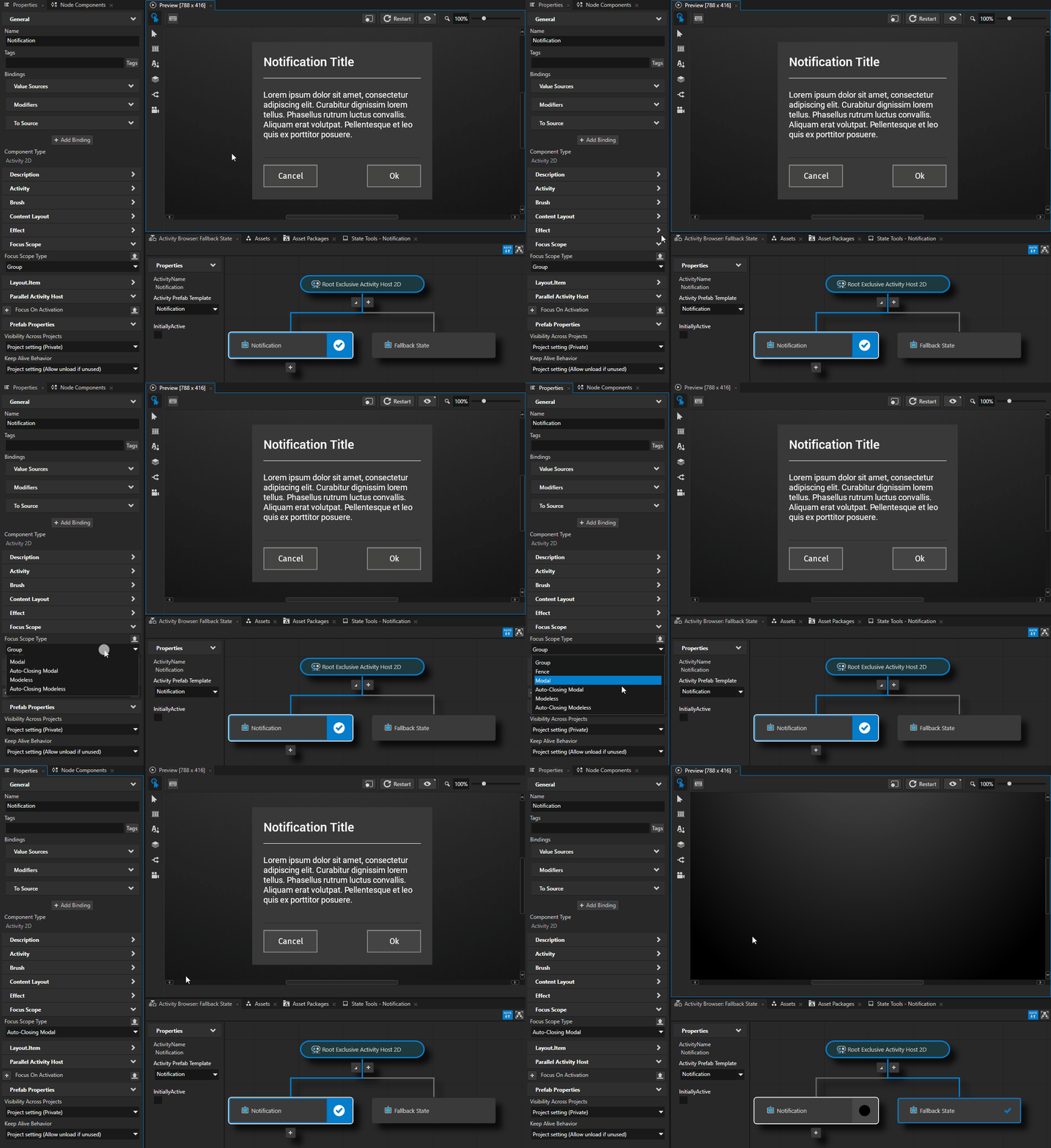
The default alignment settings for Activities and Activity Hosts are now set to stretch horizontally, vertically, and in depth.
Animations
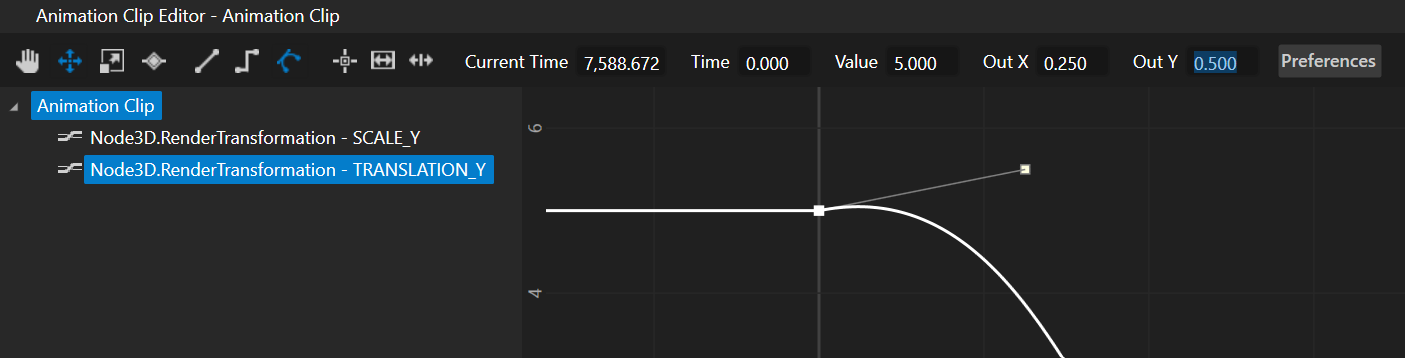
To set a Bezier interpolation in the Animation Clip Editor, you can now enter exact values for one or more Bezier handles. See Setting the easing function between keyframes.
Bindings
You can now use Boolean, integer, floating-point, vector, color, and matrix types as any of the parameters for:
Arithmetic operations
+,-,*, and/. See Arithmetic operators.Math functions clamp, max (maximum), min (minimum), mod (modulo), pow (power), and rem (remainder).
Interpolation functions mix, step, linearStep, smoothStep, and smootherStep.
String conversions of Boolean values in properties and bindings now result in lower case
trueorfalse:In binding expressions, an implicit cast of a Boolean constant to a string now results in lower case
trueorfalseinstead ofTrueorFalse.In the Kanzi Engine C++ API, a Boolean to string property binding now writes
trueorfalseinstead of 1 or 0.
Focus
In your custom focus scope, you can now override the focus candidate selection. See
FocusScope::selectFocusCandidate.
Kanzi Engine application configuration
Removed the
MultisamplePreferenceapplication configuration file option, because Kanzi Engine no longer supports implicit multisampling.You can now set the surface present mode in application configuration. See PresentMode.
Kzb version
Changed the version of the kzb file format to 35.0.
List Box
Renamed these List Box messages:
List Box: Item Hidden to List Box: Item Unloaded
List Box: Item Visible to List Box: Item Loaded
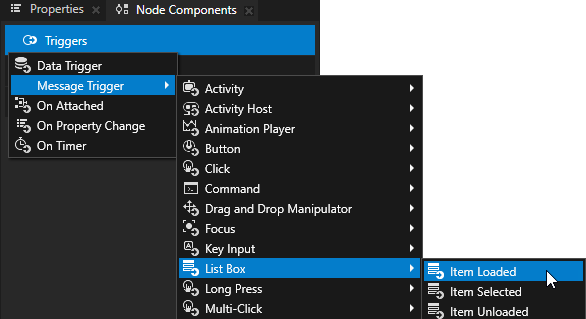
To migrate your Kanzi application code, see Changes to List Box.
List Box nodes
The default directional navigation keys now move the key focus in the Grid List Box and Trajectory List Box 3D nodes. See Handling the key focus in a List Box node.
To migrate your application, see Changes to the List Box nodes.
Rendering
Renamed the Legacy color workflow to Standard that is now also the default setting for new projects. See Color workflow.
Kanzi now loads 24-bit RGB PNG and JPEG images into memory as RGBA with the default alpha channel.
You can now specify the mipmap mode for the automatically generated composition targets of 2D nodes. To generate mipmaps when compositing, set the Mipmap Mode property (
Node2D::MipmapModeProperty) of a 2D node. The default operation is unchanged and does not generate mipmaps.If you specity a composition target explicitly using the Render Target property (
Node2D::RenderTargetProperty), the mipmap mode set in that texture takes precedence.This change also fixes the issue where mipmaps were not generated before blitting the composition.
Factory Content now includes Skybox Render Pass that allows to draw a cubemap background into your 3D Scene.
In the application configuration, the default value of the Preferred Vulkan GPU option is now set to use the First enumerated device. This allows user control over device selection through typically, a control panel application. To restore previous behavior, use the LargestMemory option.
Tracing
Added a tracing system to Kanzi Engine. The tracing system allows inspection of Kanzi Engine internals and can help you identify performance issues. The tracing system replaces the profiling system. Tracing is disabled for Release builds. See Tracing and Tracing.
Trigger templates
In the Kanzi Engine C++ API, added interface to the
TriggerTemplatethat enables you to add Actions and conditions to a Trigger template.
Windowing
For Wayland backends, added the option to ignore the
frame()events sent by the compositor, and process input immediately. This is useful when the compositor does not sendframe()events properly. See Wayland input mode.You can now programmatically set usage flags for the QNX Screen property. See QnxUsageFlags.
Changes
Kanzi now requires Visual Studio 2022. Kanzi no longer includes libraries for Visual Studio 2017 and 2019. See Upgrade to Visual Studio 2022.
Kanzi now requires C++17.
Updated Boost from 1.77.0 to 1.85.0.
Replaced libjpeg 9d with libjpeg-turbo 3.0.3.
The Page and Page Host nodes are deprecated and will be removed in the next version of Kanzi. See Deprecation of Page and Page Host Nodes.
Upgraded ICU library from version 62.1 to 69.1. Removed unused ICU data and features, reducing library file size by up to 4 times, depending on the target platform.
Removed the ATC and PVRTC algorithms for compressing textures.
Significantly improved rendering performance when using tags to filter
NodeListin cases where the tags are not changing.Tag properties are no longer inheritable and the change flags include a separate flag for the tag state being changed. This makes older KZBs exported using with old tag settings incompatible. The KZB version number has been incremented.
Morph data is now fully interleaved when rendering sufficiently few morphs as to not require using data textures.
You can now add the Keep Alive Behavior property to Fonts. This allows you to keep a font file in memory even when the font is not used. See Setting how Kanzi Engine handles individual unused resources.
Notable fixes
Kanzi Engine
Fixed the issue that prevented using kzAssert macros in constexpr functions. (454808)
Fixed the issue where the getCameraNormalMatrix shader uniform binding function returned an incorrect matrix when the
kzCameraNormalMatrixuniform has a translation component. (RENDERING-570)Fixed the issue that caused Kanzi Engine to terminate or behave incorrectly when an activating Activity in a Parallel Activity Host or Exclusive Activity Host tried to deactivate itself with an On Attached trigger. (SDK-9210)
In a 2D node, before the first layout pass, the Actual Width and Actual Height properties are now correctly set to 0.0 instead of
inf. (RENDERING-589)Fixed the issue that prevented Kanzi from rendering a Color Brush when a node has overriden the transparent Brush Color property value of that Color Brush with a non-transparent color. (RENDERING-596)
Fixed the issue that caused Kanzi to use wrong blend mode in a 2D node when the Blend Mode property value was updated at runtime. (RENDERING-597)
Fixed the issue that caused Kanzi to fail to reload a render target Texture after GPU resource had been invalidated. (RENDERING-669)
Fixed the issue that caused Kanzi Engine to terminate when using a simple Data Source binding in a Data Trigger condition expression. (SDK-9232)
Fixed the issue that prevented Kanzi from rendering the content texture of a Texture Brush that was previously rendered without a content texture. (RENDERING-683)
Fixed the issue in Texture Brush rendering that caused Kanzi to ignore changes in the Brush Vertical Tiling and Brush Horizontal Tiling property values. (RENDERING-675)
Fixed the issue that caused the
kzWindowSizeuniform to not equal the size of the Screen node when it has an absolute size smaller than the frame buffer size. (RENDERING-415)Fixed the issue that caused Kanzi to erroneously disable the shader binary cache for a target platform that does not support any binary shader formats. The shader binary cache only requires shader binary programs. (RENDERING-693)
Fixed the issue that prevented Text Block nodes with Word Wrap property enabled and Horizontal Margin property set from being displayed correctly in the vertically arranged Stack Layout. (SDK-8946)
Fixed the issue that prevented the
Node::lookupNodefunction to work with absolute paths acquired with theNode::getPathfunction. (SDK-9570)Fixed the restoring of a composition target after Kanzi application wakes up from sleep. (RENDERING-1772)
Fixed the issue that caused the iType font renderer to not render Arabic diacritics with certain fonts. (SDK-9968)
Fixed the issue that caused the
Object::getDynamicMetaclassmethod to return the baseResourcemetaclass forStateManagerandPrefabTemplateNoderesources. (SDK-9987)Fixed the issue that caused Kanzi Engine to terminate with assertion in debug mode when certain inputs were entered into the Text Box. (SDK-10001)
Fixed the issue that caused the
WindowsImeBackendto fail to handle key input with Unicode supplementary characters. (FMW-128)Fixed the issue that caused the Text Box cursor to render to a wrong place. (SDK-9952)
Fixed the issue that caused misalignments in files that use kzProfiling* macros. (INTE-833)
Fixed the issue that caused Kanzi to miss information about Timer subscriptions count and Recurring Tasks count in the Performance HUD. (FMW-58)
Fixed the issue that caused Kanzi to incorrectly select and delete characters in the Text Box when using complex scripts. (FMW-127)
Kanzi Studio
Fixed the issue that caused Kanzi Studio to use absolute path of Kanzi Engine Java plugin files when exporting and importing kzb files. (ANDROID-380)
Fixed the issue that caused the
gl_FragCoordandkzWindowSizeuniforms to be incorrect in the Kanzi Studio Preview at 100% zoom. (RENDERING-415)In the Kanzi default physically-based material types, when you enable the
KANZI_SHADER_RECEIVE_POINT_SHADOWpreprocessor define, Kanzi Studio no longer fails to create a binding for the PointShadowMap custom property type. (RENDERING-626)Activating multiple morph targets sometimes causes incremental visual degradation in the morph target normals generated by Kanzi Studio. To fix the issue, you can now use the
KANZI_SHADER_USE_MORPH_NORMAL_LIMITpreprocessor define. See Using morph target normals. (RENDERING-772)In an On Property Changed trigger, if you do not set the Property Type value to a proper value, Kanzi now marks it with a warning. (PRODUCT-354)
Fixed the issue that caused the Import Images command in the Texture folder context menu to increase the import time and print a warning when importing only non-HDR images. (PRODUCT-1185)
Fixed the issue that caused Kanzi Studio to terminate when you import a font file to a Library > Font Families > <FolderName> > Font Family. (SDK-9963)
Fixed the issue that caused Kanzi Studio to mark a deleted Font File in a Font Family as ProjectItemReference: null ABSOLUTE instead of removing it entirely. (SDK-9902)
Fixed the issue that caused the Preview to terminate when you copy a binding from one prefab to another. (PRODUCT-1291)
Fixed the issue that left unreleased resources during the Preview shutdown. (PRODUCT-1282)
Fixed the issue that caused tooltips to overlap dropdowns when you open a dropdown fast. (PRODUCT-1294)
Fixed the issue that caused incorrect displaying of an Action defined in a Kanzi Engine plugin. (PRODUCT-1302)
Fixed the issue that prevented Kanzi Studio from importing mipmaps of an asset. (PRODUCT-1299)
Fixed the issue that caused Kanzi Studio to assign a material to a wrong cluster when you drag and drop a material to the Preview window. (PRODUCT-1026)
Fixed the issue that prevented sharing Cluster Materials between Kanzi Studio projects. (PRODUCT-800)
Fixed the issue that prevented adding transitions for the controller property of State Manager on child nodes. (PRODUCT-1317)
Fixed the issue that caused Kanzi Studio to terminate when using an image file with incorrect bitmap format to generate textures for HDR cubemaps. (PRODUCT-1340)
Fixed the issue that caused Kanzi Studio to show an error during the first attempt to reactivate a time-limited subscription license. (PRODUCT-1349)
Fixed the issue that prevented Kanzi Studio from updating a shader file to be updated and applied after you changed it outside of Kanzi Studio. (PRODUCT-1353)
Fixed the issue that caused Kanzi Studio to keep deleted cubemaps in the project file and exported them to a kzb file. (PRODUCT-1323)
Fixed the issue that caused Kanzi Studio to terminate when undoing an import of an asset. (PRODUCT-1368)
Fixed the issue that caused Kanzi Studio to hang when importing a Kanzi Engine plugin with bad metadata. (FMW-50)
Fixed the issue that prevented Kanzi Studio from importing cubemap texture files merged from another project. (FMW-79)
Fixed the issue that caused the line numbers and its corresponding text to be misaligned in the Bindings Editor, when using a custom display scale system setting. (EDITORS-56)
Fixed the issue in Kanzi Studio that prevented the Animation Clip Editor window title from updating accordingly when renamed in the Library. (EDITORS-55)
Fixed the issue that caused the Move tool
of the Animation Clip Editor in Kanzi Studio to keep multiple curves selected, when making selections without Ctrl pressed. (EDITORS-11)Fixed the issue in Kanzi Studio that after reopening a project always marked as outdated Kanzi Engine plugin metadata with new lines in tooltips. Kanzi Studio now also warns when metadata contains unsupported characters. (FMW-261)
Fixed the issue that prevented the Related Items window from opening in Kanzi Studio. (EDITORS-130)
Fixed the issue in the Animation Clip Editor in Kanzi Studio that caused the first drag-and-dropped property to be added as a child of the Animation Clip directly, instead of the node to which it belongs. (EDITORS-132)
Fixed the issue in the Related Items window in Kanzi Studio that caused bindings to be displayed incorrectly. (EDITORS-52)
Fixed the issue that prevented Kanzi Studio from reporting Code Behind building notifications during startup of the Preview. (FMW-202)
Fixed the issue that caused a TextBox3D node to process user input keys in the Preview window when the editing mode is enabled. (FMW-289)
Fixed an issue that caused TextBox3D to render selected text incorrectly when using the Kanzi Graphics renderer with the selection background color alpha set to zero. (FMW-355)
Fixed an issue that caused WriteOnlyDiskFile to incorrectly treat filenames with non-ASCII characters on Win32. (EDITORS-288)
Kanzi Android framework (droidfw)
Fixed the issue that caused a KanziViewAdapter instance to continue to render and process user input, after being hidden with
KanziViewAdapter.handleVisibilityChange. (ANDROID-1317)
Platforms
Fixed the problem with polling Wayland events during idle state, that caused libwayland internal ring buffer to overflow. (INTE-806)
Fixed the problem with touch on Wayland, where reusing a touch ID within the same touch frame caused Kanzi to terminate with assertion, when compiled in debug mode. (INTE-795)