Chromatic aberration
Chromatic aberration mimics a common lens imperfection where different colors of light refract at slightly different angles, causing the RGB channels to separate at high-contrast boundaries. This effect enhances visual realism by simulating camera lens distortions, adding a subtle photographic quality to rendered scenes to create a cinematic look of film photography, while you can use stronger settings stylistically to convey disorientation and technological glitches.
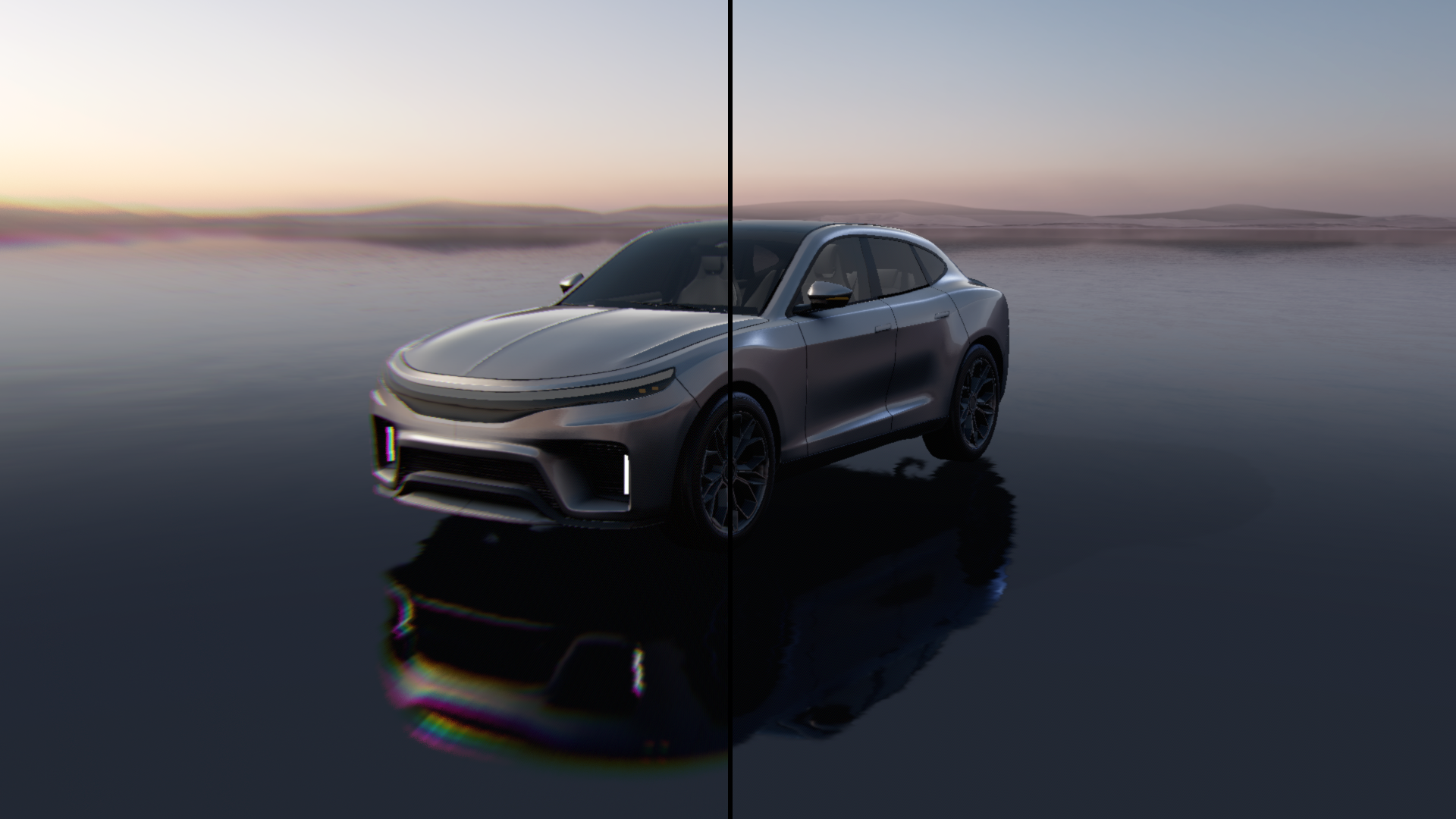
Chromatic aberration properties
Property |
Type |
Range |
Description |
|---|---|---|---|
Effect Strength |
Float |
0 - 1 |
Controls the overall intensity of the post-processing effect. |
Chromatic Aberration Amount |
Float |
0 - 1 |
Determines the distance between color channels. Higher values increase the separation of colors along edges. |
Dithering Amount |
Float |
0 - 1 |
Controls the amount of noise added to help reduce color banding artifacts. |
Creating subtle artistic effect
To create a subtle artistic effect:
Adjust the spread of chromatic aberration by increasing the amount of chromatic aberration.
This way you increase the spread of color channels.
Use the Dithering Amount property to adjust the amount of noise.
Add noise when there is banding between color channels.