Step 5 - Create and use resources
In this step you learn how to use the Library window to create resources in your application.
In Kanzi, a resource is an item that you can reuse in different parts of your application. For example, a Mesh Data resource defines the geometry of a Model node, and you can use the same Color Brush in different nodes to set the Foreground Brush or Background Brush properties.
You can find all resources in a Kanzi Studio project in the Library window.
You can find the Library window below the Node Tree and Properties windows.

Here you use the Library window to create a Color Brush. You use that brush to set the background of Activities in the application.
To create and use resources:
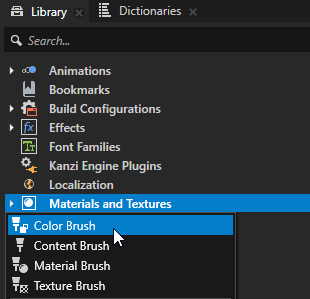
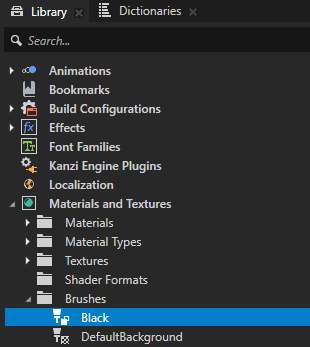
In the Library window, press Alt and right-click Materials and Textures, select Color Brush, and name it Black.
Use a Color Brush to fill a 2D node with a solid color.
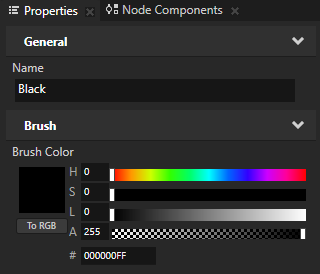
In the Library window, select the Color Brush that you created. In the Properties window, set the Brush Color property fields:
Hue (H) to 0
Saturation (S) to 0
Lightness (L) to 0
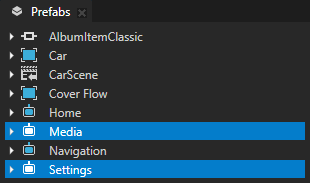
In the Prefabs window, select the Settings and Media prefabs.
In the Properties window click
 next to the Background Brush property to add that property to all nodes you selected in the previous step. Set the Background Brush property to the brush that you created in the first step.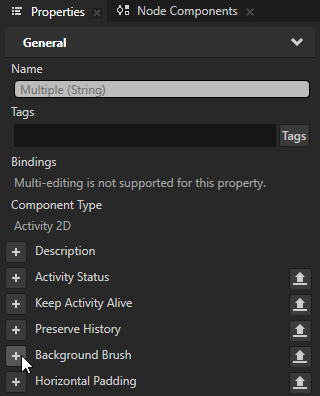
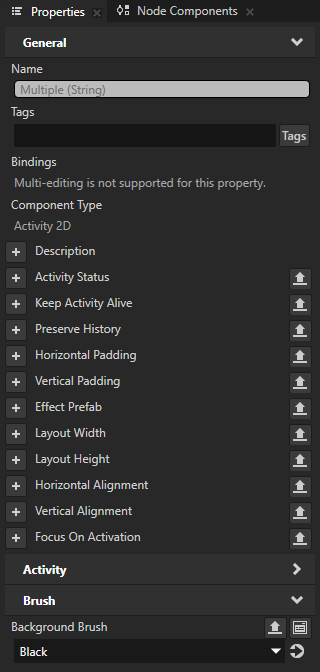
In the Preview window, click the Next and Previous buttons to navigate between the Activities to see how the Color Brush you created fills the background of the Settings and Media Activities.

See also
To learn more about the resources in Kanzi, see Resources.
To learn more about brushes, see Using brushes.