ステップ1 - Luaスクリプトを実行する
このステップでは、Luaスクリプトを実行し、Lua変数を使用する方法を学びます。
チュートリアルを入手する
チュートリアルを入手するには、Kanzi Studio Quick Start ウィンドウで Projects をクリックし、Tutorials タブを選択します。Fifteen puzzle チュートリアルの横にある  をクリックします。
Kanzi Studio はチュートリアルを <KanziWorkspace>/Tutorials ディレクトリにダウンロードします。以下が含まれています。
<KanziWorkspace>/Tutorials/Fifteen puzzle/Startディレクトリにあるチュートリアルの開始地点プロジェクト。<KanziWorkspace>/Tutorials/Fifteen puzzle/Completedディレクトリにある完成したチュートリアル。
開始プロジェクトの内容
スタートポイントとなるプロジェクトには、このチュートリアルを完了するのに必要なコンテンツが含まれています。
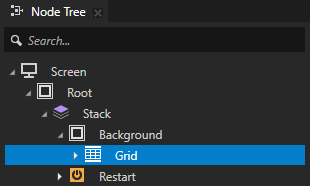
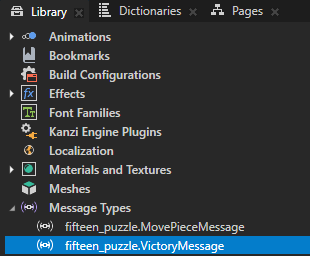
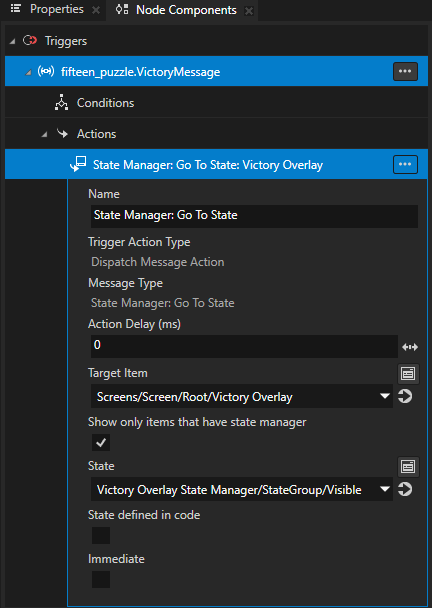
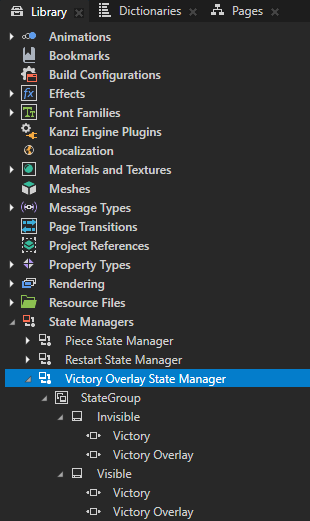
Grid ノードはパズルの構造を定義し、Background ノードとともにパズルの外観を定義します。Grid ノードには、State Manager: Go To State アクションを持つ VictoryMessage トリガーが含まれています。このアクションは、ユーザーがパズルを解いたときに Victory Overlay State Manager を Visible ステートに設定し、勝利メッセージを表示します。
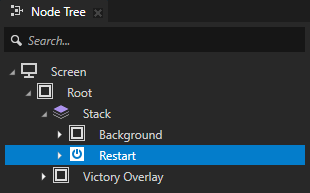
Restart ノードは、新しいゲームを開始するボタンの外観を定義します。Restart ノードには、Button: Click トリガーと、ユーザーがパズルを解いた後にボタンをクリックしたときに、Victory Overlay State Manager を Invisible 状態に設定し、勝利メッセージを削除する State Manager: Go To State アクションが含まれています。
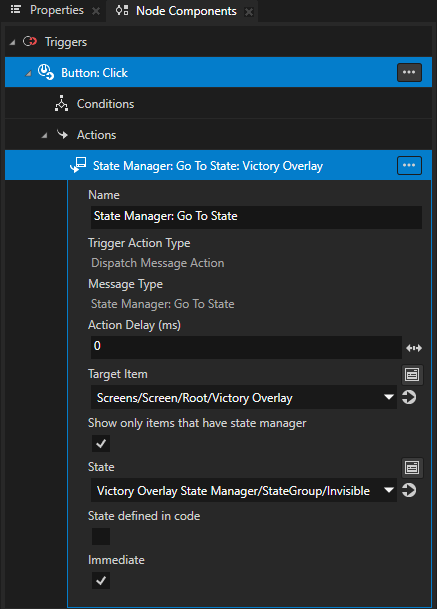
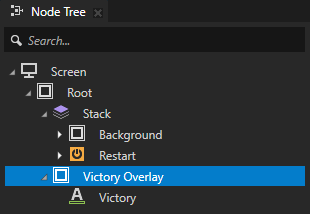
Victory Overlay ノードは、ユーザーがパズルを解いたときにアプリケーションが表示するメッセージの外観を定義します。Victory Overlay State Manager は、Grid ノードと Restart ノードのトリガーとアクションを通じて Victory Overlay の可視性を設定します。
Piece プレハブはパズルピースの外観を定義します。Piece プレハブには、ユーザーがパズルを再開したときに Reveal キーフレームアニメーションクリップを再生する Animation Player が含まれています。
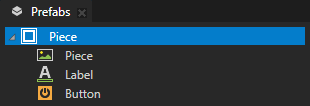
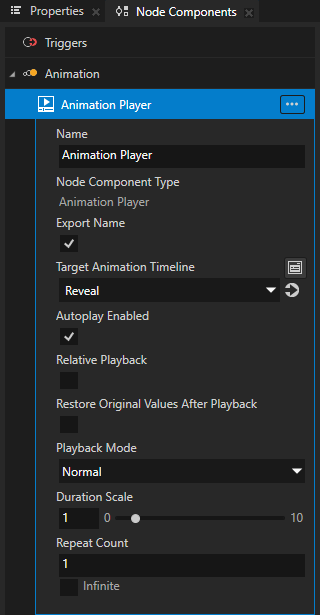
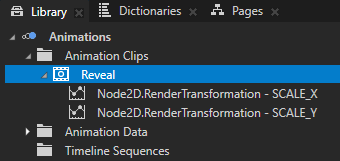
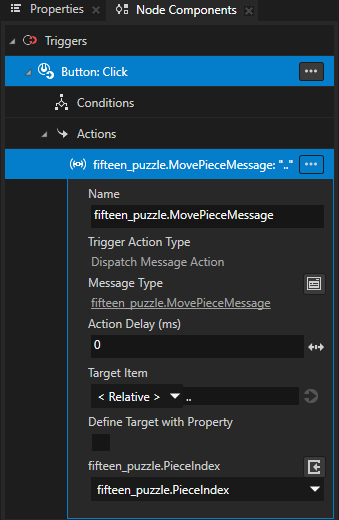
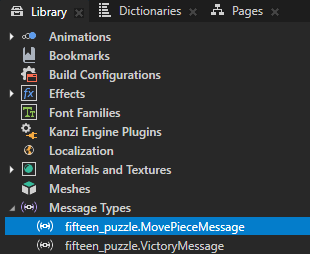
Piece プレハブの Button ノードには、スクリプトがグリッド上のピースを移動するために使用する MovePieceMessage アクションを持つ Button: Click トリガーが含まれています。
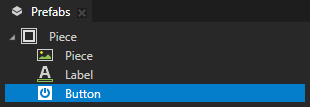
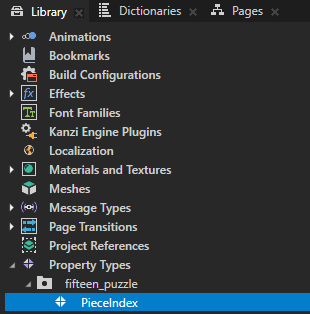
アプリケーションは、パズルのピースに番号を表示するために PieceIndex プロパティタイプを使用します。
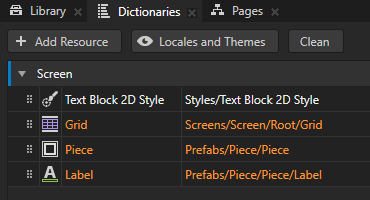
Screen ノードリソース辞書には、主要なノードへのエイリアスが含まれています。
Luaスクリプトを実行する
Luaスクリプトを実行するには:
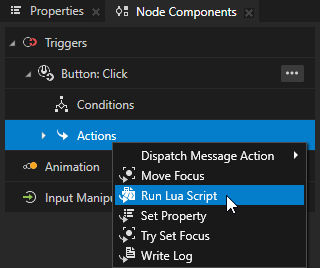
Node Tree で Root > Stack > Restart ノードを選択します。ノードコンポーネント (Node Components) の ボタン:クリック (Button: Click) トリガーで、Alt を押しながら右クリック Actions をクリックして Run Lua Script を選択します。
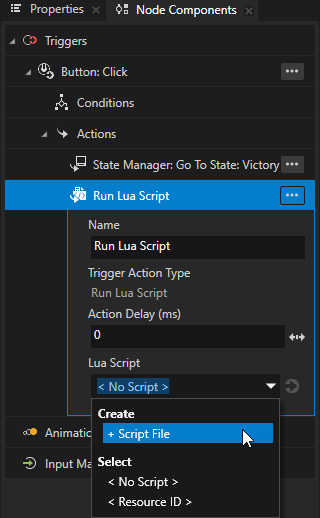
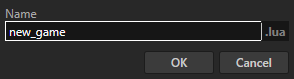
Run Lua Script アクションの Lua Script プロパティで、+ Script File を選択し、スクリプトに new_game と名前を付けます。
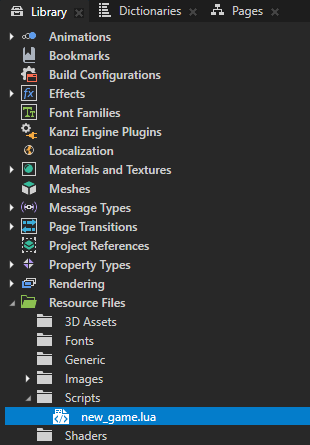
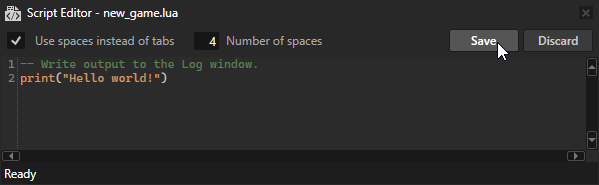
ライブラリ > リソースファイル > スクリプト で、スクリプトファイルを開き、次を追加します。
-- Write output to the Log window.
print("Hello world!")
スクリプトエディタ (Script Editor) で Save をクリックします。
プレビュー で  をクリックすると、Kanzi は Restart ノードの Lua スクリプトを実行するトリガーを作動させ、スクリプトは Log ウィンドウに Hello world! と書き込みます。
ヒント
Log ウィンドウを開くには、メインメニューで Window > Log を選択します。

Lua変数を使用する
Luaでは、宣言できます:
スクリプト内で変数を宣言した場所のスコープでのみアクセス可能なローカル変数
Kanzi はスコープの終わりでローカル変数を破棄します。
すべてのスクリプトでアクセス可能で、複数のスクリプト実行にわたって持続するグローバル変数
Lua変数を使用するには、
スクリプトエディタ (Script Editor) で、new_game.lua スクリプトの内容を次のように置き換えます。
print("Entering new_game.lua")
-- Initialize a local temporary variable x.
-- Variables that you declare locally are accessible only in the scope of this script.
-- Kanzi destroys local variables at the end of the scope.
local x = 0

-- Check whether the global persistent variable y is initialized in an earlier script execution.
if y == nil then
      -- Initialize a persistent global variable y on the first run of this script.
      -- Global variables are shared and accessible in all scripts.
      -- Global variables are persistent across multiple script executions.
      y = 0
end

-- Loop variable i across the values 1, 2, 3, 4, and 5.
-- Variables declared in a for loop are always local.
for i = 1,5 do

   -- Modify the local variable x.
   x = x + 1

   -- Modify the persistent global variable y.
   y = y + 1

   -- Write the variables to the Log window.
   print(string.format("%d: x = %d, y = %d", i, x, y))
end
print("Exiting new_game.lua")
スクリプトを保存します。
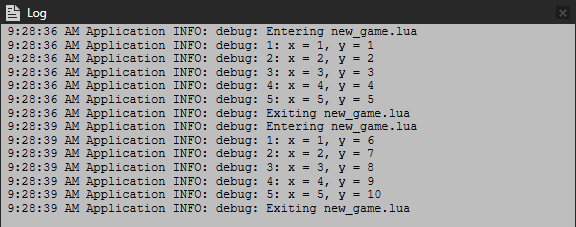
プレビュー で をクリックすると、スクリプトは Log ウィンドウに出力を書き込みます。もう一度 をクリックすると、ローカル変数 x の値はリセットされますが、グローバル変数 y の値は実行間で保持されることがわかります。