ステップ2 - ノードとプロパティにアクセスする
このステップでは、Luaスクリプトからノードとプロパティにアクセスする方法を学びます。
例:
ノードツリーにアクセスするには、
contextNodeLua変数を使用します。Kanzi は、この変数にLuaスクリプトを実行しているノードへの参照を割り当てます。ノードへの参照を取得したら、プロパティ値を読み取るために、
getProperty関数に読み取りたいプロパティの Kanzi Engine 名を渡します。-- Get the value of the Name property of the contextNode. local name = contextNode:getProperty(Node.NameProperty) -- Print to Log the property value. print(name)
ノードツリー内のノードにアクセスするには、アクセスしたいノードへのパスを
lookupNode関数に渡します。パスの代わりに、リソースディクショナリに格納されたエイリアスを使用することもできます。例えば、このチュートリアルの開始点プロジェクトの Screen ノードのリソース辞書にあるエイリアスを使用して Grid ノードにアクセスするには、次のようにします。
-- Find the node with the alias "Grid".
local grid = contextNode:lookupNode("#Grid")

-- Check whether the node exists.
if grid ~= nil then
    -- If the node exists, print the name of the node.
    local name = grid:getProperty(Node.NameProperty)
    print("Found node " .. name)
end
ノードのすべての子ノードにアクセスするには、
getChildCountおよびgetChild関数を使用します。たとえば、子ノードの名前を印刷するには、
-- Find the node with the alias "Grid".
local grid = contextNode:lookupNode("#Grid")

-- Access the grid child nodes.
local childCount = grid:getChildCount()
-- Print to Log the name of each child node.
for i = 0, childCount - 1 do
    local child = grid:getChild(i)
    local childName = child:getProperty(Node.NameProperty)
    print(childName)
end
プロパティ値を設定するには、
setPropertyメンバ関数を使用します。setProperty関数の最初のパラメータはプロパティタイプです。例えば、Kanzi Studio プロジェクトで定義されたプロパティタイプを持つプロパティ値を設定するには、まずプロパティタイプを調べます。その後、組み込みのプロパティタイプと同じ方法でプロパティタイプを使用できます。
-- Find the node with the alias "Grid".
local grid = contextNode:lookupNode("#Grid")

-- Find the "fifteen_puzzle.PieceIndex" custom property type.
local PieceIndexProperty = PropertyType:find("fifteen_puzzle.PieceIndex")

-- Get the third child node of the grid node.
local child = grid:getChild(2)

-- Set the property value to the child node in the grid.
-- The "Piece" prefab uses the "fifteen_puzzle.PieceIndex" property type to set the piece number.
child:setProperty(PieceIndexProperty, 3)
スクリプトがノードツリーの内容と期待が一致しない場合に失敗することを確認するために、
assertを使用してください。-- Assert if the node with the alias "Grid" does not exist. local grid = contextNode:lookupNode("#Grid") assert(grid)
Kanzi Lua API リファレンス で Lua で使用できる Kanzi 組み込みプロパティタイプのリストを見つけることができます。
ピースのグリッドとインデックスを修正する
パズルを機能させるには、各ピースにユニークなインデックスが必要です。
グリッドとピースのインデックスを変更するには、スクリプトエディタ (Script Editor) で、new_game.lua スクリプトの内容を次のように置き換えます。
print("Entering new_game.lua")

-- Find the "Grid" node using its alias.
local grid = contextNode:lookupNode("#Grid")
assert(grid)

-- Find the "fifteen_puzzle.PieceIndex" custom property type.
-- This property type sets the piece number.
local PieceIndexProperty = PropertyType:find("fifteen_puzzle.PieceIndex")

-- Access the grid child nodes.
local childCount = grid:getChildCount()
-- Iterate through grid child nodes.
for i = 0, childCount - 1 do
    local child = grid:getChild(i)

    -- Assign the number to the piece.
    child:setProperty(PieceIndexProperty, i)
    -- Place the piece in the third row and in own column.
    child:setProperty(GridLayout2D.RowProperty, 2)
    child:setProperty(GridLayout2D.ColumnProperty, i)
end

print("Exiting new_game.lua")
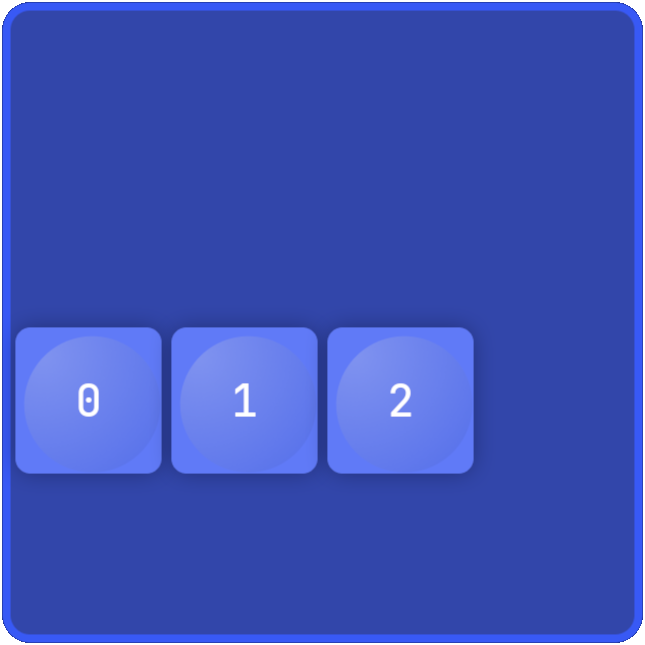
スクリプトを保存し、プレビュー で  をクリックすると、スクリプトはグリッド内の3つのピースを3行目に移動し、各ピースにユニークな番号を割り当てます。