Viewport 3D ノードを使用する
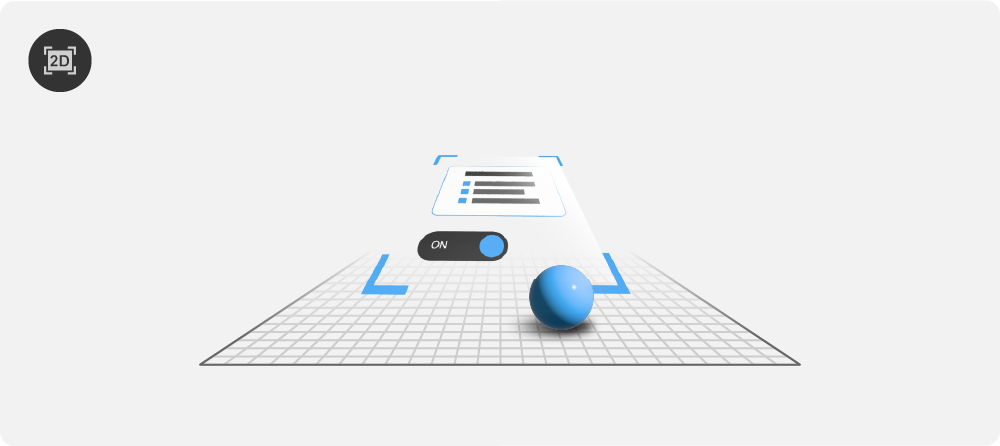
Viewport 3D ノードを使用して、3Dシーンに2Dノードを追加します。
Viewport 3D ノードの作成
Viewport 3D ノードを作成するには、
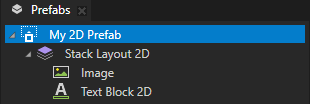
Prefabs で、3Dシーンに追加したいコンテンツを持つ2Dプレハブを作成します。
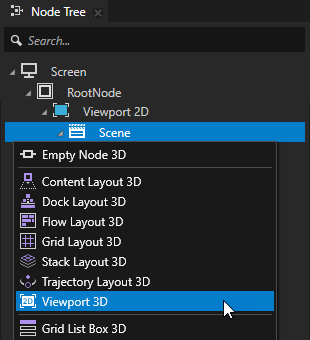
Node Tree または Prefabs で、2Dノードを追加したい3Dノードを Alt を押しながら右クリック し、Viewport 3D を選択します。
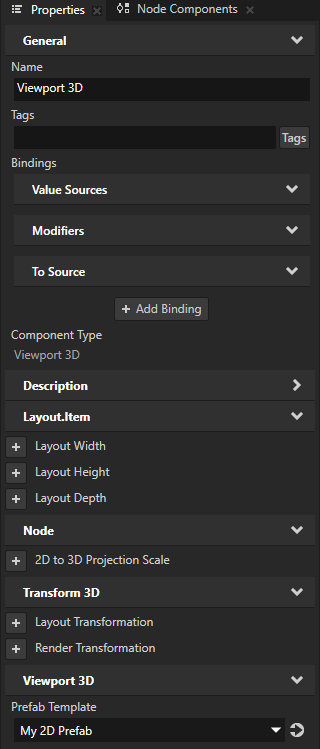
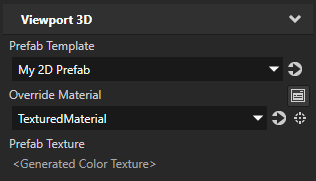
Viewport 3D ノードを選択します。Properties で、Prefab Template プロパティを追加し、作成した2Dプレハブに設定します。
Kanzi は最初にプレハブのコンテンツをテクスチャにレンダリングし、その後、アンリットのアルファブレンドテクスチャマテリアルを使用してそのテクスチャを3D平面にレンダリングします。
(オプション) 2Dプレハブのコンテンツをレンダリングするために使用したいマテリアルを設定するには、Properties で:
Override Material プロパティを追加し、2Dプレハブのコンテンツをレンダリングするために使用したいテクスチャ付きマテリアルに設定します。マテリアルを使用する (Using materials) と テクスチャ付きマテリアルの作成 を参照してください。
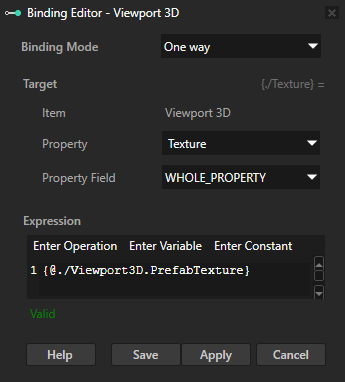
+ Add Binding をクリックし、Binding Editor で設定します:
Override Material プロパティで設定したマテリアルのテクスチャプロパティに Property を設定します。
Expression へ
{@./Viewport3D.PrefabTexture}
Save をクリックします。
この方法で、Kanzi が2Dプレハブのコンテンツをレンダリングするテクスチャにレンダリングするためのオーバーライドマテリアルを設定します。
3Dシーンに2D UIコントロールを追加する
3Dシーンに2D UIコントロールを追加するには:
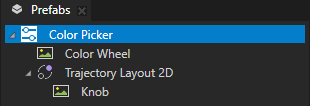
Prefabs で、3Dシーンに追加したい2Dノードを含む2Dプレハブを作成します。
例えば、スライダー付きのカラーピッカーを作成します。スライダー付きのカラーピッカーを作成する を参照してください。

Node Tree または Prefabs で、2Dノードを追加したい3Dシーンを作成します。
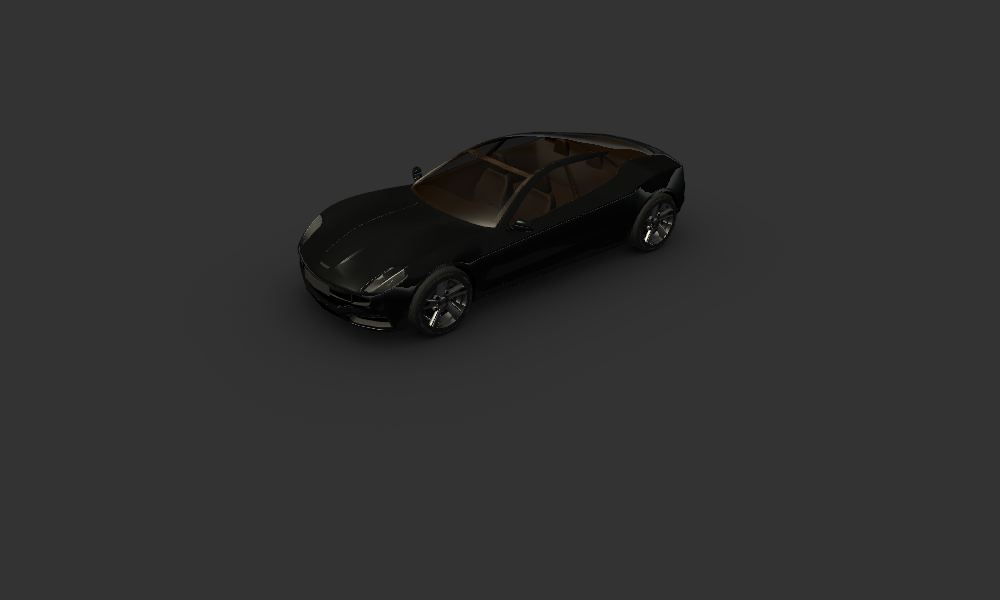
例えば、Factory Content から Car を使用します。
Factory Content アセットを使用する を参照してください。
Node Tree または Prefabs で、2Dノードを追加したい3Dノードの Alt を押しながら右クリック を行い、Viewport 3D を選択します。
例えば、Prefabs > CarScene > RootNode ノード内に Viewport 3D ノードを作成します。
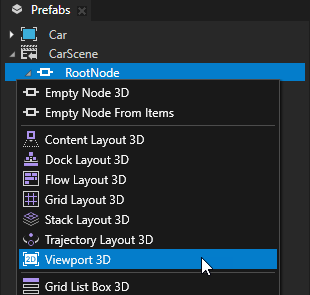
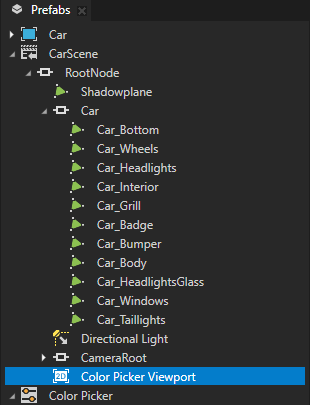
Viewport 3D ノードを選択し、Properties で追加して設定します。
3Dシーンに追加したいコンテンツを持つ2Dプレハブに Prefab Template プロパティを設定します。
例えば、Color Picker プレハブを選択します。
Kanzi は最初にプレハブのコンテンツをテクスチャにレンダリングし、その後、そのテクスチャを3D平面にレンダリングします。
Render Transformation または Layout Transformation を使用して、3D シーン内で 2D プレハブを配置および向きを設定します。
例えば、Render Transformation プロパティを追加して設定します。
Rotation X プロパティフィールドを -90 に設定します。
Rotation Y プロパティフィールドを90に設定
Translation Y プロパティフィールドを0.1に設定します。
これにより、2Dプレハブが車の下の床のすぐ上に配置されます。
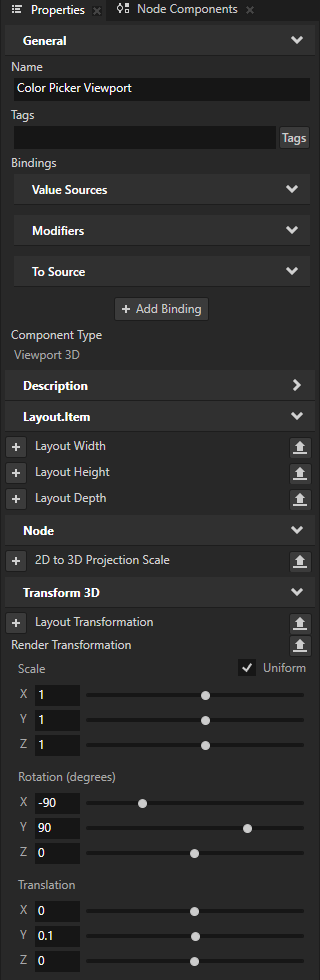
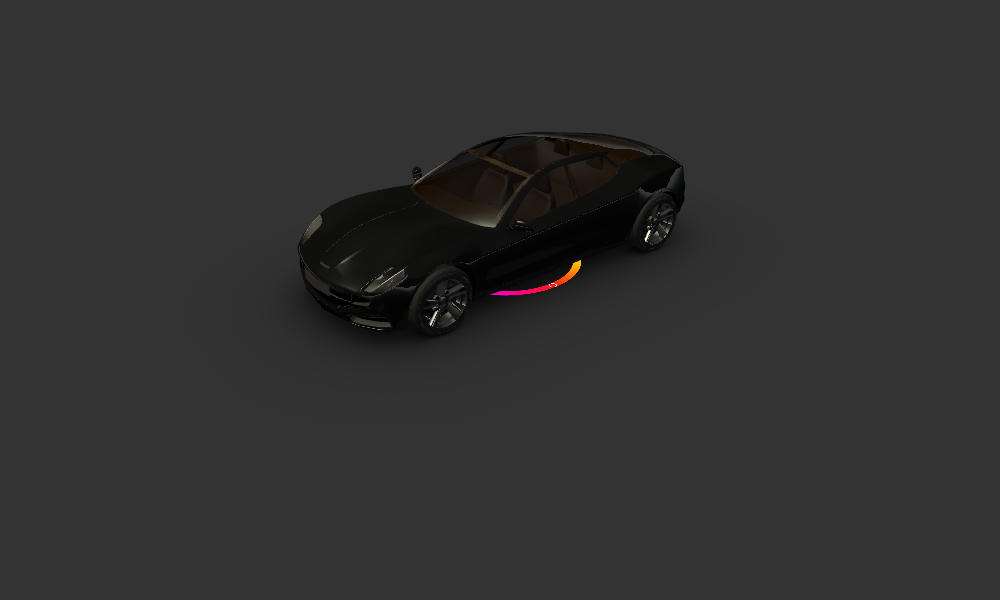
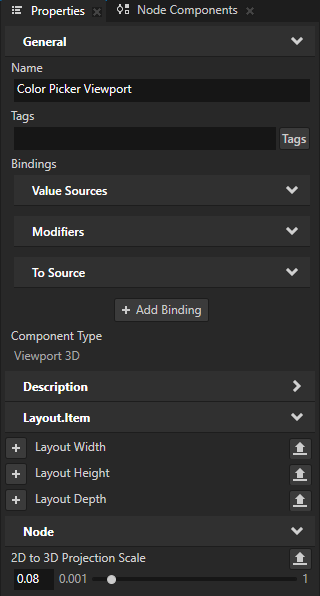
3Dシーン内の2Dコンテンツのサイズを設定するには、Properties で、次を追加して設定します。
2D to 3D Projection Scale を、2Dコンテンツを3D空間に投影するために使用したいスケーリングファクターに設定します。
例えば、2Dプレハブの幅が710ピクセルで、2D to 3D Projection Scale プロパティを0.08に設定した場合、そのプレハブの3D空間での幅は56.8ユニットになります。
(オプション) Layout Width と Layout Height
例えば、プレハブのレイアウトサイズを設定せず、親ノードのサイズに合わせて伸縮する場合、これらのプロパティを設定します。
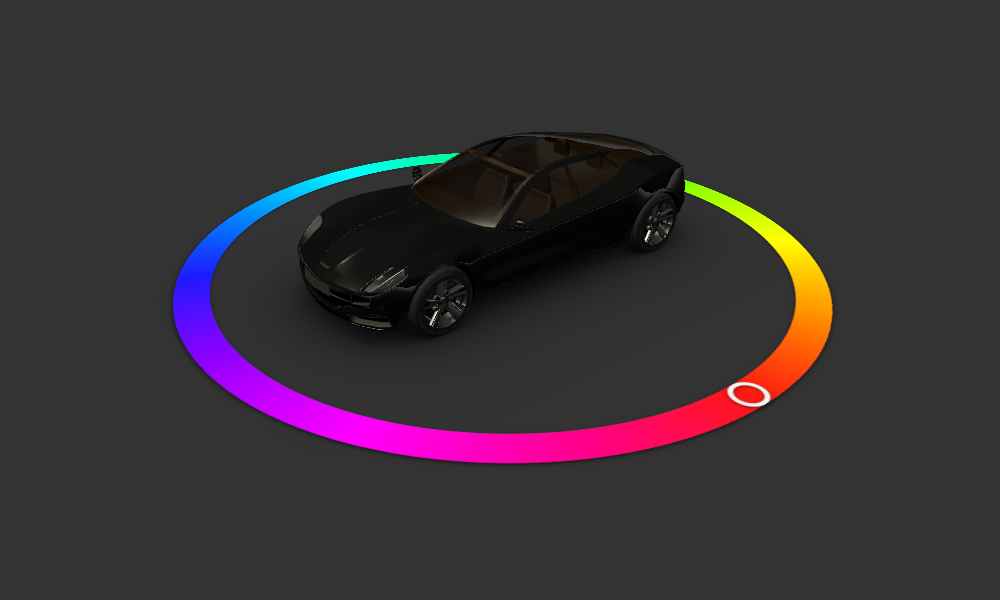
Kanzi はデフォルトで、アンリットアルファブレンドテクスチャマテリアルを使用して、Viewport 3D ノード内のコンテンツをレンダリングします。
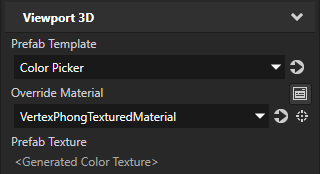
コンテンツをレンダリングするために使用したいマテリアルを設定するには、Properties で:
Override Material プロパティを追加し、任意のテクスチャ付きマテリアルに設定します。
例えば、それを VertexPhongTexturedMaterial マテリアルに設定します。このマテリアルはライトを使用します。
ヒント
プロジェクトに VertexPhongTextured マテリアルタイプが含まれていない場合、Library > Materials and Textures Alt を押しながら右クリック Material Types で、VertexPhongTextured を選択します。
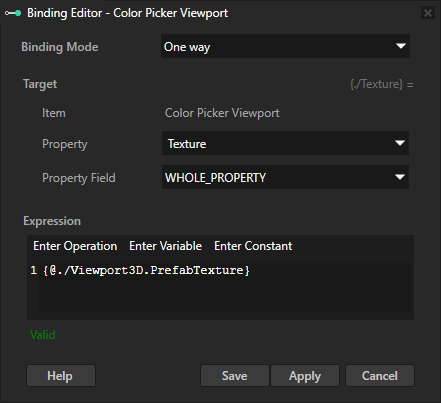
+ Add Binding をクリックし、Binding Editor で設定します:
Override Material プロパティで設定したマテリアルのテクスチャプロパティに Property を設定します。
Expression へ
{@./Viewport3D.PrefabTexture}
Save をクリックします。
この方法で、Kanzi が2Dプレハブのコンテンツをレンダリングするテクスチャにレンダリングするためのオーバーライドマテリアルを設定します。
Override Material プロパティで設定したマテリアルのプロパティを調整します。
たとえば、次を追加して設定します:
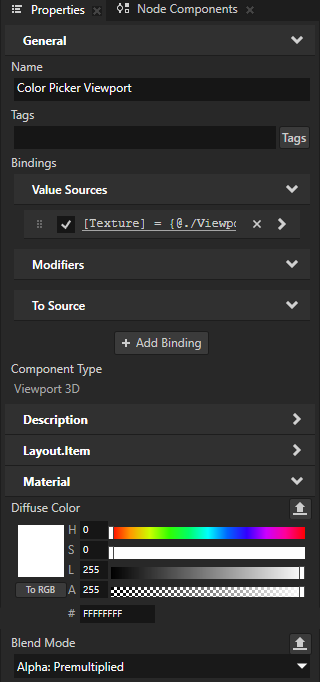
Material > Diffuse Color プロパティ Lightness (L) プロパティフィールドを255に設定
Material > Blend Mode から Alpha: Premultiplied へ
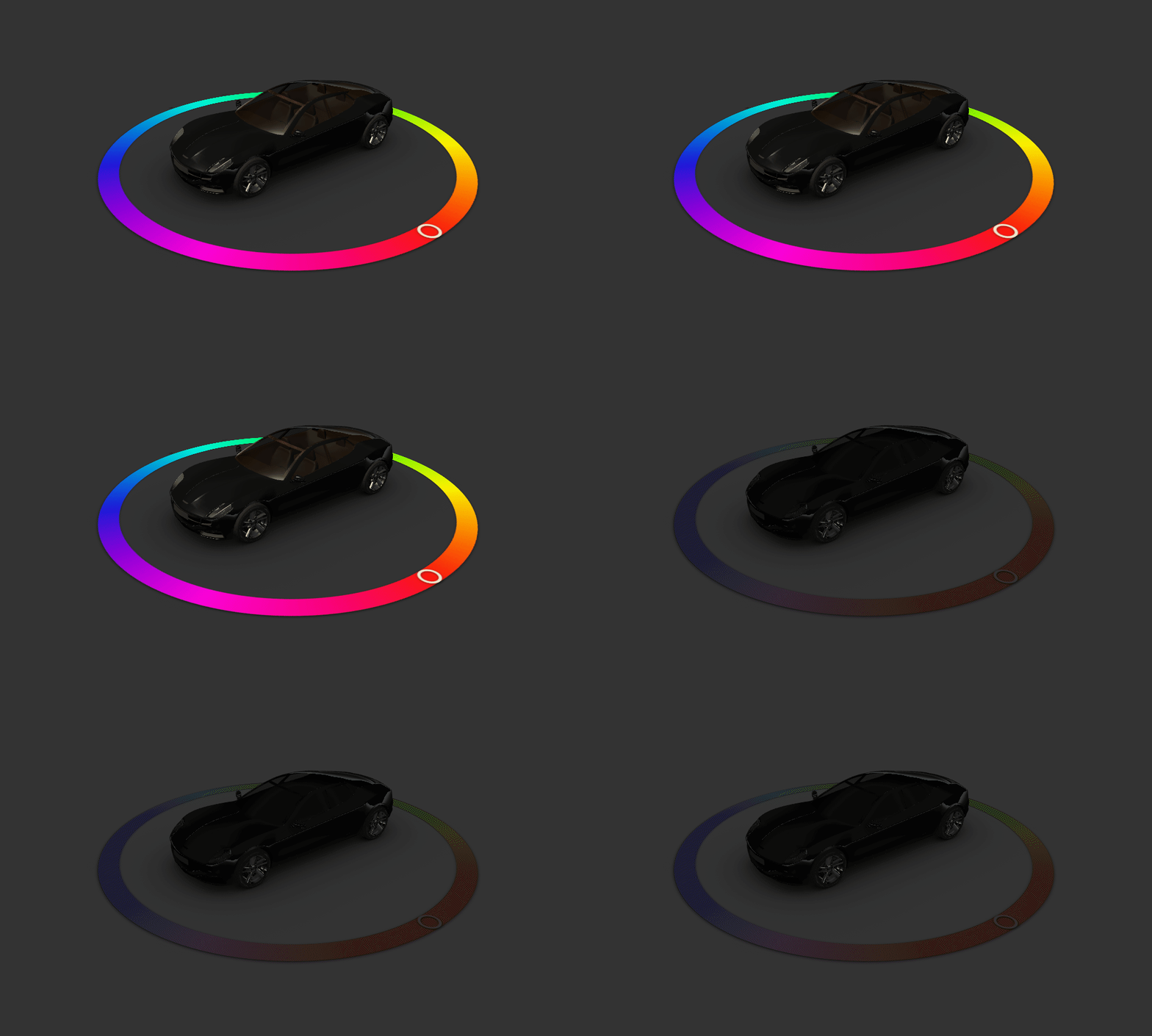
シーンの照明をオフにすると、Kanzi はカラーピッカーをより暗い色でレンダリングします。
Viewport 3D ノードがレンダリングする2Dプレハブのプロパティにアクセスするには、バインディングを使用します。
例えば、カラーピッカーのプレハブが選択された色を保持するプロパティを持っている場合、その色で車のモデルのボディを塗るには:
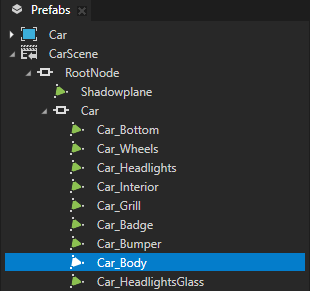
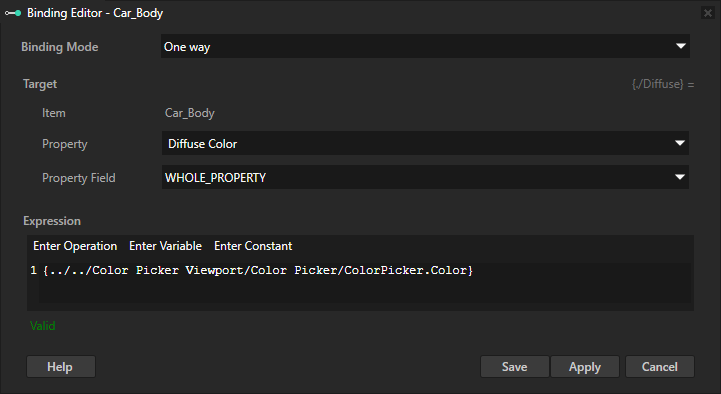
車のボディをレンダリングする3Dノードを選択します。Properties で、バインディングを追加し、次を設定します。
Property から Diffuse Color へ
このプロパティは、マテリアルが照らされているときのそのマテリアルの色を設定します。
Expression は、カラーピッカーで現在選択されている色を含むプロパティを指します。
たとえば、データ型として四元数を使用する
{../../Color Picker Viewport/Color Picker/ColorPicker.Color}
Save をクリックします。
前のステップを Ambient Color プロパティに対して繰り返します。これは、ライトが存在しない場合にマテリアルの色を設定します。
たとえば、バインディング式を次のように設定します:
{../../Color Picker Viewport/Color Picker/ColorPicker.Color} * Color4(0.2, 0.2, 0.2, 1)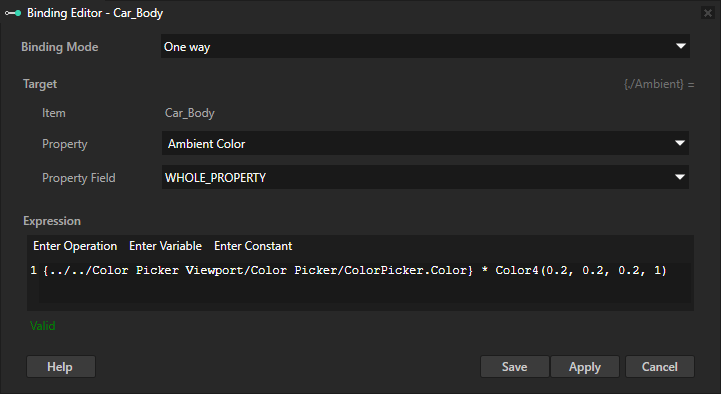
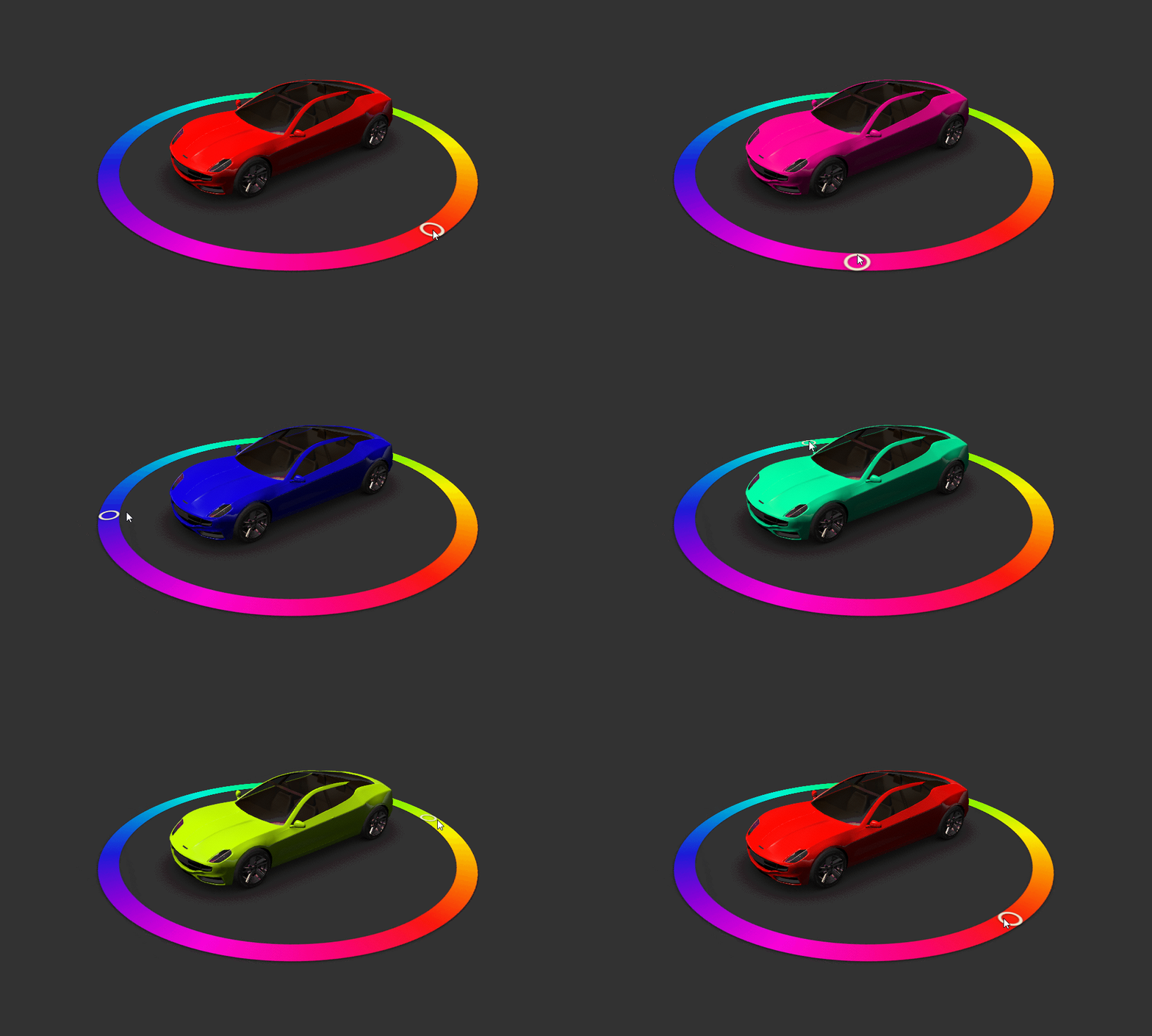
Preview でカラーピッカーを使用して色を選択すると、車の塗装がその色に変わります。
APIで Viewport 3D ノードを使用する
Viewport 3D ノードを使用するには、2D プレハブを作成し、Viewport 3D ノードを設定して、そのプレハブを 3D シーンでレンダリングします。
// Create a Viewport 3D named Viewport 3D and add it to the Scene.
Viewport3DSharedPtr viewport3d = Viewport3D::create(domain, "Viewport 3D");
scene->addChild(viewport3d);

// Create an image that acts as a model for the prefab template.
// This can be any Node2D node or a tree of Node2D nodes.
Image2DSharedPtr image = Image2D::create(domain, "Image");

// Create a prefab template node based on the image.
PrefabTemplateNodeSharedPtr templateNode = PrefabTemplateNode::create(domain, Image2D::getStaticMetaclass(), "Prefab root node");

// Create a prefab template and set the prefab template node as its root.
PrefabTemplateSharedPtr prefabTemplate = PrefabTemplate::create(domain, templateNode, "PrefabForViewport3D");

// Use the prefab template in the Viewport3D node.
viewport3d->setPrefab(prefabTemplate);
Viewport 3D ノードの外にあるノードから、Viewport 3D ノードで使用されている2Dプレハブ内のノードにバインドするには:
// Create a prefab template node from a 2D scene graph.
PrefabTemplateNodeSharedPtr templateNode = PrefabTemplateNode::create(domain, EmptyNode2D::getStaticMetaclass(), "Empty Node 2D");
templateNode->addProperty(Node::WidthProperty, Variant(320.0f));
templateNode->addProperty(Node::HeightProperty, Variant(240.0f));
templateNode->addProperty(Node::OpacityProperty, Variant(0.8f));

// Create a prefab template and set the prefab template node as its root.
PrefabTemplateSharedPtr viewport3DPrefab = PrefabTemplate::create(domain, templateNode, "Empty Node 2D");

// Create a Viewport3D node and add it to the Scene.
Viewport3DSharedPtr viewport3D = Viewport3D::create(domain, "Viewport 3D");
scene->addChild(viewport3D);

// Set the Viewport3D node to use the prefab template.
viewport3D->setPrefab(viewport3DPrefab);

// Create a node that is a sibling of the Viewport3D node.
EmptyNode3DSharedPtr sibling = EmptyNode3D::create(domain, "Sibling");
scene->addChild(sibling);

// In the sibling node, add a binding that binds a property in the sibling node to a property
// in a node in the 2D scene graph that the Viewport3D node shows. Use a relative path to refer
// to the scene graph that Kanzi instantiates in the Viewport 3D node.
sibling->setBinding(Binding::create("../Viewport 3D/Empty Node 2D", Node::OpacityProperty),
                    StandardMaterial::BlendIntensityProperty);
Viewport 3D ノードで使用されている2Dプレハブ内のノードから、Viewport 3D ノードの外にあるノードにバインドするには、
// Create a Viewport3D node and add it to the Scene.
Viewport3DSharedPtr viewport3D = Viewport3D::create(domain, "Viewport 3D");
scene->addChild(viewport3D);

// Create a node that is a sibling of the Viewport3D node.
EmptyNode3DSharedPtr sibling = EmptyNode3D::create(domain, "Sibling");
sibling->setProperty(StandardMaterial::BlendIntensityProperty, 0.6f);
scene->addChild(sibling);

// Create a prefab template node from a 2D scene graph.
PrefabTemplateNodeSharedPtr templateNode = PrefabTemplateNode::create(domain, EmptyNode2D::getStaticMetaclass(), "Empty Node 2D");
templateNode->addProperty(Node::WidthProperty, Variant(320.0f));
templateNode->addProperty(Node::HeightProperty, Variant(240.0f));

// In the prefab template node, add a binding that binds a property in the prefab to a property
// in the sibling node of the Viewport3D node.
templateNode->addBinding(BindingLoadInfo(Binding::create("../../Sibling", StandardMaterial::BlendIntensityProperty),
                                         Node::OpacityProperty));

// Create a prefab template and set the prefab template node as its root.
PrefabTemplateSharedPtr viewport3DPrefab = PrefabTemplate::create(domain, templateNode, "Empty Node 2D");

// Set the Viewport3D node to use the prefab template.
viewport3D->setPrefab(viewport3DPrefab);
詳細については、Viewport3D クラスを参照してください。
Viewport 3D プロパティタイプとメッセージ
Viewport 3D ノードで利用可能なプロパティタイプとメッセージのリストについては、Viewport 3D を参照してください。