使用光源节点
光源节点可用于为您的 Kanzi 应用程序中的 Scene 创建光源。
Kanzi 具有以下光节点类型:
Directional Light 仅在一个方向上发光,适合模拟阳光。 |
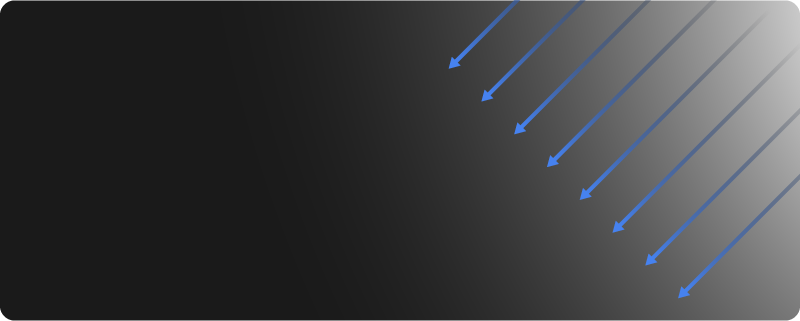
|
Point Light 从一个特定位置同时向所有方向(360 度)发光。 |
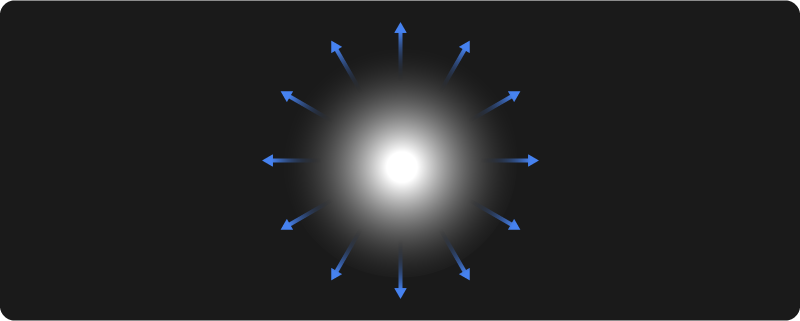
|
Spot Light 从特定位置朝指定方向发射圆锥形光。 |
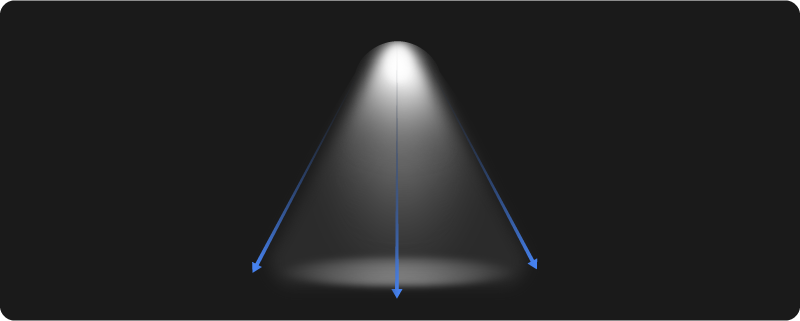
|
光源包含在 Kanzi 渲染 3D 节点时作为 uniform 传递给着色器的属性。光源只会影响那些所用材质的着色器使用了这些光源的节点的渲染。
在 Kanzi 中,VertexPhong、FragmentPhong 和 PhysicallyBased 材质默认支持:
一个方向光
两个点光源
一个聚光灯
请参阅 为智能材质设置光源数量 和 为材质类型设置光源数量。
您可以使用统一绑定来控制光节点的属性类型。请参阅 控制光照统一变量。
创建光源节点
要创建光源节点:
在 Node Tree 中,按 Alt 并右键单击 您要创建光节点的节点,并选择 Directional Light、Point Light 或 Spot Light。
例如,创建一个 Spot Light。
您只能在 3D 节点中创建光节点,例如 Scene 节点。
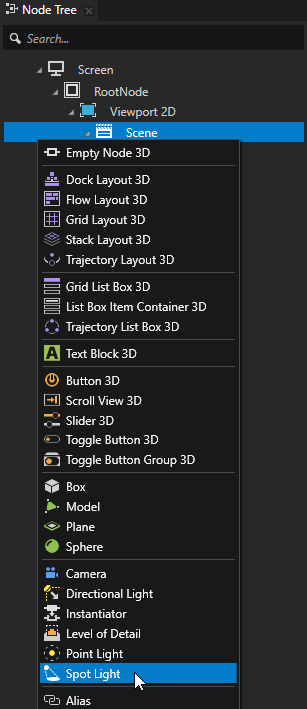
在 Preview 中,使用 Node tool
 来定位光节点。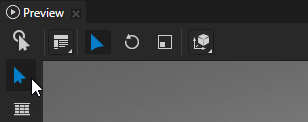
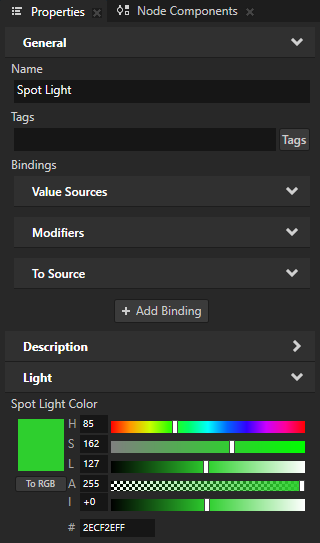
在 Properties 中,调整光节点的属性以创建适合您需求的光。
例如,要调整 Spot Light 的颜色,请设置 Spot Light Color 属性的值。
调整灯光的亮度
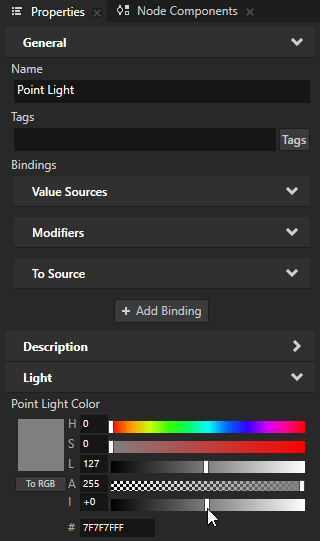
要调整灯光的亮度,请设置灯光颜色的强度。
例如,要设置 Point Light 的亮度,请设置 Point Light Color 属性 Intensity (I) 属性字段的值。
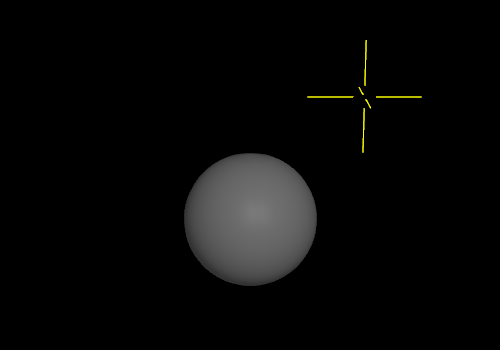
Kanzi 中的光强度类似于摄影中的曝光:
强度增加一个单位会使光量加倍。
光强减少一个单位会使光量减半。
例如,当您更改强度时:
从 0 到 +2,您将亮度提高四倍。
从 0 到 -3,您将亮度降低到 1/8。
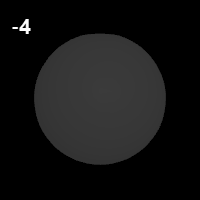
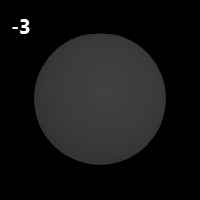
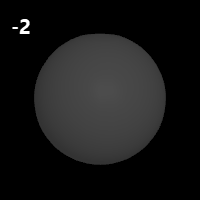
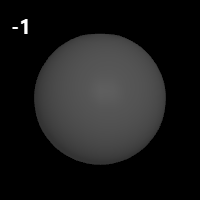
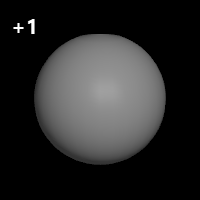
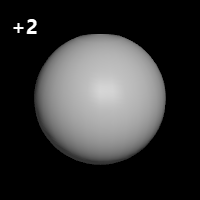
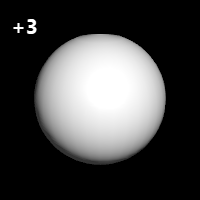
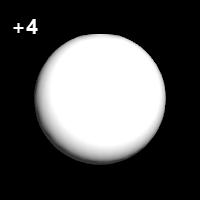
关闭灯光
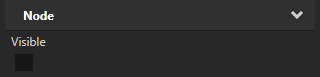
要关闭灯光,请选择灯光节点,并在 Properties 中添加并禁用 Node > Visible 属性。
为智能材质设置光源数量
在使用 SmartPhysicallyBased、SmartVertexPhong 或 SmartFragmentPhong 材质类型的材质中,您可以设置该材质可以使用的光源类型和数量。请参阅 使用智能材质。
要为智能材质设置光源数量:
在 Library > Materials and Textures > Materials 中,选择使用 SmartPhysicallyBased、SmartVertexPhong 或 SmartFragmentPhong 材质类型的材质。
例如,选择 SmartPhysicallyBasedMaterial。如果您的工程不包含该材质,请在 Library > Materials and Textures 按 Alt 并右键单击 Material Types 中,选择 SmartPhysicallyBased。
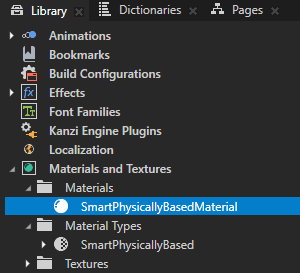
在 Properties 中,添加并设置以下任意 Material Properties:
Limit Directional Lights 用于设置方向光的数量
默认情况下,材质支持一个方向光。
Limit Point Lights 用于设置点光源的数量
默认情况下,材质支持两个点光源。
Limit Spot Lights 用于设置聚光灯的数量
默认情况下,材质支持一个聚光灯。
例如,要将材质设置为渲染场景中的前三个 Point Light 节点,请添加 Limit Point Lights 属性并将其设置为 3。
如果场景包含三个以上的点光源,则只有其中的前三个会影响使用该材质的节点的渲染。
为材质类型设置光源数量
对于材质类型,您可以设置基于该材质类型的材质可以使用的光源类型和数量。
要为材质类型设置光源数量:
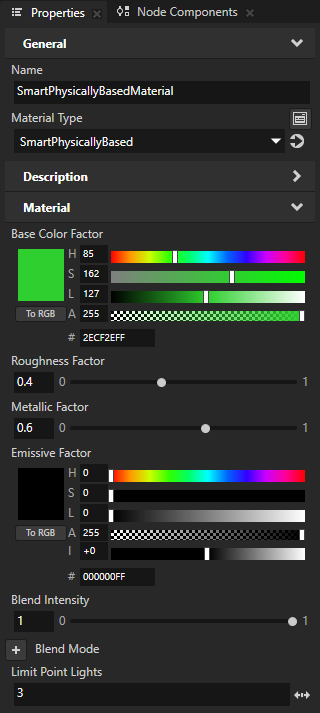
在 Library > Materials and Textures > Material Types 中,选择要为其设置光源的材质类型。
例如,选择 VertexPhong 材质类型。
此方法仅适用于 Kanzi 默认的 VertexPhong、FragmentPhong 和 PhysicallyBased 材质类型。要修改其他材质类型的光源数量,必须手动编辑材质着色器。请参阅 编辑着色器。
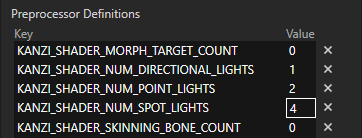
在 Properties 的 Preprocessor Definitions 中,为每种光源类型将 Value 设置为要使用的光源数量:
KANZI_SHADER_NUM_DIRECTIONAL_LIGHTS 用于设置方向光的数量
KANZI_SHADER_NUM_POINT_LIGHTS 用于设置点光源的数量
KANZI_SHADER_NUM_SPOT_LIGHTS 用于设置聚光灯的数量
例如,要将材质设置为使用四个聚光灯,请将 KANZI_SHADER_NUM_SPOT_LIGHTS 的 Value 设置为 4,然后按 Enter 键。现在,所有使用该材质类型的材质都可以渲染四个聚光灯。如果场景包含四个以上的聚光灯,则只有该场景中的前四个光源会影响使用该材质类型的材质的节点的渲染。
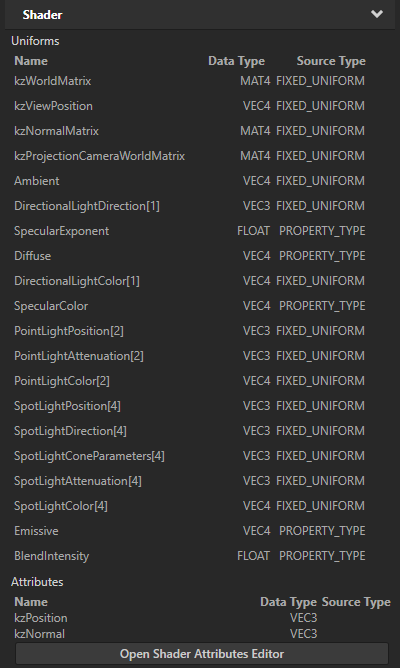
当您按下 Enter 键时,Kanzi Studio 会在 Uniforms 中为您更改的光源类型的属性更新 uniform 数组。
控制光照统一变量
在材质类型中,顶点和片段着色器定义了可以在该材质中使用的uniforms和属性类型。当使用特定材质类型渲染3D节点时,uniform绑定允许 Kanzi 将值写入渲染状态,并将这些值用于uniforms和属性类型。
请参阅 Uniform bindings、使用材料类型 和 渲染 (Rendering)。
光属性类型支持统一数组,这使您能够使用多个相同类型的光源。请参阅 光源属性类型的 uniform 数组。
光属性类型的统一绑定根据从使用该属性类型的光源中提取的值在渲染状态中设置统一值。例如,PointLightColor 属性类型的统一绑定根据场景中所有 Point Light 节点中 Point Light Color 属性的各个值设置渲染值,这些节点为使用具有该绑定的材质类型的 3D 节点提供照明。
要使用绑定来控制光照 uniforms:
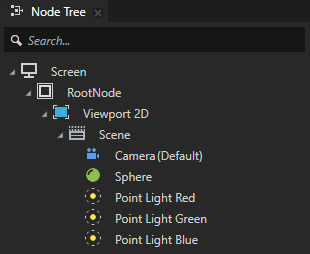
在 Node Tree 中,创建 3D 内容和用于照亮该内容的 Light 节点。
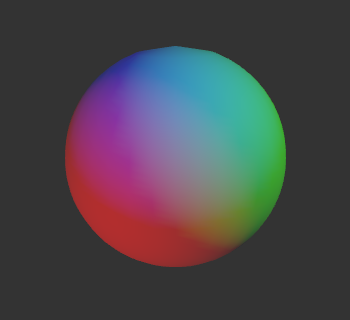
例如,这里有三个不同颜色的 Point Light 节点照亮一个灰色的 Sphere 节点。确保将您的 3D 内容使用的材质类型支持您要使用的灯光数量。请参阅 为材质类型设置光源数量。
在 Library > Materials and Textures > Material Types 中,选择您的 3D 内容使用的材质类型。
例如,选择
VertexPhong材质类型。
在 Properties 中,在 Bindings > Uniforms 中,单击设置您要修改的 uniform 渲染值的绑定。
例如,单击设置
PointLightColoruniform 值的绑定。此绑定根据场景中所有 Point Light 节点的 Point Light Color 属性的各个值设置 uniform 的渲染值,这些节点为使用 VertexPhong 材质类型的 3D 节点提供光照。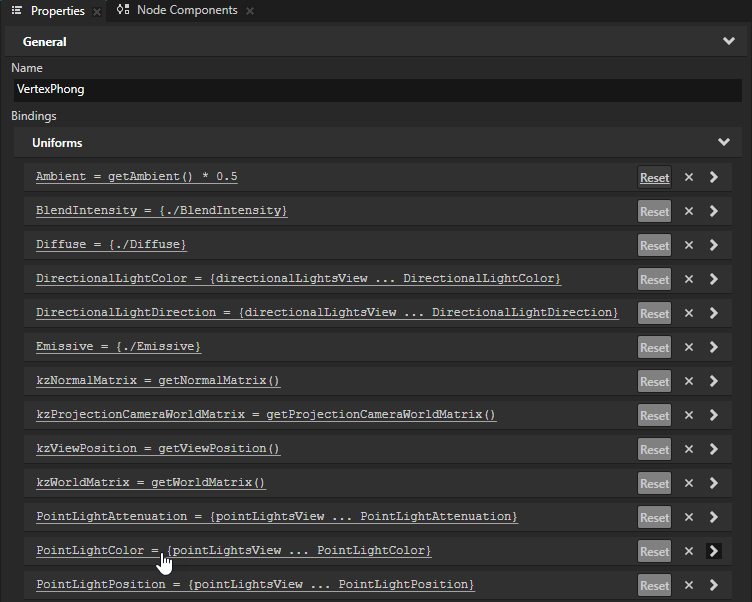
在 Binding Editor 中,输入您要使用的绑定表达式,然后单击 Save。
光属性类型的统一绑定根据从使用该属性类型的光源中提取的值在渲染状态中设置统一值。例如,
PointLightColor属性类型的统一绑定根据场景中所有 Point Light 节点中 Point Light Color 属性的各个值设置渲染值,这些节点为使用具有该绑定的材质类型的 3D 节点提供照明。您可以在绑定表达式中使用此语法:
要获取包含 Draw Objects 渲染通道或 Draw Objects With Material 渲染通道在绘制场景中 3D 节点时所使用的特定类型的每个光源节点的范围,请使用
{##RenderPass/DrawObjectsRenderPass.[lightType]}。Kanzi 有这些光源类型:
DirectionalLights、PointLights和SpotLights。请参阅 使用灯光在渲染中。
要获取包含特定类型的每个灯光节点中属性值的范围,请在绑定表达式中输入大括号
##RenderPass/DrawObjectsRenderPass.[lightType],后跟省略号和灯光节点中属性的名称。要在一组灯光上创建视图,请使用 createView 函数。
要对一系列灯光执行累积操作,请使用
...运算符,然后使用算术运算符。要引用同一材质类型中临时变量绑定的结果,使用
{##Self/[temporaryVariableProperty]}语法,其中temporaryVariableProperty是临时变量绑定的目标属性。请参阅 临时变量绑定。
请参阅 光照统一绑定。
例如:
要将每个 Point Light 节点的 Point Light Color 属性中的红色和绿色颜色通道的值减半,请将默认绑定的结果乘以
Color4(0.5, 0.5, 1, 1):pointLightsView = createView<OutputSize>({##RenderPass/DrawObjectsRenderPass.PointLights}) {pointLightsView ... PointLightColor} * Color4(0.5, 0.5, 1, 1)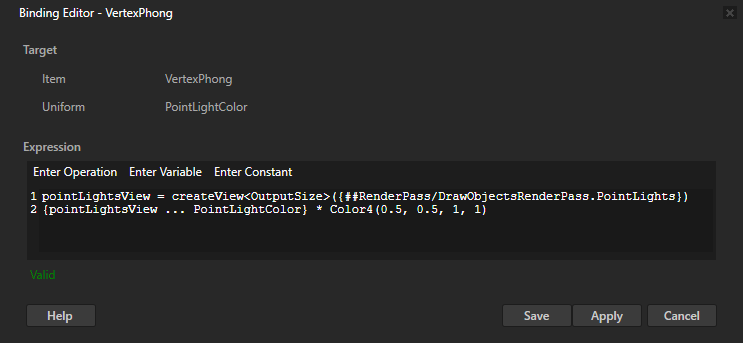
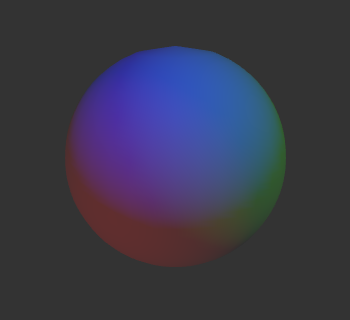
要根据这些 Point Light 节点中任何一个的 Opacity 属性的值来调暗所有 Point Light 节点:
# Get the range that contains the value of the Point Light Color property in each
# Point Light node.
rangeA = {##RenderPass/DrawObjectsRenderPass.PointLights ... PointLightColor}
# Get the range that contains the value of the Opacity property in each
# Point Light node.
rangeB = {##RenderPass/DrawObjectsRenderPass.PointLights ... Node.Opacity}
# Multiply the value of the Opacity property in each Point Light node.
totalOpacity = ...* rangeB
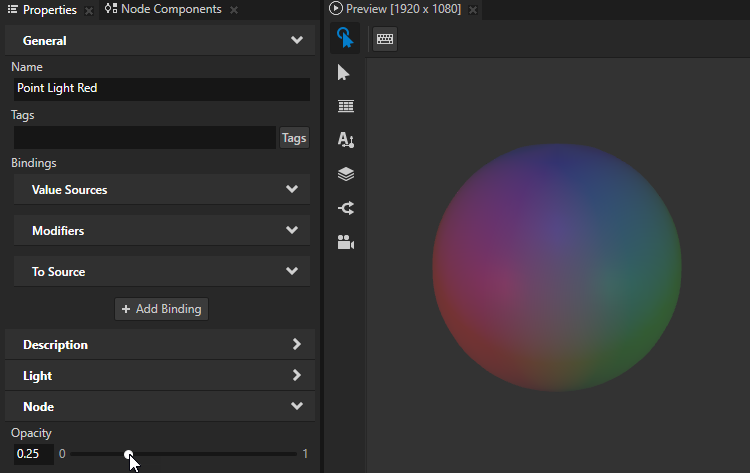
# For each Point Light node multiply the value of the Point Light Color property
# by the multiplied opacity.
rangeA * totalOpacity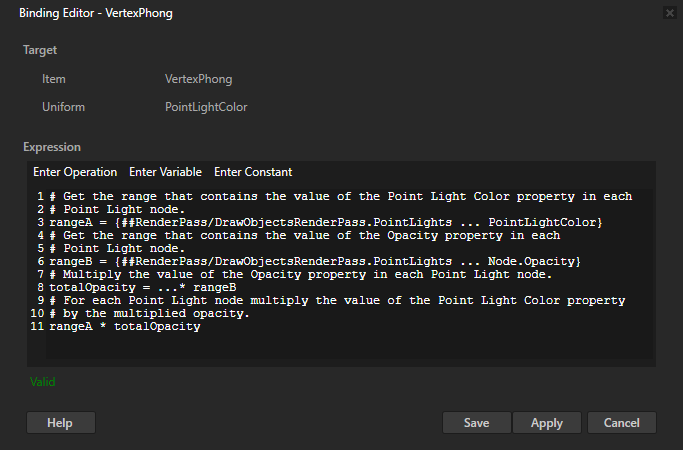
在 API 中使用光源节点
要创建并设置 Directional Light:
// Create a directional light named Directional light.
LightSharedPtr directionalLight = Light::createDirectional(domain, "Directional light");
// Rotate the directional light node by -45 degrees around the x axis.
SRTValue3D layoutTransformation = directionalLight->getLayoutTransformation();
layoutTransformation.setRotation(Vector3(degreesToRadians(-45.0f), 0.0f, 0.0f));
directionalLight->setLayoutTransformation(layoutTransformation);
// Set the color of the directional light to red.
directionalLight->setDirectionalLightColor(ThemeRed);
要创建并设置 Point Light:
// Create a spot light named Spot light.
LightSharedPtr spotLight = Light::createSpot(domain, "Spot light");
// Move the spot light on x axis by 4 units and rotate it around the y axis by 90 degrees.
SRTValue3D layoutTransformation = spotLight->getLayoutTransformation();
layoutTransformation.setTranslation(Vector3(4.0f, 0.0f, 0.0f));
layoutTransformation.setRotation(Vector3(0.0f, degreesToRadians(90.0f), 0.0f));
spotLight->setLayoutTransformation(layoutTransformation);
// Set the color of the spot light to blue.
spotLight->setSpotLightColor(ThemeBlue);
// Set the angle of the spot light cone to 45 degrees.
spotLight->setSpotLightCutoffAngle(45.0f);
// Set how concentrated the spot light is.
spotLight->setSpotLightExponent(30.0f);
// Set the constant attenuation for the spot light to 1.3, and linear and quadratic attenuation to 0.
spotLight->setSpotLightAttenuation(Vector3(1.3f, 0.0f, 0.0f));
要创建并设置 Spot Light:
// Create a point light named Point light.
LightSharedPtr pointLight = Light::createPoint(domain, "Point light");
// Move the point light on y axis by 4 units.
SRTValue3D layoutTransformation = pointLight->getLayoutTransformation();
layoutTransformation.setTranslation(Vector3(0.0f, 4.0f, 0.0f));
pointLight->setLayoutTransformation(layoutTransformation);
// Set the color of the point light to green.
pointLight->setPointLightColor(ThemeGreen);
// Set the constant attenuation for the point light to 0.8, and linear and quadratic attenuation to 0.
pointLight->setPointLightAttenuation(Vector3(0.8f, 0.0f, 0.0f));
有关详细信息,请参阅 Light 类。
光源节点属性类型
要查看光源节点可用属性类型的完整列表,请参阅: