使用灯光在渲染中
使用 Gather Lights 渲染通道从节点列表中收集光源节点,以便在场景中为 3D 节点照明。

收集灯光
Gather Lights 渲染通道收集光源节点,以便在场景中为 3D 节点照明。
默认情况下,Gather Lights 渲染通道收集场景中的所有光源节点,或由其最近的祖先 Node List 渲染通道提供的光源节点。
例如,在此渲染通道预设件中,Gather Lights 渲染通道收集由其父 Node List 渲染通道提供的光源节点:
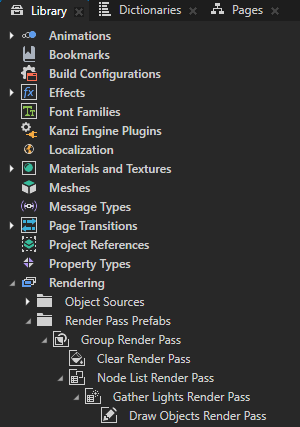
您可以使用同一 Render Pass Prefab 中的任意 Node List 渲染通道,为 Gather Lights 渲染通道提供光源节点。要了解如何使用过滤器将节点传递给渲染通道,请参阅 过滤器。
要设置您要用来收集光源的 Node List 渲染通道:
在 Library > Rendering > Render Pass Prefabs 中选择您要用来收集光源节点的 Gather Lights 渲染通道。
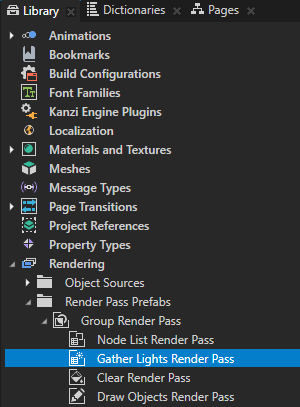
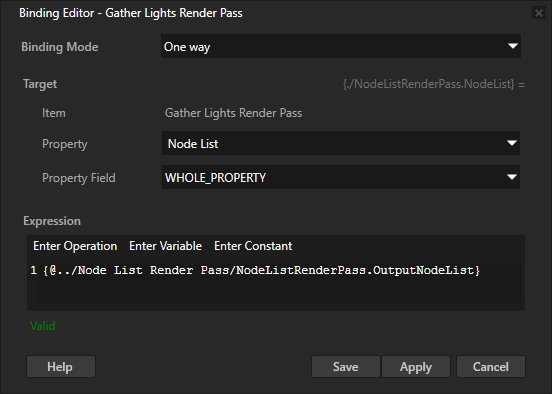
在 Properties 中点击 + Add Binding,并在 Binding Editor 中设置:
Property 到 Node List
Expression 为 Node List 渲染通道的 Output Node List 属性
例如,要收集由 Gather Lights 渲染通道的同级 Node List 渲染通道提供的光源节点,请将 Expression 设置为:
{@../Node List/NodeListRenderPass.OutputNodeList}
单击 Save。
使用您收集的光节点渲染 3D 内容。请参阅 照明 3D 节点 (Lighting 3D nodes)。
照明 3D 节点 (Lighting 3D nodes)
使用 Draw Objects 渲染通道和 Draw Objects With Material 渲染通道绘制 3D 节点。默认情况下,Kanzi 使用最近的祖先 Gather Lights 渲染通道提供的光源节点,照亮由 Draw Objects 渲染通道或 Draw Objects With Material 渲染通道绘制的 3D 节点。
例如,在此渲染通道预设件中,Kanzi 使用父级 Gather Lights 渲染通道收集的光源节点,照亮 Draw Objects 渲染通道绘制的 3D 节点:
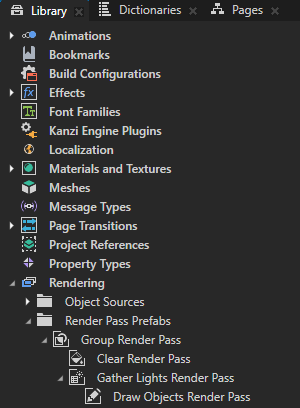
Gather Lights 渲染通道具有若干输出属性,每个输出属性都包含该 Gather Lights 渲染通道所收集的特定类型的光源集合。您可以手动设置 Draw Objects 渲染通道或 Draw Objects With Material 渲染通道,使其使用同一渲染通道预设件中任意 Gather Lights 渲染通道提供的光源。
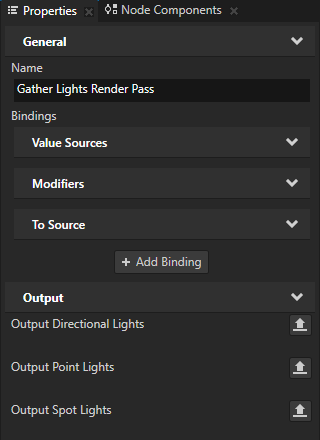
要设置您要使用其输出光源来照亮 3D 节点的 Gather Lights 渲染通道:
在 Library > Rendering > Render Pass Prefabs 中选择您用来绘制 3D 内容的 Draw Objects 渲染通道或 Draw Objects With Material 渲染通道。
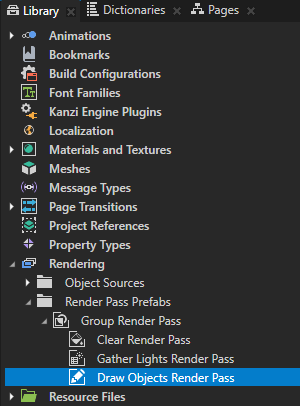
在 Properties 中点击 + Add Binding,并在 Binding Editor 中设置:
将 Property 设置为您要使用的灯光类型:
Directional Lights 用于 Directional Light 节点。
Point Lights 用于 Point Light 节点。
Spot Lights 用于 Spot Light 节点。
Expression 为您要使用的 Gather Lights 渲染通道的输出光源属性:
Output Directional Lights 用于 Directional Light 节点。
Output Point Lights 用于 Point Light 节点。
Output Spot Lights 用于 Spot Light 节点。
例如,要使用您添加绑定的渲染通道的同级 Gather Lights 渲染通道中的 Directional Light 节点,请设置:
Property 到 Directional Lights
Expression 到
{@../Gather Lights/GatherLightsRenderPass.OutputDirectionalLights}单击 Save。
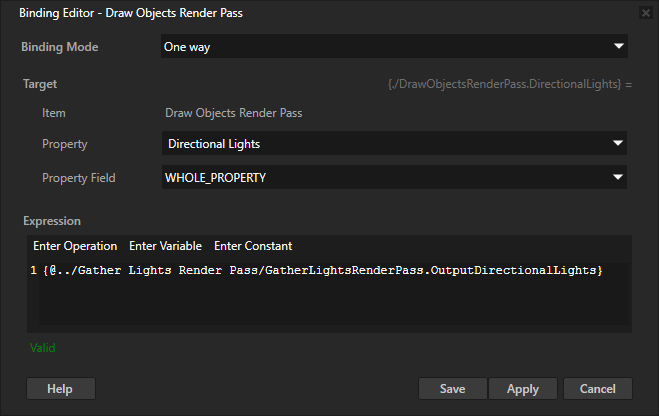
重复上一步以添加您要使用的其他类型光节点的绑定。
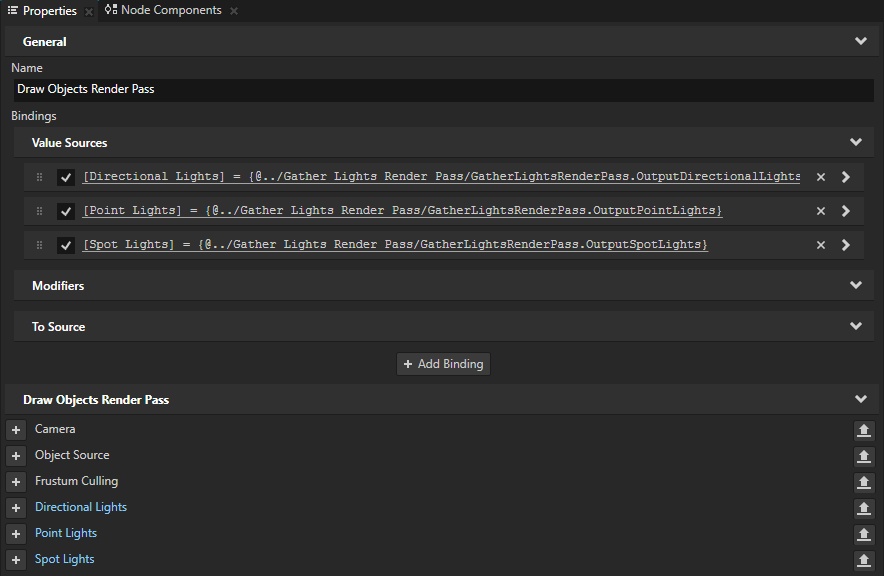
使用渲染通道:
在 Node Tree 中选择包含您要渲染的3D内容的 Viewport 2D 节点。
在 Properties 中,将 Render Pass Prefab 属性设置为包含以下渲染通道的渲染通道预设件:您用来收集光源节点的 Gather Lights 渲染通道,以及绘制 3D 内容的 Draw Objects 渲染通道或 Draw Objects With Material 渲染通道。