Flow Layout ノードを使用する
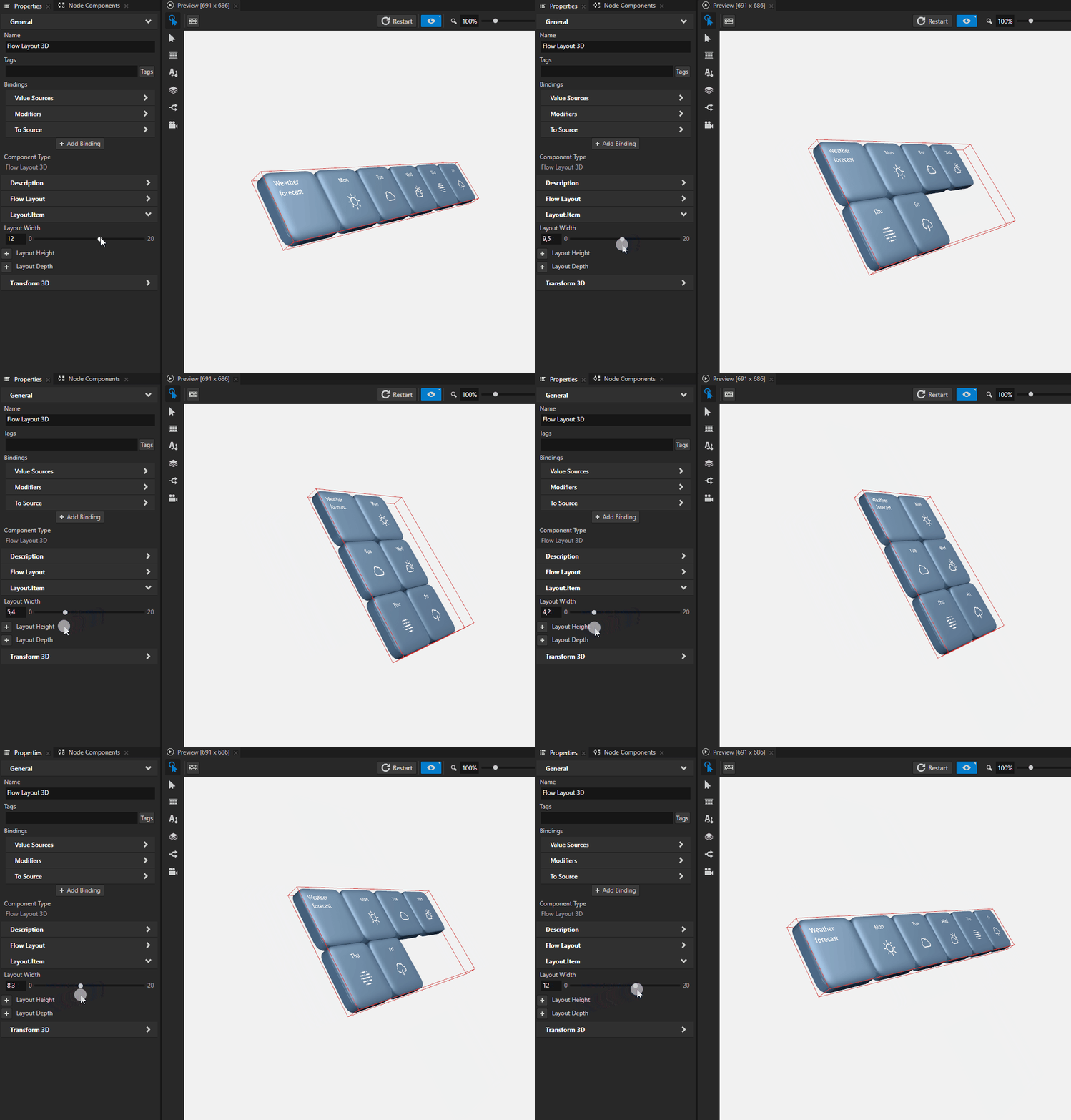
Flow Layout ノードを使用して、ノードを一列に配置します。行のスペースがなくなると、Flow Layout ノードはその子ノードを新しい行に配置します。
Flow Layout ノードを使用して、ページ上に配置するのと同じ方法でコンテンツを配置できます。

Flow Layout ノードは、追加した順にその子ノードを反復処理し、最初に Primary Direction プロパティで設定されたラインに沿ってアイテムを配置します。Flow Layout ノードが Primary Direction プロパティで設定された方向に利用可能なスペースがなくなると、Secondary Direction プロパティで設定した方向に沿って新しいラインを作成します。Flow Layout ノードの方向を設定する を参照してください。
Flow Layout 3D のチャイルドノードをx、y、z軸に沿って配置するための方向と開始点を設定でき、Flow Layout 2D のチャイルドノードをxおよびy軸に沿って配置することができます。
Flow Layout ノードの作成
Flow Layout ノードを作成するには:
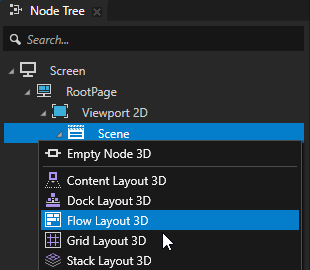
Node Tree Alt を押しながら右クリック で、Flow Layout ノードを作成したいノードを選択し、Flow Layout 3D または Flow Layout 2D のいずれかを選択します。
3Dノードは、Scene ノードのような3Dノード内でのみ作成でき、2Dノードは2Dノード内でのみ作成できます。
ヒント
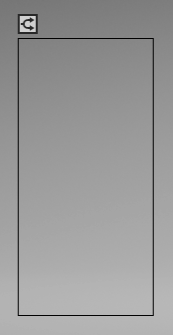
Preview で Flow Layout 2D tool
 を選択し、Preview でクリックしてドラッグすることで Flow Layout 2D ノードを作成します。
幅が高さよりも大きいレイアウトを作成する場合、レイアウトの方向は Left to Right です。
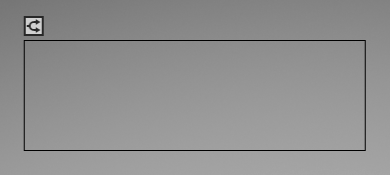
幅よりも高さが大きいレイアウトを作成する場合、レイアウトの方向は Top to Bottom です。
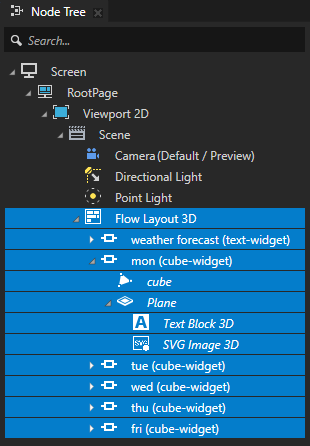
Node Tree で、前のステップで作成したレイアウトに子ノードを追加します。
例えば、Flow Layout 3D ノードを作成した場合、3Dコンテンツを含む複数の Empty Node 3D ノードを追加します。Flow Layout 2D ノードを作成した場合は、複数の Image ノードを追加します。
子ノードを追加すると、Flow Layout ノードは、Primary Direction プロパティと Secondary Direction プロパティで定義された軸に沿ってそれらを配置します。
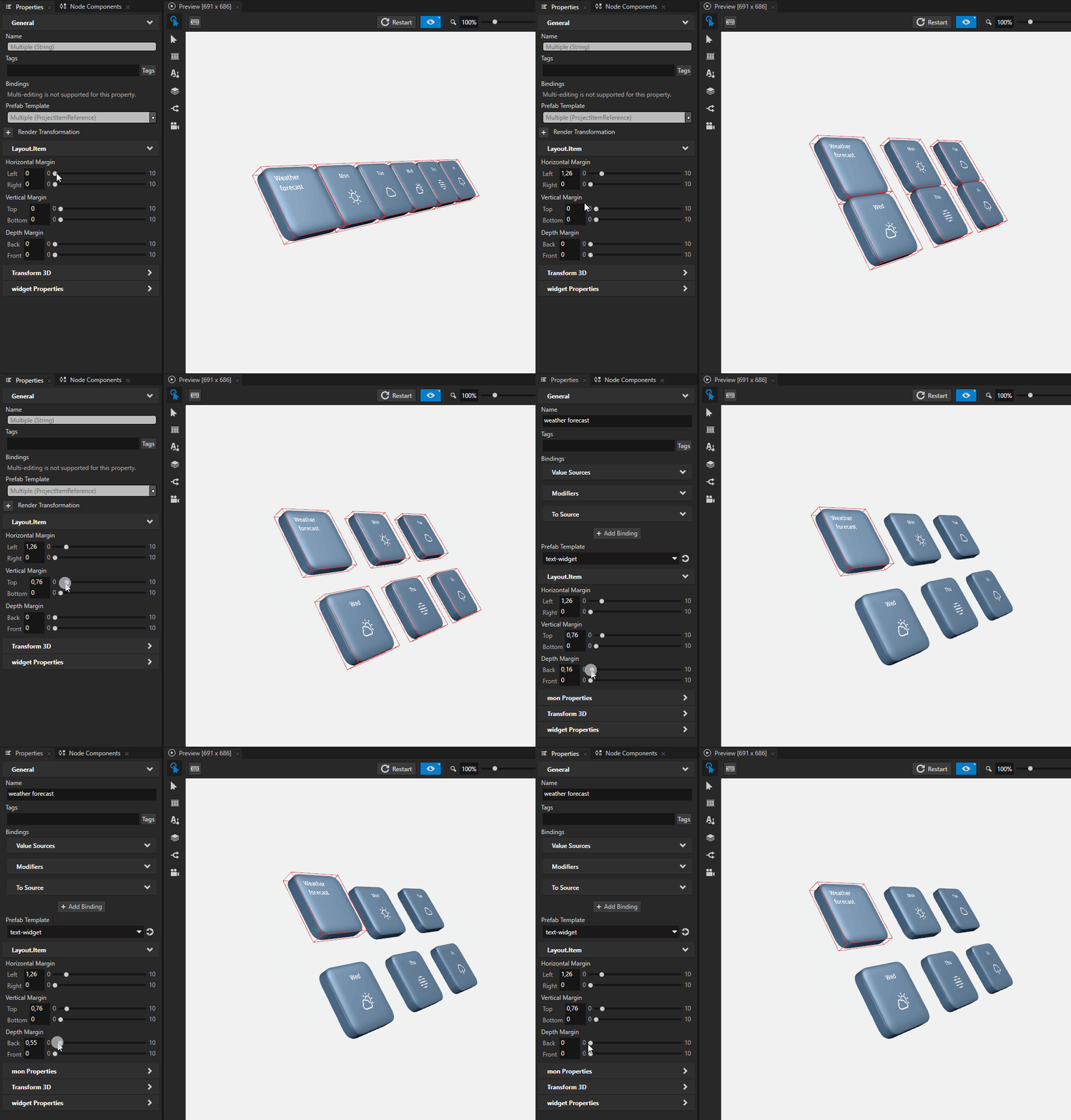
(オプション) レイアウト内のチャイルドノードの周囲をクリアするには、Node Tree でレイアウト内のチャイルドノードを選択し、Properties で
 をクリックし、マージンプロパティを追加して設定します。
Depth Margin は、チャイルドノードの前後の領域をクリアします。
Horizontal Margin は、チャイルドノードの左側と右側のエリアをクリアします。
Vertical Margin は、チャイルドノードの上下の領域をクリアします。
Flow Layout ノードの方向を設定する
Flow Layout ノードでは、Flow Layout ノードが子ノードを配置する開始点と方向の両方を設定できます。
Flow Layout ノードの方向を設定するには、
Flow Layout ノードを作成し、子ノードを追加します。Flow Layout ノードの作成 を参照してください。
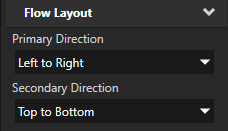
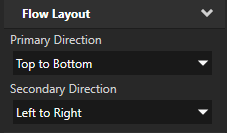
Properties で、Flow Layout ノードの方向プロパティを設定します。
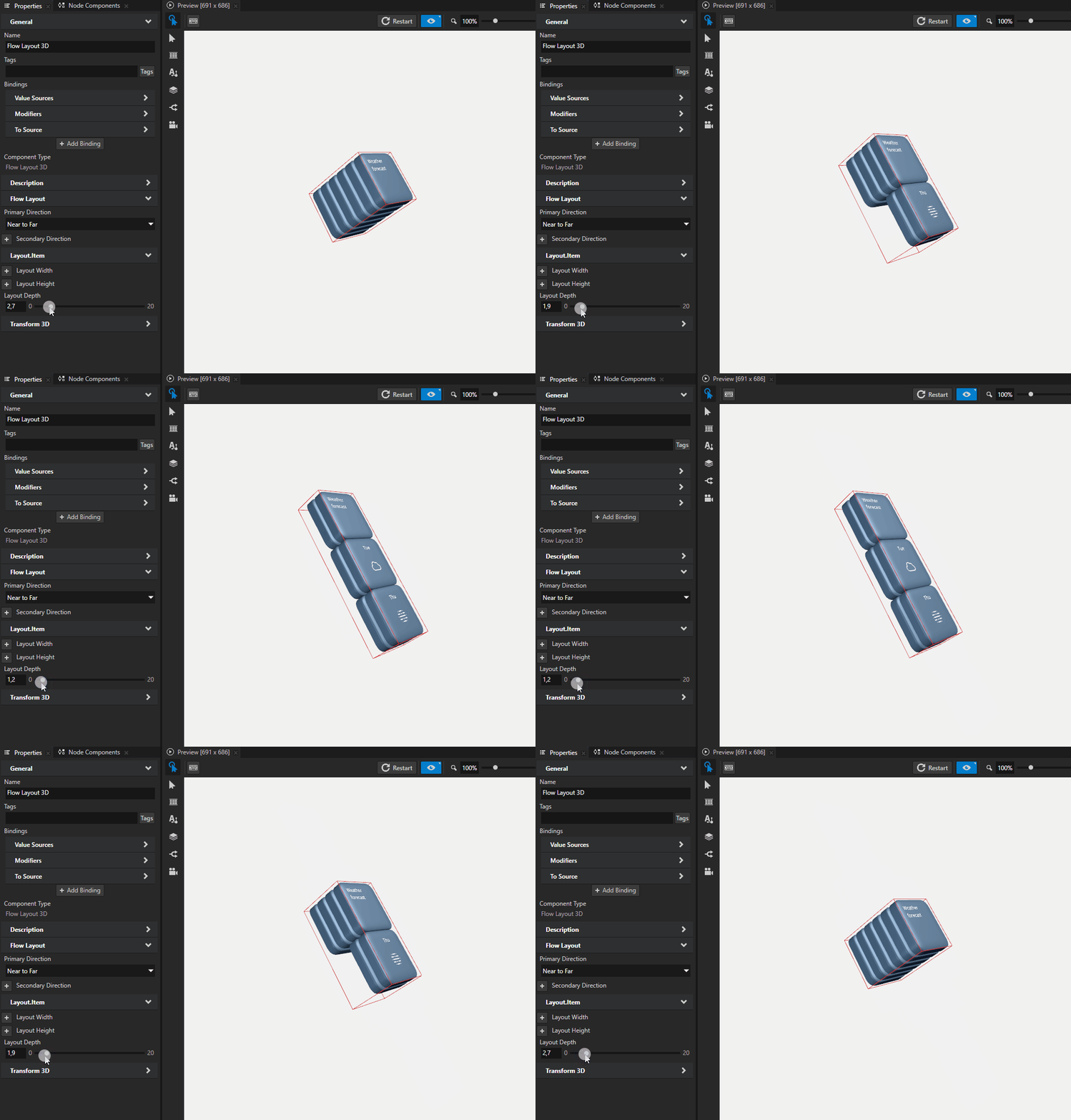
Primary Direction。この方向に沿ってチャイルドノードが配置され、Flow Layout ノードの制限に達するまで続きます。
例えば、Flow Layout ノードで Primary Direction が Left to Right に設定されている場合、制限は Layout Width プロパティによって設定されます。しかし、Primary Direction が Near to Far に設定されている場合、制限は Layout Depth プロパティによって設定されます。
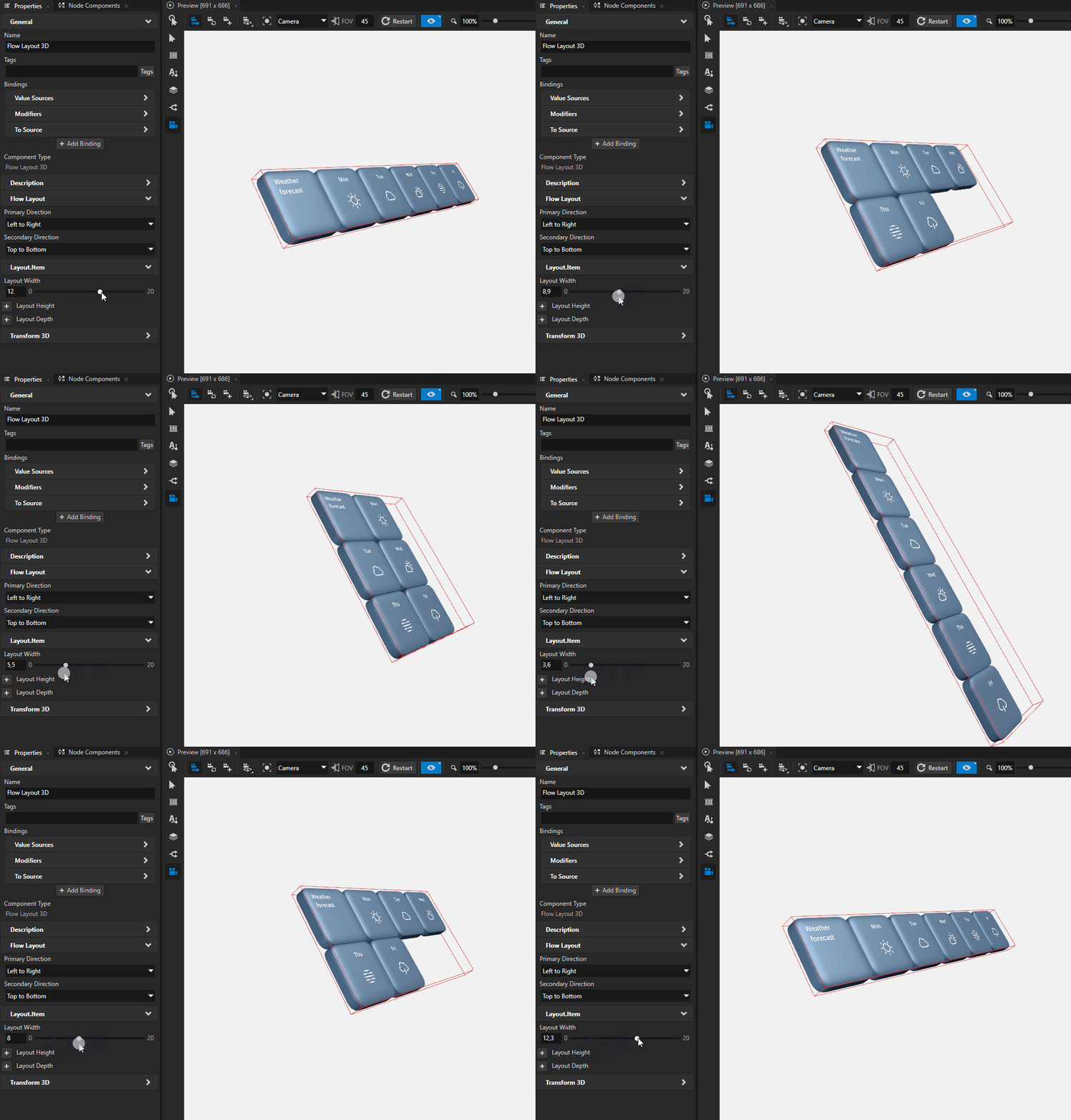
Secondary Direction。この方向は、Primary Direction プロパティで設定された制限を超えた場合に、チャイルドノードが配置される方向です。
例えば、子ノードが左から右、次に上から下に追加される Flow Layout ノードを設定するには、Primary Direction プロパティを Left to Right に設定し、Secondary Direction プロパティを Top to Bottom に設定します。
Flow Layout ノードが Secondary Direction プロパティで定義された方向に進むようにするためには、Primary Direction プロパティの制限を設定する必要があります。
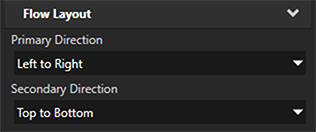
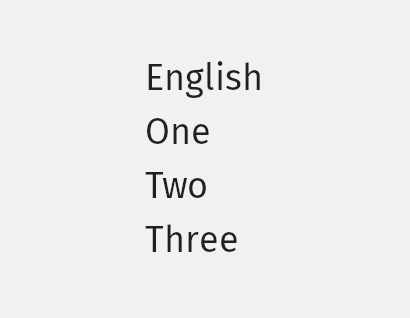
たとえば、次で使用されている規則に従ってフローレイアウト内のアイテムを配置するには:
左から右への言語の場合、プロパティを設定します:
Primary Direction から Left to Right へ
Secondary Direction から Top to Bottom へ
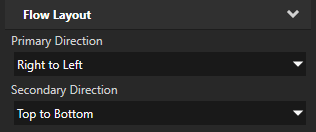
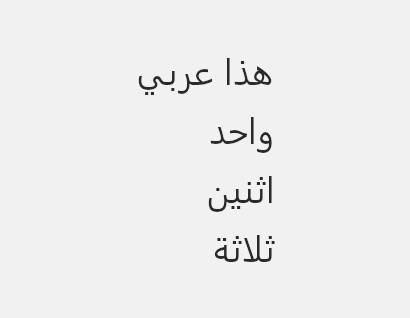
右から左への言語の場合、プロパティを設定します:
Primary Direction から Right to Left へ
Secondary Direction から Top to Bottom へ
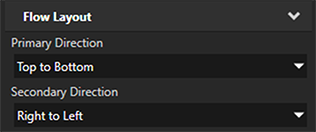
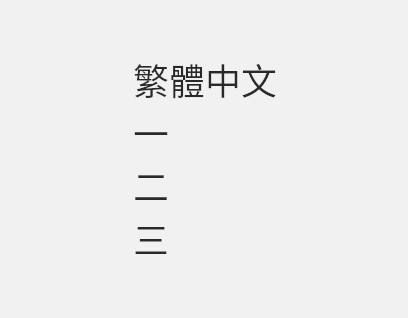
繁体字のレイアウト、プロパティを設定します:
Primary Direction から Top to Bottom へ
Secondary Direction から Right to Left へ
Flow Layout 2D ノードの外観を設定する
2D ノードの外観を設定するには:
2Dノードを単色、テクスチャ、またはマテリアルで塗りつぶすことができます。2Dノードの外観の調整 を参照してください。


2Dノードにポストプロセッシングエフェクトを適用できます。2Dノードのエフェクト を参照してください。



2Dノードを3つの軸すべてで回転させて、3Dのパースペクティブ効果を作成できます。2Dノードに3Dパースペクティブ効果を作成する を参照してください。

2Dノードにカスタムレンダリングを適用して、ポストプロセッシングエフェクトを作成できます。2Dノードにカスタムレンダリングを適用する を参照してください。
2Dノードをピクセルパーフェクトとしてレンダリングできます。ピクセルパーフェクトな2Dノードのレンダリング を参照してください。
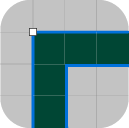
APIで Flow Layout 3D ノードを使用する
Flow Layout 3D ノードを作成するには、
// Create a Flow Layout 3D node named Flow. The default primary direction is
// left-to-right and the secondary direction top-to-bottom.
FlowLayout3DSharedPtr flow = FlowLayout3D::create(domain, "Flow");
Flow Layout 3D ノードの幅を設定するには、
// Set the width of the Flow Layout 3D node to 6 device-independent pixels to
// limit its size in its primary direction. By limiting the size in
// the primary direction you force the node to create a new line in
// the secondary direction, when it cannot fit an item in the primary direction.
flow->setWidth(6.0f);
Flow Layout 3D ノードにアイテムを追加するには:
// Flow Layout 3D node arranges its items in the order that you add them.
// Create a 3D node ...
Model3DSharedPtr item1 = Model3D::createBox(domain, "item1", Vector3(2.0f, 1.0f, 1.0f), ThemeRed);
// ... and add it to the Flow Layout 3D node.
flow->addChild(item1);
// The second item still fits in the first line.
Model3DSharedPtr item2 = Model3D::createBox(domain, "item2", Vector3(3.0f, 1.0f, 1.0f), ThemeGreen);
flow->addChild(item2);
// There is still space in the first line, but the third item is
// too large to fit, so the Flow Layout 3D node creates a new line.
Model3DSharedPtr item3 = Model3D::createBox(domain, "item3", Vector3(5.0f, 1.0f, 1.0f), ThemeBlue);
flow->addChild(item3);
// The fourth item fits in the second line by leaving no empty space.
Model3DSharedPtr item4 = Model3D::createBox(domain, "item4", Vector3(1.0f, 1.0f, 1.0f), ThemeOrange);
flow->addChild(item4);
// The Flow Layout 3D node places the last item in a new line.
Model3DSharedPtr item5 = Model3D::createBox(domain, "item5", Vector3(3.0f, 1.0f, 1.0f), ThemeGreen);
flow->addChild(item5);
詳細については、FlowLayout3D クラスを参照してください。
APIで Flow Layout 2D ノードを使用する
Flow Layout 2D ノードを作成するには、
// Create a Flow Layout 2D node named Flow. The default primary direction is
// left-to-right and secondary direction top-to-bottom.
FlowLayout2DSharedPtr flow = FlowLayout2D::create(domain, "Flow");
Flow Layout 2D ノードの幅を設定するには:
// Set the width of the Flow Layout 2D node to 600 pixels to limit its size in its
// primary direction. By limiting the size in the primary direction you force
// the node to create a new line in the secondary direction, when it cannot fit
// an item in the primary direction.
flow->setWidth(600.0f);
Flow Layout 2D ノードにアイテムを追加するには、
// Flow Layout 2D node arranges its items in the order that you add them.
// Create a 2D node ...
EmptyNode2DSharedPtr item1 = EmptyNode2D::create(domain, "item1", 200.0f, 200.0f, ThemeRed);
// ... and add it to the Flow Layout 2D node.
flow->addChild(item1);
// The second item still fits in the first line.
EmptyNode2DSharedPtr item2 = EmptyNode2D::create(domain, "item2", 250.0f, 250.0f, ThemeBlue);
flow->addChild(item2);
// There is still space in the first line, but the third item is
// too large to fit, so the Flow Layout 2D node creates a new line.
EmptyNode2DSharedPtr item3 = EmptyNode2D::create(domain, "item3", 200.0f, 200.0f, ThemeGreen);
flow->addChild(item3);
// The fourth item fits in the second line by leaving no empty space.
EmptyNode2DSharedPtr item4 = EmptyNode2D::create(domain, "item4", 400.0f, 400.0f, ThemeOrange);
flow->addChild(item4);
// The Flow Layout 2D node places the last item in a new line.
EmptyNode2DSharedPtr item5 = EmptyNode2D::create(domain, "item5", 150.0f, 150.0f, ThemeRed);
flow->addChild(item5);
詳細については、FlowLayout2D クラスを参照してください。
Flow Layout プロパティタイプとメッセージ
Flow Layout ノードの利用可能なプロパティタイプとメッセージのリストについては、Flow Layout 2D と Flow Layout 3D を参照してください。