第 6 步 - 发送消息
在此步骤中,您将学习如何从 Lua 脚本发送消息。
您首先创建一个函数来检查拼图是否已解决,然后添加功能以在拼图解决时显示消息。
检测已解决的拼图
要检测已解决的谜题:
在定义
movePieceMessageHandler之前,定义一个函数来检查拼图是否已解决。-- Declare a function that checks for the victory condition. local function checkForVictory() -- Count the number of pieces in a wrong position. local misplacedCount = 0 for i = 0,PieceCount-1 do local piece = grid:getChild(i) local row = piece:getProperty(GridLayout2D.RowProperty) local column = piece:getProperty(GridLayout2D.ColumnProperty) local expectedRow = i // ColumnCount local expectedColumn = i % ColumnCount if row ~= expectedRow or column ~= expectedColumn then misplacedCount = misplacedCount + 1 end end if misplacedCount == 0 then print("Victory!") end end
在
movePieceMessageHandler消息处理程序的末尾调用该函数。local function movePieceMessageHandler(args) ... checkForVictory() end
现在,当您解决谜题时,脚本会将 Victory! 打印到 日志 中。发送消息 ————–
要发送消息:
使用在 Kanzi Studio 项目中定义的 VictoryMessage 消息类型。
在脚本中,将变量初始化在其他变量旁边。
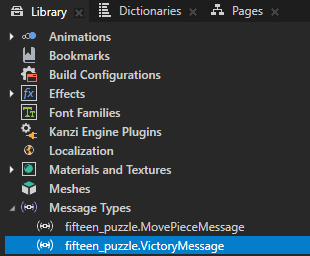
-- Find the "fifteen_puzzle.VictoryMessage" custom message type.
local VictoryMessage = MessageType:new("fifteen_puzzle.VictoryMessage")
修改
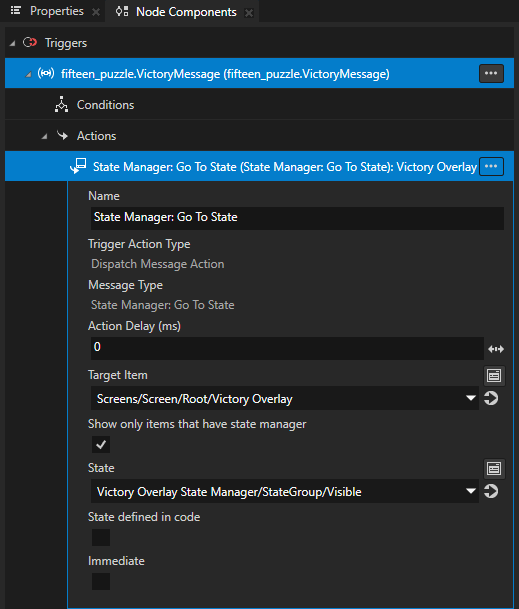
checkForVictory函数,使其在将消息打印到 Log 后,将VictoryMessage发送到 Grid 节点。Grid 节点使用
VictoryMessage触发器将 Victory Overlay State Manager 设置为显示胜利消息的 Visible 状态。使用
VictoryMessage:newMessageArguments()创建消息参数,并将消息发送到具有dispatchMessage成员函数的节点。local function checkForVictory() ... if misplacedCount == 0 then print("Victory!") -- Send a VictoryMessage to the grid node. local args = VictoryMessage:newMessageArguments() grid:dispatchMessage(VictoryMessage, args) end end
现在 Lua 脚本包含完整的游戏逻辑,该逻辑:
以随机顺序填充网格。
根据拼图逻辑,通过移动部件来响应输入消息。
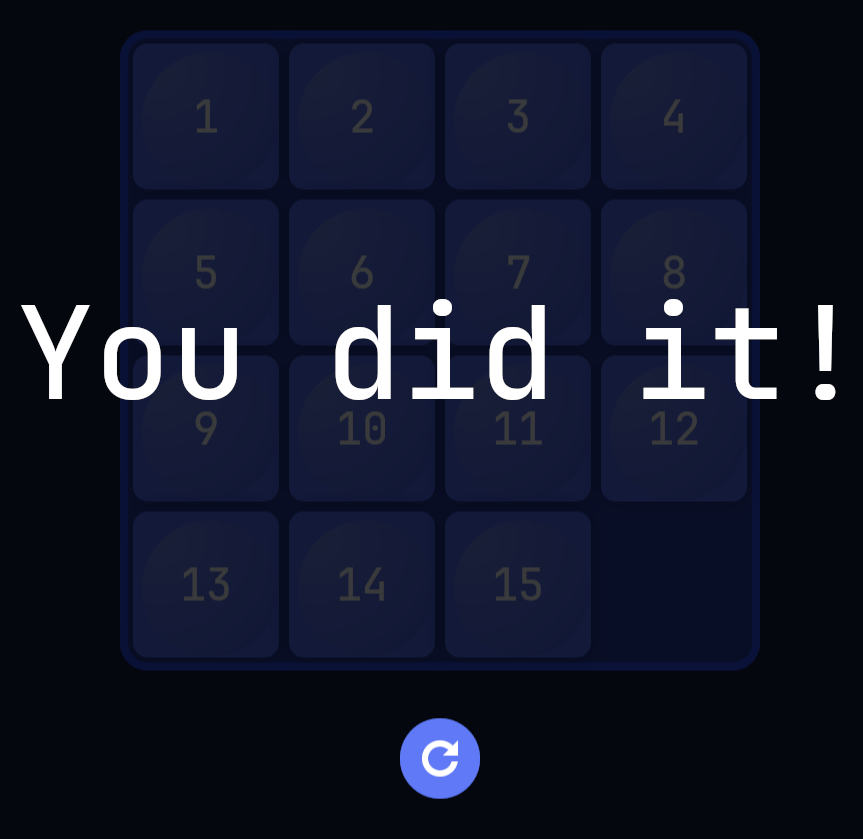
检测到拼图被解开时,通过发送消息在应用程序中显示胜利消息来做出反应。
接下来该做什么?
在本教程中,您学习了在 Kanzi 中使用 Lua 编程应用逻辑的基础知识。
要详细了解有关:
使用 Kanzi Engine Lua API 在 Kanzi Studio,请参阅 使用 Lua。
Kanzi 函数,您可以在 Kanzi Lua 脚本中使用,请参阅 Kanzi Lua API 参考。
Lua 编程语言,请参阅 https://www.lua.org/manual/5.4/。